Introduction: Minimalism Is Not About Less—It’s About Better
Minimalism gets misunderstood a lot. People think it means empty desks, blank walls, and removing anything that feels “extra.”
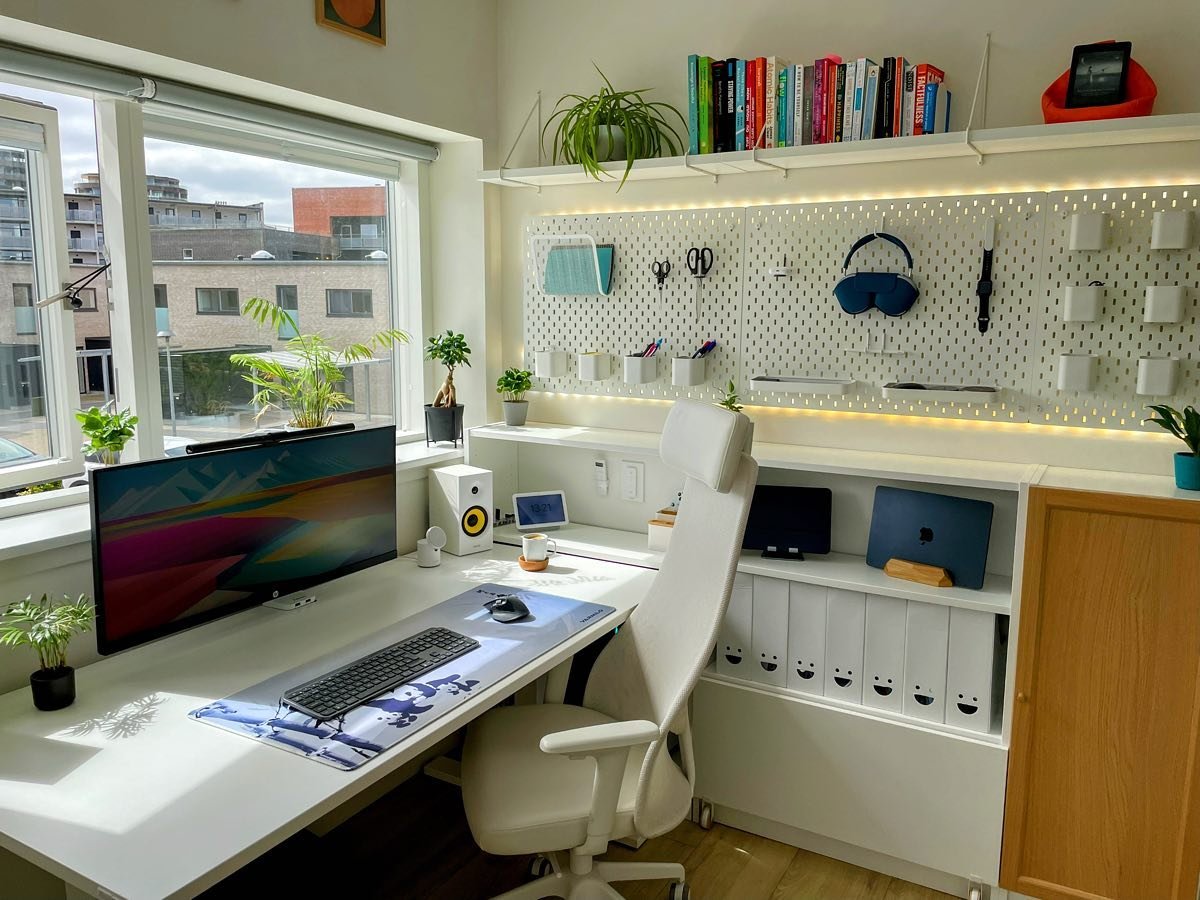
But real minimalism—especially when it comes to your setup—is about clarity, efficiency, and intention.
A well-designed minimal setup doesn’t just look clean. It:
- Reduces mental fatigue
- Speeds up decision-making
- Improves focus
- Creates a sense of calm control
Whether you’re working from home, studying, or building something online, your setup directly affects your output.
This guide walks through nine essential setup minimalism ideas that are practical, realistic, and easy to maintain. These are not aesthetic trends—they are systems that work.
Idea #1: The “One Purpose Per Item” Rule
What It Means
Every item in your setup should serve a clear purpose.
If something has no defined role, it becomes clutter—even if it looks nice.
How to Apply It
Ask this for each item:
- Do I use this regularly?
- Does it improve my workflow?
If the answer is no, remove it.
Clarity Impact Table
| Item Type | Purpose Clarity | Productivity Impact |
|---|---|---|
| Multi-purpose mess | Low | Negative |
| Defined purpose | High | Positive |
Practical Example
Instead of:
- 5 random notebooks
Use:
- 1 notebook for all active tasks
Key Insight
Less switching = more doing.
Idea #2: The Clean Surface Principle
Why It Works
Your brain constantly scans your environment. A cluttered surface creates background noise.
The Rule
Keep only essential items on your desk surface:
- Laptop/monitor
- One notebook
- One pen
- Optional: one decor item
Surface Efficiency Chart
Focus Level
│
│        ██████████████  Clean Surface
│     █████████         Semi-clean
│  █████               Cluttered
│_________________________________
Daily Habit
Take 1–2 minutes at the end of your day to reset your desk.
Idea #3: Hidden Storage Over Visible Storage
The Problem
Visible storage (open shelves, exposed items) still creates visual clutter.
The Solution
Use:
- Drawers
- Closed boxes
- Under-desk storage
Storage Comparison
| Storage Type | Visual Noise | Accessibility |
|---|---|---|
| Open storage | High | High |
| Hidden storage | Low | Medium |
Balance Tip
Keep frequently used items accessible, but hidden when not in use.
Idea #4: Digital Minimalism Integration
Why It’s Essential
You can’t have a minimal setup with a chaotic digital environment.
Key Rules
- Max 5–7 browser tabs
- Clean desktop
- Organized files
- Limited notifications
Digital vs Physical Clutter
| Type | Visibility | Impact on Focus |
|---|---|---|
| Physical clutter | Visible | High |
| Digital clutter | Invisible | Very High |
Simple Fix
Create 3 folders:
- Work
- Personal
- Temporary
Idea #5: Cable Simplicity System
The Fastest Way to Ruin Minimalism
Messy cables instantly destroy a clean setup.
Solutions
| Method | Effectiveness | Cost |
|---|---|---|
| Cable clips | Medium | Low |
| Cable sleeves | High | Medium |
| Wireless devices | Very high | Higher |
Before vs After
Before:
Tangled wires → visual stress → distraction
After:
Clean lines → calm environment → focus
Bonus Tip
Route cables behind the desk or under it.
Idea #6: Intentional Lighting Setup
Lighting Affects Everything
Poor lighting causes:
- Eye strain
- Low energy
- Reduced focus
Lighting Types
| Light Type | Purpose |
|---|---|
| Natural light | Mood & energy |
| Warm light | Relaxation |
| Cool white light | Focus & productivity |
Ideal Setup
- Light from the side
- No glare on screen
- Adjustable desk lamp
Energy Chart
Energy Level
│
│       ███████████  Balanced Lighting
│    █████           Poor lighting
│_________________________________
Idea #7: Minimal Decor, Maximum Meaning
The Truth
Minimal setups are not empty—they are intentional.
The Rule of 3
Keep no more than 3 decor items.
Example
| Decor Item | Purpose |
|---|---|
| Plant | Freshness & calm |
| Photo | Personal connection |
| Lamp | Function + aesthetics |
Impact Table
| Decor Level | Focus | Mood |
|---|---|---|
| None | High | Neutral |
| Balanced | High | Positive |
| Too much | Low | Overstimulated |
Idea #8: Workflow-Based Setup Design
The Mistake
Most people design setups based on looks, not usage.
The Upgrade
Design your setup based on how you actually work.
Example Workflow Setup
| Task Type | Placement |
|---|---|
| Deep work | Center of desk |
| Quick access | Side |
| Storage | Drawer |
Workflow Efficiency Chart
Efficiency
│
│       ███████████  Workflow-based setup
│    █████           Random setup
│_________________________________
Key Idea
Your setup should reduce movement and decisions.
Idea #9: The Reset System (Maintenance is Everything)
Why It Matters
Minimalism is not a one-time action—it’s a habit.
Daily Reset (2 Minutes)
- Clear desk
- Close tabs
- Organize items
Weekly Reset (15 Minutes)
| Task | Benefit |
|---|---|
| Clean desk | Fresh environment |
| Organize files | Faster access |
| Remove clutter | Better focus |
Consistency Chart
Productivity Over Time
│
│      ██████████████  With Reset System
│   █████              No system
│________________________________
Bringing It All Together: The Minimal Setup Blueprint
Step-by-Step Plan
| Step | Action | Time |
|---|---|---|
| 1 | Remove unnecessary items | 20 min |
| 2 | Apply clean surface rule | 10 min |
| 3 | Organize storage | 15 min |
| 4 | Fix cables | 15 min |
| 5 | Improve lighting | 10 min |
| 6 | Clean digital workspace | 30 min |
| 7 | Add minimal decor | 10 min |
| 8 | Optimize workflow layout | 20 min |
| 9 | Set reset routine | Daily |
Common Mistakes to Avoid
1. Removing Too Much
Minimalism is not emptiness—it’s balance.
2. Ignoring Digital Clutter
A clean desk with a messy laptop still reduces productivity.
3. Overthinking the Setup
Start simple. Improve gradually.
4. No Maintenance System
Without a reset routine, clutter always returns.
Real-Life Transformation
Before
- Cluttered desk
- Constant distractions
- Low focus
- Slow work
After
- Clean setup
- Clear thinking
- Faster workflow
- Consistent productivity
Final Thoughts: Simplicity Creates Power
A minimal setup is not about aesthetics—it’s about performance.
When your environment is simple:
- You think clearly
- You act faster
- You feel calmer
Start with one idea from this list. Apply it today. Build from there.
FAQs
1. Do I need to buy new items for a minimal setup?
No. Minimalism is about removing and optimizing, not adding more.
2. What is the most important idea to start with?
Start with the clean surface principle and decluttering. It gives immediate results.
3. How do I maintain a minimal setup?
Follow a simple routine:
- Daily reset
- Weekly cleanup
4. Can minimal setups improve productivity?
Yes. They reduce distractions, improve focus, and speed up workflow.
5. What if I have limited space?
Minimalism works best in small spaces. Focus on multi-use items and vertical storage.
6. How long does it take to see results?
You can notice improvements immediately after decluttering and organizing.