Everyone assumes it is about putting in more effort. Or longer. Or packing as many tasks into each hour.
But the truth? It often begins with your desk.
The setup of your workspace — its contents, its organization, how the light beams on it — directly affects how well your brain works. A workspace with the right desk setup can make focused work feel effortless. For the wrong one, it feels like you spend the whole day fighting yourself.
These 6 desk productivity hacks aren’t theories. They’re pragmatic, tried and true, and easy to implement today — no matter if you’re a student, a remote worker, or just someone who wants to accomplish more without grinding yourself to dust.
Let’s get into it.
Your Desk Isn’t Just a Surface — It’s a Performance Tool
Before we dive into the hacks, it is helpful if you change your mindset a bit.
Most of us use our desk as a rubbish bin. Mail goes there. Old notebooks pile up. Chargers tangle. Snack wrappers appear. And somehow, the work is supposed to take place in the midst of all that.
But your desk is the one place you do most of your figuring out. It deserves to be handled like a tool — not a catch-all.
When your desk is collaborating with you, not fighting you, finding focus comes easily. Tasks get started more easily. And the mental energy that would previously have been spent on controlling clutter is applied to your real work instead.
Here’s what that turn looks like in practice.
Hack 1 — Start With a Clear Desk, Right Down to Zero
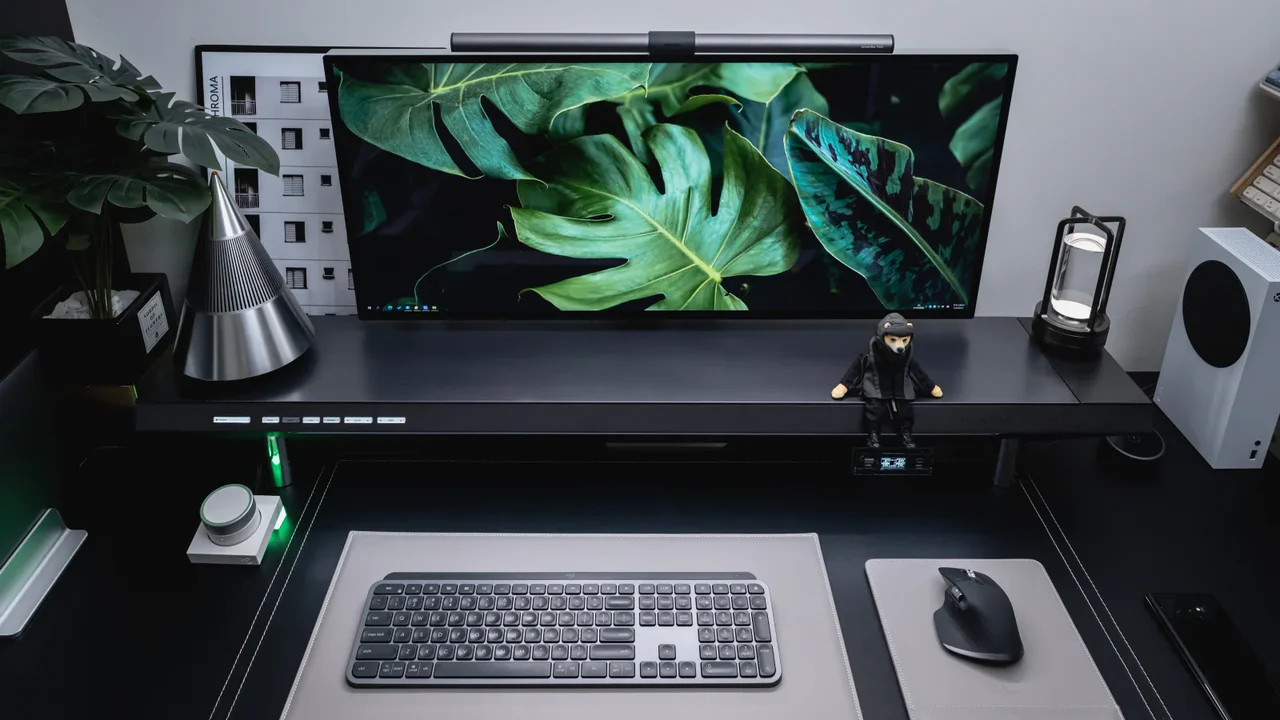
This is the single most powerful desk productivity hack that most people don’t use.
Remove everything from your desk before you start any work session. Every item. Every piece of paper. Any object which is not related to the task you are going to do.
Then only replace what you need for that particular session.
Why This Works
Every object it can see is processed by your brain. Even the things just sitting there in the corner of your vision are pulling a tiny bit of your attention. Researchers refer to this predicament as “attentional residue.” The more things there are on your desk, the more mental bandwidth they take up — passively, all the time, without you even realizing it.
Starting from zero eliminates that cognitive drag before it even starts.
How to Do It in 2 Minutes
Place a small tray, box, or basket next to your desk. When you purge the surface, it all goes in the basket — not in a drawer, not on a shelf, only in the basket. Sort the basket after your session.
As a two-step system, this makes clearing easy — you’re not deciding where things go. That happens later. You’re just wiping the slate clean right now.
Hack 2 — Follow the One Task, One Zone Rule
This hack isn’t just about how your desk looks — it’s about how you use that space.
The concept is straightforward: each kind of task has a defined physical space on the desk.
Your laptop or monitor, for example, in the middle for focused screen work. A notepad over to the left caters to thinking and planning. And on the right is a small tray containing the one physical item you’re working with (a book, a document, a product you’re testing).
The Science Behind Zoning
Research on spatial cognition shows that your brain creates mental maps of physical spaces. Once your brain determines a place on your desk is commonly used for a specific task, it begins to actively associate that area with that activity.
Over time, just moving your hand to the notepad zone triggers “thinking mode.” Opening the laptop in the center zone triggers “work mode.” The motion becomes a mental initiate.
This is the principle behind high-performance offices, trading floors, and more — but it applies just as well to a home desk.
Setting Up Your Zones
Keep it simple. Three zones maximum. If you attempt to force six zones onto a small desk, it becomes chaos with names. Just use screen zone, think zone, and reference zone. That’s it.
Hack 3 — Always Fix Your Lighting First

Bad lighting is among the most underrated productivity killers.
Most people aren’t aware of how their desk lighting impacts energy, mood, and focus — until they correct it. Then the difference is immediate.
Here’s the central problem: screens emit blue light, which tells your brain “daytime.” Fluorescent lights overhead cause glare and flicker that strain your eyes. And lower-wattage, yellowish lamps make you drowsy.
Get your lighting right, and you solve all three at once.
The Only Upgrade That Truly Matters
If you make only one change to your lighting setup, buy an adjustable color-temperature desk lamp. These lamps allow you to toggle between cool white (for morning focus) and warm white (for evening wind-down) with a single button.
Place the lamp so that it illuminates your work surface from the side, not directly above. Side lighting removes screen glare and minimizes eye strain over extended periods.
Hack 4 — Get Control of Your Cables Once and for All
This may seem like a cosmetic change. It isn’t.
Visible cable clutter is visual noise — and as we discussed in Hack 1, visual noise depletes focus. Tangled cables create practical issues, too: they get caught on things, they pull devices off desks, and they make it irritating to plug things in or change your setup.
Solving the cable problem is one of the fastest desk productivity hacks you can apply, due to the immediate and long-lasting result that will follow.
A Simple Three-Step Cable System
First, run everything behind or under the desk. Hold cords in place with adhesive cable clips to route them along the bottom of the desk surface or down the back of a desk leg. This moves them completely out of eyeline.
Second, group cables that follow the same path. A velcro cable tie every 20cm keeps cables running in parallel tidy, but can be released if they need to come apart.
Third, use a small piece of tape and a written label on both ends of every cable. This sounds fussy until you’ve reached behind your monitor and unplugged the wrong thing for the third time. Labels eliminate that problem permanently.
The Cable Box Trick
A cable management box — a basic rectangular box with a lid and cable cutouts — lives under or beside your desk, storing your power strip as well as all the cable slack. You connect things through the cutout, and all the messy stuff stays inside the box. From the outside, it looks like a box.
This one item will completely change the look of any desk in under ten minutes.
Hack 5 — Create a Trigger Object to Anchor Your Routine
This is a desk productivity hack with a behavioral angle — and it could be the most interesting one on this list.
A trigger object is an item you place on your desk at the beginning of a work session that informs your brain focused work has begun. It sounds simple. The effect is surprisingly powerful.
It is a concept rooted in behavioral psychology. Your brain learns through association. If you link a particular action with a particular stimulus over and over again, the stimulus will eventually cause that action all by itself. No wonder the scent of coffee wakes you up before your lips have even touched a cup.
Choosing Your Trigger Object
The object can be pretty much anything, provided it satisfies three criteria. It must be compact enough to sit on the desk without taking too much space. It should only be out during work periods — not sitting there all the time. And it should have no other purpose in that space (so not your phone or a snack).
Among the popular options are a particular mug that is used only during work sessions, a small timer set in the same spot every time, or even just a smooth stone or some desk accessory positioned precisely when starting a session and placed elsewhere to finish one.
That object bookends your work session and becomes an almost ritualistic element. Gradually, putting the object down becomes like flipping a mental switch.
Hack 6 — Plan Your Workspace for the First Five Minutes
Most people build their desk around comfort. This hack asks you to build it around what’s easy to start.
The most difficult part of any work session is just getting started. Very rarely does procrastination happen while in the middle of a task. It comes in at the beginning, when your mind wants to find a reason to delay.
The answer is bringing the friction of beginning as near to zero as possible.
The “Open Loops” Method
At the end of each work session, leave a visible marker of precisely where you will pick up next time. This could be a sticky note on the monitor that reads “Draft intro paragraph — start here.” Or a physical notebook open to the next blank page with one word at the top.
You don’t have to come and figure out what to do the following day. The desk tells you. The decision is already made. You just start.
This trick takes advantage of a well-documented psychological principle: an unfinished task is often easier to return to than a blank slate. Your brain clings to unfinished work and wants to pick up the thread again. The desk setup simply enables you to act on that eagerness.
Remove Every Extra Step
Count the number of clicks, taps, or physical actions between sitting down and starting real work. The point is to get that number as low as you can.
If your job involves a laptop, leave it charged and open. If it involves an app, have it open on launch. If it requires physical materials, have everything already out and set up.
Each extra step is an opportunity for your brain to get distracted or procrastinate. Taking away the steps makes starting the path of least resistance.
How These Six Hacks Work in Conjunction
The real power of these desk productivity hacks isn’t in any one of them — it’s in how they stack.
Clear your desk to zero, and your brain has less to process. Zone your space, and your brain knows what each area means. Light it right, and you are not fighting eye strain. Manage cables and that visual noise drops even further. Use a trigger object to signify the beginning of your session, and the mental switch flips faster. Set up for easy starts and the hardest part of any session is already handled before you sit down.
Together, these six changes create an environment where focus is the default — not the exception.
If you’re also looking to overhaul how your desk looks and feels from the ground up, Minimal Workspaces is a great resource for setup inspiration and ideas.
Quick-Start Checklist — Apply All 6 Hacks This Week
You do not need to implement all six hacks at once — in fact, it is better not to. Choose one hack per day and spend five minutes setting it up properly. At the end of the week, all six will be in place, and your space will feel like a completely different environment.
Here’s the suggested order to make it as simple as possible:
Day 1 — Clear the desk to zero and set a basket nearby for future clears.
Day 2 — Allocate your three desk zones and mark them with a strip of tape or a physical marker.
Day 3 — Place or adjust your desk lamp so it provides side lighting without causing glare on your screen.
Day 4 — Route and bundle all cables using clips and velcro ties; label both ends of every cable.
Day 5 — Choose your trigger object and use it in your first work session of the day.
Day 6 — Close the day by writing an “open loop” note on your desk for tomorrow morning.
Six days. Six changes. A desk that works for you.
Frequently Asked Questions
Q: What are desk productivity hacks, exactly? Desk productivity hacks are practical, small changes to your physical workspace that make starting a task easier, distractions minimized, and focus expanded. They are based on how your brain reacts to its environment — and most of them have no cost to implement.
Q: How soon will I see results from these hacks? Even making one change, most people notice a difference in the first work session after they do it. Cleaning off a desk or getting lighting right can often produce an immediate shift in how focused a session feels. The behavioral hacks, such as the trigger object, build effect across one to two weeks of consistent use, over which time the association strengthens.
Q: Do I have to purchase anything to use these desk productivity hacks? Not for the majority of them. Reducing clutter on your desk, establishing work zones, and designing for easy starts cost nothing. You only need cheap clips and ties to manage cables. A good adjustable desk lamp is the one item worth spending a little on — but even this isn’t necessary if you have natural window light to begin with.
Q: Do these hacks work in a shared office or cubicle? Yes, most of them translate directly. You might not have control over overhead lighting, but you can arrange a desk lamp. You can still clear your surface, create zones within your own area, and use a trigger object. The “open loops” method for easy starts works in any environment.
Q: What’s the single best desk productivity hack? This depends on the person, but clearing to zero before every session is what consistently results in the fastest observable improvement. It’s free, it takes two minutes, and the impact on focus is instant. If you only do one thing from this list, make it this one.
Q: How do desk productivity hacks differ from time management techniques? Time management techniques (like scheduling or time-blocking) dictate when you work. Desk productivity hacks organize where and how you work. They respond to your physical environment, not your calendar. Both are important — but your environment influences your behavior more reliably than your schedule does, because it’s always present.
Q: Are these hacks scientifically validated? Yes. The science behind these hacks is rooted in environmental psychology, behavioral science, and cognitive research. The six hacks are backed by research on attentional residue (Princeton Neuroscience Institute), physical environment shaping behavior (B.J. Fogg’s behavior model), and how lighting influences alertness and circadian rhythm.
The Bottom Line — Your Environment Influences Your Output
Here’s the thing about desk productivity hacks: none of them require willpower. None of them ask you to work harder or concentrate more through sheer will.
Instead, they actively shape the environment so that focusing on a task, initiating it, and persisting with it become the default — effortless — path, rather than something you must always wrestle with.
That’s the real insight. Willpower is limited and unreliable. Your environment is something you can design. And a properly set-up desk works for you every single session — whether that’s the one where you’re feeling inspired or not.