Some desks can even help you get more done in a given day.
You sit down at your desk. You open your laptop. And then… nothing happens.
Not because you are lazy. Not that the work is too difficult. But due to the fact that your workspace is not working in your favour.
A messy cable situation. A monitor that strains your neck. Getting pinged every 30 seconds. No proper lighting. These things sap your energy and focus without you noticing, before you even start.
The truth is: your desk setup is either enabling you to do great work or quietly undermining it. There’s very little middle ground.
The good news? You don’t require a full home makeover or a limitless budget to do so. A few intentional tweaks to your desk productivity setup can completely redefine how much you accomplish — and how you feel while doing it.
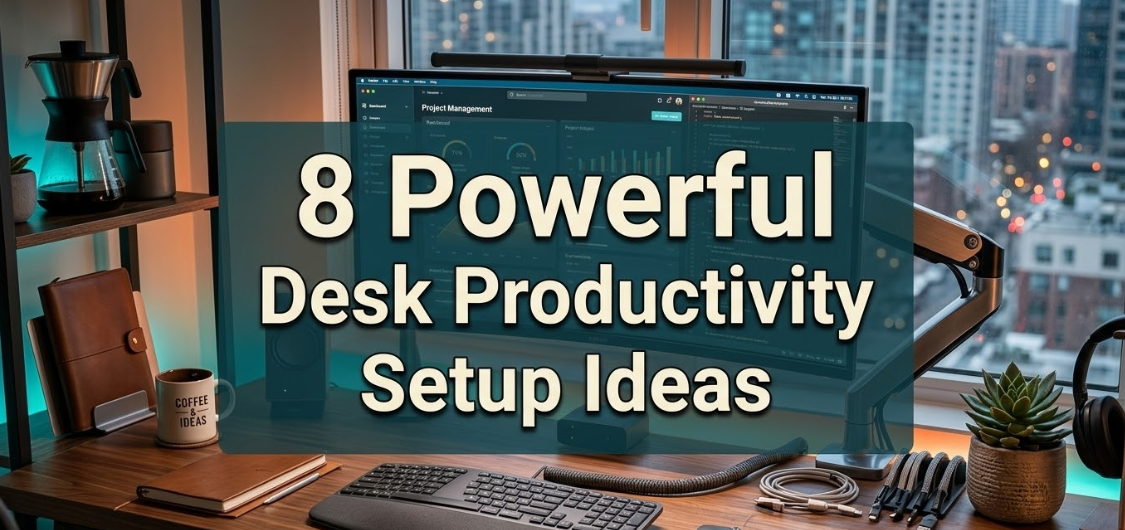
In this article, you will discover 8 powerful desk productivity setup ideas that are practical, tried and true, and action-specific. Whether you’re working from home, an office, or a bit of both, there’s something here for you.
Let’s create a working setup.
The Surprising Way Your Desk Setup Impacts Your Output
It is worth taking a moment on the why before diving into the ideas.
The majority of people assume productivity is just a mindset thing. Push harder. Wake up earlier. Use a better to-do list app. And while habits and mindset matter, your physical environment has a direct and quantifiable effect on how well your brain executes.
A study out of the University of Exeter showed that workers who had control over workspace design became up to 32% more productive than their counterparts without that freedom. In another study in Psychological Science, researchers found that even ceiling height in a room impacted the way people thought creatively.
Your brain is always scanning for environmental cues. A chaotic desk signals chaos. A thoughtful, purposeful setup says: now is the time to work.
So every improvement you make to your desk productivity setup is deeper than design. It is a direct investment in your output, your attention, and your energy on a daily basis.
1. Get Your Monitor Height and Distance Right
This single adjustment can spare you hours of neck pain, eye fatigue, and distraction.
The vast majority of people position their monitor too low or too high, and many are sitting too far away. And they wonder why they feel exhausted after only a few hours of screen time.
The Exact Setup That Works
Your screen should be at arm’s distance from your face — about 50 to 70 centimeters. The top of the screen should be at or slightly below eye level. This keeps your neck in a neutral position and reduces the micro-adjustments your muscles are constantly making all day.
If you work on a laptop, a laptop stand is essential. Laptops aren’t designed for ergonomics — they’re meant to be portable. Without a stand, you’re constantly craning your neck downward — which, according to research by Dr. Kenneth Hansraj published in Surgical Technology International, puts as much as 27 kilograms of pressure on your cervical spine.
What to Use
- A monitor arm gives you full flexibility to adjust height, tilt, and distance at any time
- A laptop stand plus an external keyboard is the most affordable ergonomic upgrade available
- For dual-monitor users, position the primary screen directly in front of you and the secondary screen to the side at the same height
Getting this right is the foundation of any serious desk productivity setup. Everything else builds on it.
2. Master Your Lighting Setup
Bad lighting is one of the most underrated productivity killers in any desk setup.

Too dark and you struggle to see clearly. Too bright or with harsh glare and you get headaches within hours. Too much blue-toned light in the evening and your sleep suffers — which sinks your focus the next morning.
Getting your lighting right is not complicated. And yet most people never think about it at all.
The Three Layers of a Great Desk Lighting Setup
Think of your workspace lighting in three layers:
Ambient light is the overall brightness of the room. Natural daylight is best here — it is the most balanced, full-spectrum light source available. If natural light is limited, a daylight bulb (5000–6500K color temperature) simulates it well.
Task lighting is the focused light directly on your work surface. A good desk lamp — positioned to the left if you are right-handed, to the right if left-handed — prevents your hand from casting a shadow while you write. Look for a lamp with adjustable brightness and color temperature.
Bias lighting is often overlooked but highly effective. This is a soft light placed behind your monitor. It reduces the contrast between your bright screen and a dark room — one of the main causes of digital eye strain. LED light strips behind your monitor are inexpensive and make a noticeable difference.
Quick Lighting Tips
| Situation | Best Solution |
|---|---|
| Too much glare on screen | Reposition desk perpendicular to window |
| Eye strain by afternoon | Add a warm-toned desk lamp, reduce overhead brightness |
| Working late evenings | Switch to 2700–3000K warm light after sunset |
| Dark corner workspace | Daylight LED bulb (5000K+) as ambient source |
| Screen causing headaches | Add LED bias lighting behind the monitor |
Small tweaks to your lighting can add hours of comfortable, focused work time to your day. It is one of the highest-return upgrades in any desk productivity setup.
3. Build a Distraction-Free Digital Environment
Your physical desk can be impeccably organized. But if your computer screen is a chaos of open tabs, notifications, and random files, your focus will still suffer.
A truly effective desk productivity setup requires both a clean physical space and a clean digital one.
Taming Your Screen Clutter
Start with your desktop. If you can barely see your wallpaper through the icons, that is a problem. Every icon on your desktop is a visual task reaching out to grab your attention. Create a folder called “Desktop Clutter,” throw everything in there, and move it to your documents. You can sort it later. For now, a blank desktop gives your brain room to breathe.
Next, tackle your browser. Install a tab management extension and make it a rule: no more than five active tabs open at any time. If you need to save a page for later, use a tool like Pocket or simply bookmark it. The habit of a clean browser window is one of the fastest ways to feel more focused while working.
Notifications Are Productivity Poison
Every notification that pops up — email, Slack, social media, news — costs you more than the two seconds it takes to glance at it. Research from the University of California, Irvine found that after an interruption, it takes an average of 23 minutes to fully return to the original task.
Turn off all non-essential notifications during your work hours. Use your phone’s focus mode or Do Not Disturb setting. Set specific times — perhaps twice a day — to check email and messages rather than reacting to every alert as it arrives.
Your digital environment is just as much a part of your desk productivity setup as your monitor or chair.
4. Invest in an Ergonomic Chair (Your Back Will Thank You)
Here is something most productivity guides skip over: the chair you sit in affects your focus, your energy, and your output every single hour of the workday.

Sitting in a bad chair is like trying to focus while someone slowly presses on a sore muscle. You barely notice it at first. But by noon, you are shifting constantly, losing focus every few minutes, and wondering why you feel so drained.
What Makes a Chair Truly Ergonomic
A genuinely ergonomic chair does four key things:
- Supports the natural curve of your lower back (lumbar support)
- Allows your feet to rest flat on the floor with your knees at a 90-degree angle
- Keeps your arms level with your desk so your shoulders are relaxed
- Allows you to adjust seat height, armrests, and back tilt independently
You don’t have to break the bank. A mid-range ergonomic chair in the $200–$400 range will provide many of the same benefits as premium models costing three times as much. If budget is tight, a well-made lumbar support cushion on your existing chair can make a meaningful difference in the meantime.
The Posture Check
Every time you sit down at your desk, do a quick five-second posture check:
Feet flat on the floor. Back against the chair’s lumbar support. Screen at eye level. Shoulders relaxed, not raised or hunched. Elbows at roughly 90 degrees.
It takes five seconds. And it prevents hours of discomfort.
5. Use the Desk Zone System to Organise Your Surface
One of the simplest and most effective tricks in any desk productivity setup is splitting your desk surface into intentional zones.
Most people treat their desk as one flat surface where everything competes for the same space. The result is a slow-motion mess that gets worse every day until a big weekend tidy becomes necessary.
The zone system prevents that entirely.
The Three Zones Explained
Zone 1 — The Primary Zone is directly in front of you. This is your most valuable real estate. Only what you are actively working on right now belongs here. Your keyboard, mouse, and the current page of your notebook. That is it. The moment a task is done, it leaves Zone 1.
Zone 2 — The Secondary Zone is the area within easy arm’s reach on either side. This is where items you use daily but not constantly live. Your water bottle, phone (face down), a small notepad, and perhaps a pen holder.
Zone 3 — The Outer Zone is the far edges of the desk and any nearby shelves. This is for reference items — things you need occasionally but not every hour. A book you are working through, a folder for the current project, your desk lamp.
Why This Works
The zone system works because it externalises the decision of where things belong. Instead of randomly placing items down and dealing with the chaos later, every object has a designated spot based on how often you use it.
It takes about ten minutes to set up and saves you from the daily five-minute “where did I put that” search that adds up to significant lost time across a week.
For more ideas on keeping your workspace clean and intentional, Minimal Workspaces is a fantastic resource dedicated to focused, clutter-free desk setups.
6. Control Your Sound Environment
Noise might be the most underrated enemy of a productive desk setup.
Open offices, noisy households, street traffic, nearby conversations — all of these create an acoustic environment that your brain has to constantly filter. And filtering takes energy. Energy that should be going toward your work.
Three Approaches to Noise Control
Active noise cancellation (ANC) headphones are the gold standard for most knowledge workers. A good pair of ANC headphones can reduce ambient noise by up to 30 decibels. That is the difference between hearing every word of a nearby conversation and hearing none of it. Sony, Bose, and Apple all make excellent options at various price points.
White noise or brown noise is a powerful alternative or complement to headphones. Playing a consistent background noise masks the irregular, distracting sounds that break your focus. Brown noise (a deeper, richer tone than white noise) is particularly popular for deep work. Many free apps and YouTube channels offer hours of it.
Environmental changes go further than headphones alone. A rug on a hard floor absorbs echo. A bookshelf on a thin shared wall adds acoustic mass. Heavy curtains dampen noise from outside. These changes cost relatively little and benefit everyone in the space.
The right sound environment is deeply personal. Some people focus best in near-total silence. Others need a low hum of background sound. The key is to make that choice intentionally rather than accepting whatever the environment hands you.
7. Cable Management: The Invisible Upgrade That Changes Everything
Nobody talks about cable management in productivity guides. That is a mistake.
Visible cable clutter does two things that hurt your productivity. First, it creates visual noise — that constant low-level distraction mentioned earlier. Second, it makes you feel disorganised even when you are not, which subtly lowers your confidence and energy.
Sorting your cables takes one afternoon. And the result lasts for months.
A Simple Cable Management System
Step 1 — Audit your cables. Unplug everything. Identify what each cable is for. Throw away cables you no longer need. You will almost certainly find at least three cables whose purpose you cannot identify.
Step 2 — Go wireless where possible. Wireless keyboard, wireless mouse, wireless charger. Each wireless device is one less cable on your desk permanently. The investment pays off in clarity every single day.
Step 3 — Route and bundle what remains. Use Velcro cable ties (never zip ties — they are impossible to undo cleanly) to bundle cables that run together. Clip them to the back or underside of your desk using adhesive cable clips or a cable raceway.
Step 4 — Use a power strip with a long cord. Mount it under the desk or behind a desk leg. All your power cables disappear from sight. This single change often has the most dramatic visual impact.
Step 5 — Label your cables. A small label on each cable end means you never have to trace the cable to identify it again. Use colored tape or a label maker.
Before and After: The Impact
| Before Cable Management | After Cable Management |
|---|---|
| 3–5 loose cables visible on desk | Zero cables visible from seated position |
| Daily visual distraction | Clean, focused surface |
| Cables tangle and pull devices | Everything stays in place |
| Looks unprofessional on video calls | Clean background every time |
| Time wasted identifying cables | Labelled, instantly identifiable |
This is one of those upgrades that people always say they should have done sooner. Once your desk is cable-free, going back feels unthinkable.
8. Add a Planning System Directly to Your Desk
The final piece of a powerful desk productivity setup is often the most overlooked: a physical planning system that lives on your desk and keeps your priorities visible at all times.
Digital task managers are useful. But there is something uniquely effective about a physical to-do list or planner sitting right in front of you. It does not send notifications. It does not require a login. It does not compete with other apps for your attention. It just sits there, clearly showing you what matters today.
The Two Best Physical Planning Options
A daily planner or dot journal kept open on your desk gives you a constant anchor for the day’s priorities. Write your three most important tasks for the day at the top of the page each morning. Everything else is secondary. When those three things are done, the day is a success by definition.
A small whiteboard or glass board mounted above or beside your desk works well for people who prefer visual planning. Write your weekly goals on it Monday morning. Erase and rewrite each week. The act of writing and erasing is a powerful ritual that reinforces intention.
The Three-Task Rule
Regardless of which system you choose, adopt the three-task rule: every morning, identify the three tasks that will make today feel like a success if they are the only things you complete.
Not ten tasks. Not a full page. Three.
This forces prioritisation and prevents the exhausting feeling of a never-ending to-do list. It also gives you a clear finish line, which your brain responds to with greater focus and motivation.
A physical planning system on your desk transforms your desk productivity setup from a passive environment into an active one — a workspace that actively reminds you of your goals every time you sit down.
How These 8 Ideas Work Together
Each of the eight ideas above delivers results on its own. But the real power comes when you combine them.
Think of your desk productivity setup as a system. Your ergonomics protect your body and energy. Your lighting protects your eyes and mood. Your noise control protects your focus. Your cable management and zone system protect your mental clarity. Your digital environment protects your attention. And your planning system directs all that protected energy toward the right targets.
When all eight work together, the result is not just a nicer-looking desk. It is a fundamentally different way of working — calmer, clearer, more intentional, and significantly more productive.
Your 30-Day Desk Productivity Setup Action Plan
You don’t have to implement all eight ideas in one weekend. That is overwhelming and rarely sticks.
Instead, use this simple 30-day rollout:
Week 1 — Fix the foundations. Work on your monitor height and chair position. These are free if you already have a monitor and chair — just adjust them. Do the five-second posture check every time you sit down.
Week 2 — Clean up the environment. Tackle cable management and set up your desk zones. Spend one Saturday afternoon on this. The result will last for months.
Week 3 — Protect your focus. Set up your lighting correctly. Add bias lighting if needed. Turn off notifications. Clean your desktop and browser. These changes are largely digital and can be done in under an hour.
Week 4 — Add your planning system. Get a simple daily planner or set up a small whiteboard. Practice the three-task rule every morning for a full week. By the end of the month you will not want to start a day without it.
Small, stacked improvements — not a single dramatic overhaul — are what lead to a desk productivity setup that lasts.
FAQs About Desk Productivity Setups
Q: What is the single most impactful change I can make to my desk productivity setup?
Fix your monitor height and distance if you can only do one thing. It is the change that affects every hour of your working day. Poor ergonomics drain energy and create physical discomfort that kills focus. Raising your screen to eye level at the right distance costs almost nothing if you use a stand or a stack of books temporarily — and the improvement is instant.
Q: Is it possible to build a productive desk setup without spending too much?
Not at all. The majority of the most transformational changes in this article are free or very low-cost. Adjusting your chair height, repositioning your monitor, clearing your digital desktop, setting up desk zones, turning off notifications, and establishing a three-task morning routine all cost nothing. When budget is available, investing in an ergonomic chair and good lighting will deliver the most value per dollar spent.
Q: How do I stop my desk getting messy again after I organise it?
The desk zone system combined with the daily five-minute reset habit is the answer. The zone system gives every item a permanent home, which removes the decision of where to put things. The daily reset ensures that temporary displacement gets corrected every single day before it compounds into chaos. Most people who struggle to maintain a tidy desk are missing one or both of these habits.
Q: Is a standing desk worth it for productivity?
For most people, a height-adjustable desk that allows switching between sitting and standing is useful — but it is not a magic solution. Research suggests that alternating between sitting and standing every 45 to 60 minutes reduces fatigue and improves alertness. However, standing all day is not better than sitting all day. The movement between positions is the key benefit.
Q: What is the best way to handle noise in a shared home or open office?
A good pair of active noise-cancelling headphones is the fastest fix. For a more serious solution, layer brown noise in the background through the headphones, use a rug and curtains to absorb acoustic reflections in the room, and establish clear “do not disturb” signals with whoever shares the space with you — a closed door, a sign, or a specific time block where interruptions are off-limits.
Q: How long does it take to feel the benefits of a better desk setup?
Most people notice a noticeable improvement within one to three days of correcting their ergonomics and lighting. The benefits of digital decluttering often appear within the first work session. The planning system usually takes about a week to become a habit, after which most people report feeling significantly more focused and less overwhelmed. The full compound effect of all eight changes tends to show up clearly after two to four weeks.
Q: Do these desk productivity setup ideas work for students as well as professionals?
Absolutely. In fact, students often benefit even more from a well-designed desk setup because studying demands sustained, deep focus — exactly the type of cognitive work most affected by poor ergonomics, bad lighting, and digital distractions. The monitor ergonomics tip applies especially to laptop users. The planning system and the three-task rule translate directly into a three-subject study focus for any given session.
Q: What should I prioritise if I only have a small desk?
With a small desk, the zone system becomes even more important. Be ruthless about Zone 1 — only your active task belongs there. Use a monitor arm or laptop stand to free up surface area. Cable management is critical because even one or two stray cables on a small desk make the space feel chaotic. And since you have limited surface area, the discipline of returning everything to its place immediately after use is non-negotiable.
The Bottom Line
Your desk is not just furniture. It is where your best thinking, creating, and problem-solving happens. Or does not happen, depending on how it is set up.
The 8 desk productivity setup ideas in this article are not theories. These are practical, proven changes that real people implement every day to work better, feel better, and get more done without simply working more hours.
You don’t have to do it all at once. Pick the one change that resonates most and start today. Fix your monitor height. Turn off notifications. Sort your cables. Write your three most important tasks for tomorrow.
One change leads to another. A better environment creates better habits. Better habits create better results.