Most people sit at their desk and they just … start. No plan. No system. No consideration of how their setup is facilitating or hindering them.
Then they ask why they are burning out by 3pm but feel like they have achieved nothing.
The truth? It has a huge impact on your output how you have and use your desk. Small changes — the right ones — can almost double what you get done without putting in a single extra hour.
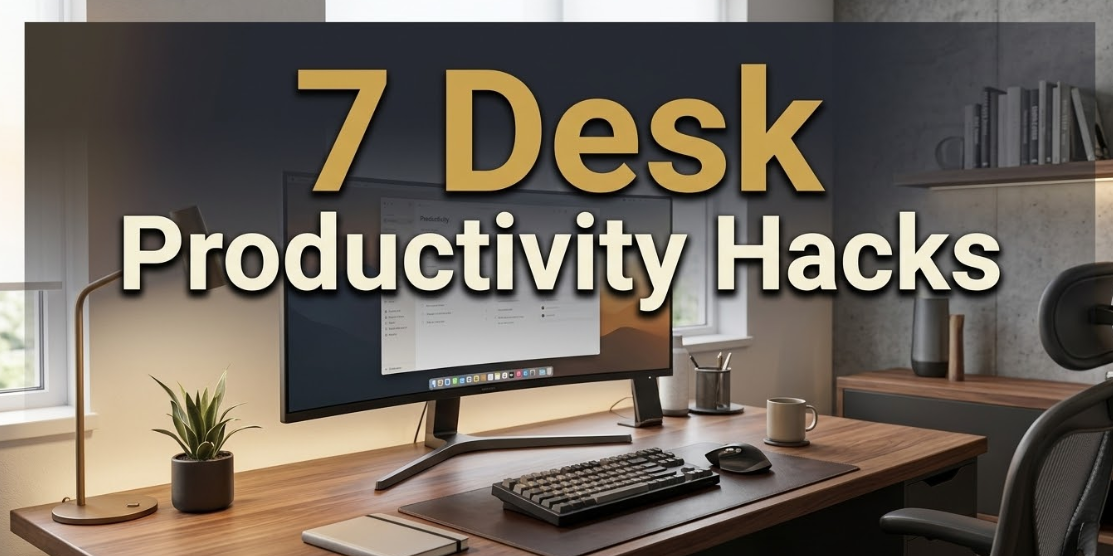
In this article, you’ll discover 7 desk productivity hacks for the office that are research-backed, used by high performers and easy to start today. These tricks will transform your approach to work whether you work at home, in an office or a shared space.
Let’s get into it.
It Matters How You Set Up Your Desk — And Why
Before diving into the tricks, it’s useful to know why this stuff is so important.
Your mind is deeply affected by its physical surroundings. When your desk is messy, your brain has to subliminally account for everything you see in the periphery — even if you aren’t physically looking directly at it. This background processing uses up mental energy.
According to a study at Princeton University, visual clutter is fighting for your attention. The net effect: increased mental fatigue, slower thinking and more errors over the course of the day.
On the other hand, an orderly, purposefully designed workspace — the kind explored in depth at Minimal Workspaces — gives your brain a message that says: it’s time to concentrate. It reduces anxiety, enhances clarity and enables you to reach a productive flow state far more quickly.
Here’s a snapshot of what the research indicates:
77%
of workers report they are less able to focus because of physical clutter (Cluttercore Survey, 2023)
23 min
average time to refocus after a single interruption (University of California, Irvine)
40%
loss in productivity due to task-switching and multitasking (American Psychological Association)
These aren’t small numbers. These are hours of work lost, day in and day out. The good news is, each of these issues can be corrected — and it begins with your desk.
Trick 1
Clear Your Desk to Its Absolute Zero State Every Morning
A clean-slate habit that top performers swear by
The most powerful desk productivity hack of all time is also the easiest: begin every day with a totally clear desk.
Not “mostly clear.” Not “clear enough.” Wide open — except for the one thing that you’re doing right now.
This is known as the “zero state” approach. The premise is that your desk surface mirrors your mental state. A messy desk = a messy mind. A clear desk = a clear mind ready to focus.
Here’s how to make it into a habit:
- At the end of each workday, take 5 minutes to reset your desk back to zero. Everything returns home — to a drawer, to a shelf, to a bin.
- By the time you arrive the next morning, your desk is prepared. You sit down and get straight to work.
- The only task that survives on the surface all day is the current one. When you change to a different task, swap out whatever’s on the desk too.
This habit has an interesting effect: it eliminates the low-grade anxiety of looking at a pile of things you have “to deal with.” If nothing is on your desk except for the task at hand, then there’s nowhere else for your brain to go other than into that task.
Quick win: Add a 5-minute “desk reset” alarm for 15 minutes prior to the time you finish working each day. You will notice how much calmer your mornings become, even after just one week.
What should be on a productive desk?
A fully productive desk has at most three things on it at any given moment: your primary working device, one piece of active work (a notebook, a document, or a reference sheet), and one personal object if you choose to keep one there (a single plant or a glass of water). That’s it. Everything else is visual noise.
Trick 2
Divide Your Desk into Three Designated Work Zones

How professional organizers approach desk space
The majority of people treat their desk as one giant flat surface where everything coexists. But high-output professionals think about their desk in zones — and it makes all the difference.
The three-zone desk system divides your workspace into physical zones that correspond to how frequently you access items. It’s based on the same logic behind professional kitchen design and factory floor layouts.
| Zone | Location | What belongs here | Access frequency |
|---|---|---|---|
| Zone 1 — Prime | Directly in front of you, arm’s reach | Keyboard, mouse, notebook, current document | Every few minutes |
| Zone 2 — Secondary | Either side, slight stretch | Phone, reference materials, headphones, water | A few times per hour |
| Zone 3 — Peripheral | Edges of desk, drawer, shelf nearby | Charging cables, pens, sticky notes, printer | Once or twice a day |
The rule is straightforward: the more you use it, the closer it lives. Items you use only once in a while don’t belong taking up premium space right in the middle of your workspace.
When you implement this system, you don’t have to waste micro-moments searching for things. Those 10-second searches accumulate into a real distraction. Every time you lose your train of thought because your pen is out of reach, you’ve paid a cognitive toll that takes minutes to recover from.
Try this right now: Look at your desk and find something in Zone 1 that you genuinely use only once a day. Move it to Zone 3. You have just freed up a little mental real estate — and physical real estate — for what actually matters.
Trick 3
Adjust Monitor Height, Distance and Angle — Now
The ergonomic fix that most people get wrong
This one surprises people. Monitor position feels like a comfort issue. But it is actually a gigantic productivity problem.
If your monitor is too low, you lean forward. If it’s too high, you tilt your neck back. Both positions cause muscle fatigue — and physical fatigue decreases your ability to concentrate. Hours of valuable focus time are lost without you knowing exactly why.
According to the Occupational Safety and Health Administration (OSHA), the correct monitor setup is:
- Top of the screen at or slightly below eye level
- Screen distance 20–28 inches from your eyes (roughly arm’s length)
- Screen tilted back slightly — between 10 and 20 degrees
- No reflection from windows or overhead lights bouncing onto the screen
If your monitor currently sits flat on your desk, it’s almost certainly too low. A monitor arm, or even a few thick books, will raise it to the right height almost immediately — and at no cost.
The 20-20-20 rule and why your eyes need it
While you’re fixing that monitor, pick up this habit as well: every 20 minutes, look at something 20 feet away for 20 seconds. This is known as the 20-20-20 rule, recommended by the American Academy of Ophthalmology to help minimise digital eye strain.
Eye strain makes you tired. Tired eyes make everything harder. It’s free and takes 20 seconds. It’s one of the simplest desk productivity hacks for work that virtually nobody actually uses.
Quick fix: Put a sticky note on the top of your monitor that says “20-20-20.” Until the habit is automatic, the reminder will do the work for you.
Trick 4
Turn a Paper Notepad Into Your Brain’s Off-Loading Station
The analog tool that beats every digital app for capturing thoughts
This is one of those desk productivity hacks for work that sounds old-fashioned — until you give it a shot.
Your mind is not built to hold multiple active thoughts while also trying to focus. Whenever a random thought enters your mind (“reply to Jake’s email,” “check the report numbers,” “buy groceries”), it fights with what you’re working on. You either act on it right away (which takes you out of your flow) or you try to store it in your head (which also breaks your focus).
The answer is one physical notepad that sits on your desk at all times — in Zone 1.
If a thought distracts you, you note it down in two seconds and direct your attention back to the task. The thought is safe. Your brain can let it go. Focus restored.
“Your mind is for having ideas, not holding them.” — David Allen, author of Getting Things Done
This is also referred to as a “capture system,” and lies at the heart of some of the most successful productivity methods in existence — GTD, Zettelkasten, and even the popular Bullet Journal.
How to use the notepad correctly
- Use the old-fashioned physical kind — not an app on the phone or computer. Physical writing is faster for interruptions and doesn’t lure you to check notifications.
- Only use it to capture thoughts while you’re in a focused work zone. Don’t plan on it, doodle on it, or convert it into a to-do list — those are different tools.
- At the end of each work session, review what you captured and move items to their rightful places: calendar, task manager, email draft, or bin.
One small notepad. One pen. A vast increase in your time spent in flow.
Trick 5
Get Your Lighting Right — It’s Not Only About Seeing Clearly
How light temperature regulates your energy and mood at work
Most office workers never think about their lighting — unless it’s creating a glare on their screen. But light is among the most powerful environmental levers for productivity. And it is wholly in your control at your desk.
Light influences your body in two key ways: it dictates your sleep-wake cycle (circadian rhythm) and triggers the release of cortisol and serotonin, which directly affect mood and mental alertness.
Here’s what the science says about light temperature and work:
| Light type | Color temperature | Best for | Avoid when |
|---|---|---|---|
| Warm white | 2700K–3000K | Creative work, end-of-day tasks, reading | Morning deep work sessions |
| Neutral white | 3500K–4000K | General office tasks, meetings, writing | Evening work (disrupts sleep) |
| Cool daylight | 4500K–6500K | High-focus work, analysis, coding | After 6pm (too stimulating) |
| Natural light | Varies (~5500K) | All-day work — best option overall | Direct sunlight causing screen glare |
The best desk setup harnesses natural light coming from a side window — not straight ahead or to the rear. If natural light isn’t an option, a good adjustable desk lamp with a color temperature range of 3000K–6500K helps you dial in the right light for the right time of day.
This is one of the most underrated desk productivity hacks for work. It’s hard to think straight when your eyes are straining or you’re battling sleepiness caused by poor lighting.
Practical upgrade: A bicolor LED desk lamp, at $25 to $60, allows you to alternate between warm and cool light depending on the task. It’s one of the cheapest and highest-return desk investments you can make.
Trick 6
Build a “Work Starts Now” Trigger Ritual
The desk routine that trains your brain to focus on command
This is one of the most powerful desk productivity hacks for work — and it requires no equipment at all.
Your brain reacts to patterns and cues. If you consistently go through the same short series of actions before getting to work, your brain starts to associate those actions with a signal: “Time to focus.” Eventually, you slip into a focused state more quickly and consistently — almost without thinking.
That’s the basis for “context conditioning.” Athletes use it before competitions. Writers use it before their writing sessions. Surgeons use it before operations. You can use it at your desk.
How to design your own start ritual
A good desk start ritual is short (under 3 minutes), consistent (done the same way every time), and ends with you sitting down and opening your first task. Here’s an example:
- Make a cup of coffee or tea and bring it to your desk
- Spend 60 seconds clearing the desk to zero state
- On your notepad, write down your single most important task for the session
- Put on headphones with your focus playlist or white noise
- Open the first task — nothing else
That’s it. Five steps, under 3 minutes. After about 2–3 weeks of going through this sequence every day, this routine alone will signal your brain to descend into work mode almost immediately after you begin it.
The key is the ending. Your ritual needs to end with the same action every time — opening the work, rather than checking email or social media. The trigger is the final action. Make it count.
Important: Your ritual only works if it’s consistent. Follow the same steps in the same order every single time — even on the days that you don’t feel like working. Especially on those days.
Trick 7
Master Cable and Clutter Control With the Two-Minute Rule

The quickest way to keep your desk productive long-term
All the setup in the world means nothing if you cannot sustain it. The last desk productivity hack for work is a maintenance system that you can actually stick to — even if you loathe cleaning up.
It’s based on a simple rule: if something will take two minutes or less to address, do it right away. Don’t let it sit.
In terms of your desk, this means:
- A cable out of place? Two minutes to tuck it back.
- A used cup on the desk? Two minutes to get it back in the kitchen.
- A pile of papers stacking up? Two minutes to file, bin, or action them.
- A charging cable casually draped on the surface? Two minutes to clip it back.
- Post-it notes that are done? Two minutes to remove them from your screen.
Much desk clutter is not due to laziness. It’s what happens when decisions are deferred. That repeated “I’ll take care of that later” said ten times a day produces a desk that undermines your focus by midday.
The monthly desk audit
Step away from your desk and do a complete audit once a month. Ask: does everything here still justify its inclusion? Things have a way of sneaking back onto surfaces over time — one phone charger, one spare notebook, one mug that “just got left.”
A monthly 10-minute audit helps keep the system honest. It’s also a good time to review your zones (Trick 2) and make sure things haven’t drifted.
Cable management shortcut: One under-desk cable tray ($15–$25) sweeps all loose wires off your desk surface permanently. Combine it with velcro cable ties and one power strip — and your cable problem is solved for good.
How These 7 Tricks Work Together
All of these desk productivity hacks for work are individually powerful. But when you combine them, the effect multiplies.
Think of it this way: your desk is a system. Every aspect either aids your focus or works against it. When all seven pieces are working in unison — a tidy surface, smart zones, the right ergonomic setup, a capture tool, good lighting, a start ritual and a regular maintenance habit — your desk becomes a genuine productivity engine.
Here’s a summary of all seven at a glance:
| # | Trick | Core benefit | Time to implement |
|---|---|---|---|
| 1 | Zero state every morning | Clears mental noise before the day starts | 5 minutes |
| 2 | Three-zone desk layout | Eliminates micro-distractions from searching | 10 minutes |
| 3 | Fix monitor position | Reduces fatigue, preserves mental energy | 5 minutes |
| 4 | Paper notepad capture system | Stops interruptions from breaking flow | Instant |
| 5 | Right lighting for the right task | Boosts alertness, reduces eye strain | 1–2 days to set up |
| 6 | Start ritual trigger | Trains your brain to focus on cue | 2–3 weeks to build |
| 7 | Two-minute rule + monthly audit | Keeps the system working long-term | Ongoing, 2 min at a time |
Common Desk Productivity Mistakes to Stop Making Right Now
Equally important to knowing what to do is knowing what not to do. These are the desk habits most likely to quietly sabotage your workday.
Keeping your phone face-up on the desk
Even a face-down, silent phone impairs cognitive performance when it’s physically present on your desk, according to a 2017 study from the University of Texas at Austin. The obvious fix: put your phone in a drawer or another room during focus sessions.
Keeping browser tabs open “just in case”
Seventeen open tabs is not preparation — it’s procrastination in disguise. Every single visible tab is a potential distraction. Use a single browser window with only the tab you need at that moment. Everything else gets closed.
Eating at your desk
This one sounds minor. But eating at your desk erases the mental separation between “rest” and “work.” It also brings crumbs, mess and distractions. Your desk is a work zone. Guard that identity — eat away from it, even if just for 10 minutes.
Never taking your eyes off the screen
Endless screen time without breaks leads to decision fatigue, eye strain and mental exhaustion. Even a 5-minute break away from your desk once every 90 minutes has been shown to significantly restore focus. The Pomodoro Technique — 25 minutes on, 5 minutes off — is one of the most research-supported desk productivity systems in the world.
Frequently Asked Questions
What are the best desk productivity hacks for work beginners can implement right away?
Begin with just two: the zero state habit (clear your desk completely every morning), and the paper notepad capture system. These two practices alone will help you achieve marked gains in focus within a week — and they don’t cost anything.
Does desk organisation really make a difference to productivity?
Yes — significantly. Research from Princeton University and multiple workplace studies consistently show that physical clutter makes it harder to concentrate, raises stress hormones and increases errors. A clean and organised desk isn’t about aesthetics. It’s about giving your brain the environment it needs to run smoothly.
How long does it take to see results from these desk productivity hacks?
Some tricks work right away — such as clearing your desk and adjusting the monitor height. Others, like the start ritual, take 2–3 weeks to become automatic. Most people experience a real improvement in focus and energy within 5 to 7 days of implementing even just a few of these changes.
Is a completely blank desk better, or is some personalisation acceptable?
A touch of personalisation is perfectly fine — and research actually backs it. One significant personal item (a photo, a small plant, one motivational object) reduces stress and bolsters feelings of ownership over your workspace. The key word is “single.” One intentional item adds warmth. Ten items create clutter.
What is the best desk setup for someone who works from home?
The ideal home office desk setup consists of: a workspace separate from where you decompress, a cleared desk surface with only current-task items in view, good natural or adjustable artificial lighting, a monitor at eye level, and a consistent start and end-of-day ritual that marks the boundary between work and rest. The ritual especially matters at home — because the physical and psychological boundaries between work and rest are more difficult to sustain.
How can I stop my desk from getting cluttered again after organising it?
The two-minute rule is your answer. Any time something lands on your desk that isn’t in a specific zone, handle it if you can do so in under two minutes. Then add the 5-minute end-of-day reset and a monthly audit — and clutter never gets the chance to pile up.
Does the design of my chair influence desk productivity?
Absolutely. Physical discomfort is one of the biggest causes of poor focus that people never connect to productivity. If you experience back pain, tension or discomfort in your chair within an hour, your brain will start allocating cognitive resources to managing that physical discomfort — leaving fewer available for actual work. An ergonomic chair with proper lumbar support is one of the highest-return investments you can make in your workspace.
Start Small — But Start Today
You don’t have to replace everything all at once. Choose one trick from this list and put it to use before you close this page.
Clear your desk surface right now. Or raise your monitor to eye level. Or put a notepad in Zone 1. Each one of them takes five minutes or less and pays off instantly.
Desk productivity hacks for work aren’t expensive or complicated. They’re consistent, intentional habits that compound over time. A well-organised desk not only helps you work better today — it makes every single working day that follows easier, calmer and more productive.