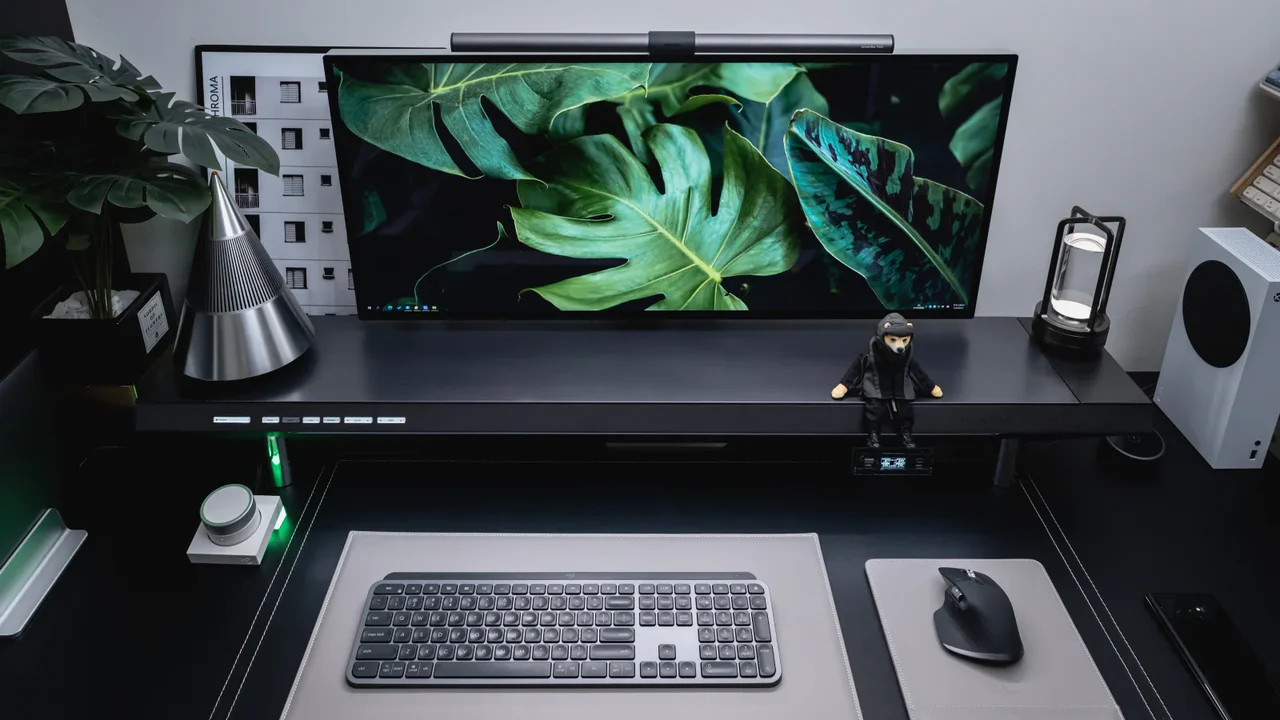
Picture this. You sit down to work. Your desk is clear. There’s nothing else on it, except what you need right now. No random papers. No forgotten snacks. No tangled cords staring at you.
How does that feel?
For most people, it is a relief. And for good reason.
Your environment directly affects how your brain performs. A clean desk isn’t only about appearances. It’s about creating the conditions in your mind to actually focus, think clearly, and push through work without being constantly dragged away by visual noise.
Here are 6 clean desk productivity ideas that actually work. Not just surface-level tips. Concrete, actionable methods that you can begin implementing today — whether you’re a student, a remote worker, or someone assembling a home office from scratch.
Let’s get into it.
The Real Relationship Between a Clean Desk and Better Productivity
Before we get into the ideas, let’s take a moment on the why.
There’s solid science behind this. Research from Princeton University shows that physical clutter competes for your attention. Each object in your visual field sends a tiny signal to your brain. Many competing signals make it difficult to focus on any one thing.

In brief: a cluttered desk is silently stealing your mental energy throughout the entire day.
A clean desk eliminates those signals. Your brain stops competing with the background noise and is able to devote all its energy to the task at hand. That’s not a small thing. Over the course of a workday, that adds up to a meaningful increase in output and mood.
Idea 1 — The “Only What’s Open” Rule
Put Away Anything You’re Not Using Right Now
This is the single most powerful clean desk productivity idea you can implement today. And it costs absolutely nothing.
The rule is simple: only have on your desk at any given moment the items you are actively using for your current task.
Working on a report? Your desk has your laptop, a notepad, and a pen. That’s it. Not the book you were reading yesterday. Not the invoice you need to deal with later. Not the coffee mug from earlier this afternoon.
After you finish your current task, you clear the surface before tackling the next one. Everything has a home — a drawer, a shelf, a tray, or a bag. The desk is not a storage space. It is a work surface.
Why This Works So Well
The psychology here is straightforward. Every object within your field of vision is a possible distraction. Your brain tracks it, even if you’re not consciously looking at it. That unpaid invoice you haven’t gotten to? Your mind keeps nudging you about it even when you’re trying to write that report.
Remove those objects, and the nudges disappear.
The majority of people who try this rule for one week feel noticeably calmer at their desk. They start tasks more quickly. They complete work more thoroughly before moving on to the next.
How to start:
- Right now, clear your entire desk — everything off the surface
- Only put back the one thing you are working on today
- At the end of the day, put everything back in its place
- Repeat until it becomes second nature
That’s the whole system. Simple. Free. Effective.
Idea 2 — Cable Control Is Desk Control
Tangled Wires Are a Productivity Tax You Pay Every Day
Here is one thing that most productivity guides overlook: cables.
Cables tangled on and under your desk create visual noise that is truly hard to block out. They make the entire space feel chaotic, even when everything else is in order. And they’re a practical headache — bump just one cable and your monitor unplugs mid-work.

Clean desk productivity is impossible to fully achieve until the cables are sorted. Full stop.
The good news is that you don’t need to spend much on gear to achieve effective cable management. Here’s a tiered approach based on budget:
| Budget Level | Solution | Cost Estimate |
|---|---|---|
| Zero spend | Velcro cable ties to bundle existing cords | Free |
| Very low | Cable clips that attach to desk edge | $5–10 |
| Low | Under-desk cable management tray | $15–25 |
| Mid-range | Desk cable raceway (adhesive spine) | $20–35 |
| Higher | Fully wireless peripherals (keyboard, mouse) | $50–150 |
The Wireless Upgrade
If you can only invest in one tech upgrade for your clean desk setup, it should be going wireless with your keyboard and mouse.
That’s two fewer cables cluttering your desk right away. No cable drag when you move the mouse. No tangling. It already looks worlds cleaner with just a single power cable or USB-C hub in the picture.
Combine wireless peripherals with a cable management tray beneath the desk for the power cord and any remaining stray wires, and you’ve effectively hidden the entire cable system from view.
Out of sight, out of mind. Your desk looks clean. Your brain feels it.
Idea 3 — The Vertical Storage Upgrade
Stop Storing Things on Your Desk. Go Up Instead.
One of the primary causes of a cluttered desk is a lack of convenient storage nearby. So items end up on the desk because there is no other obvious place for them to go.
The solution is not getting a bigger desk. It’s using vertical space.
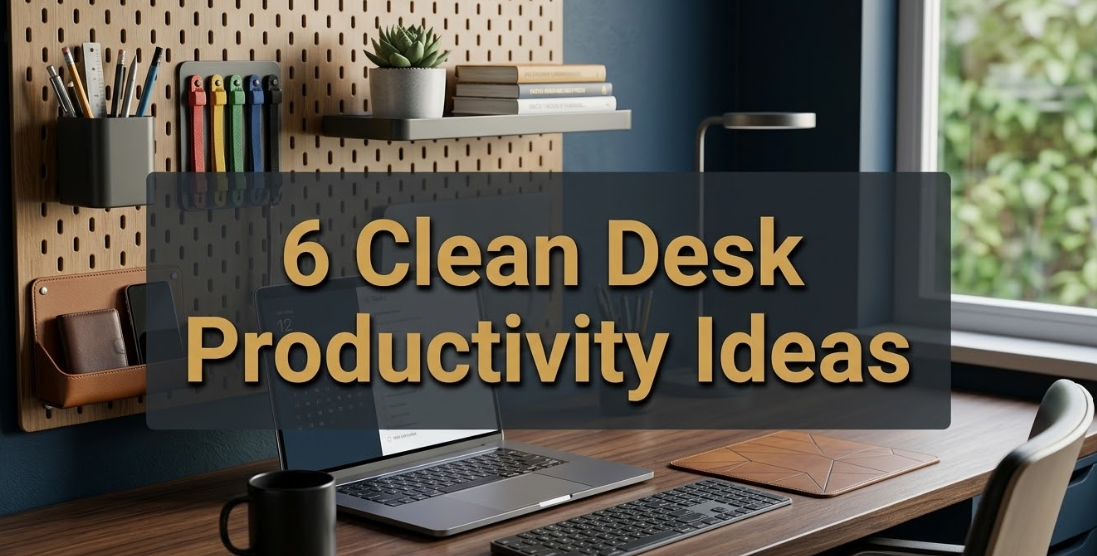
A pegboard above your desk, a small wall-mounted shelf, or even a set of floating shelves beside your desk can completely change how much visual clutter lives on your work surface.
What Goes Where
Think of your workspace in three zones:
Zone 1 — The desk surface. Only active work items. Nothing else.
Zone 2 — Within arm’s reach (shelf, pegboard, drawer). Things you use once or twice a day. Headphones, a notepad, a planner, pens in a holder.
Zone 3 — Further away (cabinet, bookshelf, bag). Things you need occasionally. Reference books, extra chargers, files.
When everything has a zone, the desk surface naturally stays clear. You stop putting things down “just for now” because you know exactly where they belong.
The Pegboard Trick
A pegboard above the desk is one of the most practical clean desk productivity upgrades, and for good reason. It offers customizable vertical storage that is fully visible and easily rearranged.
Hang hooks for headphones. Add a small shelf for a plant. Mount a pen cup. Attach a notepad holder. Everything comes off the desk and onto the wall — and you can see everything at a glance without it cluttering your work surface.
Paint the pegboard the same color as the wall, and it almost disappears. The items on it feel organized and intentional rather than cluttered.
Idea 4 — The Daily Reset Habit
Two Minutes at the End of the Day Changes Everything
Here’s a harsh reality: a clean desk is not something you achieve once. It’s a daily practice.
You can spend a Saturday deep-cleaning and organizing your workspace. By Wednesday it looks like nothing happened.
The reason? Most people have no end-of-day ritual for their desk. They shut the laptop, grab their bag, and walk out. The next morning they begin again in yesterday’s mess.
The daily reset fixes this permanently.
How the Reset Works
The daily reset is a two-minute habit you perform before shutting everything down for the day. It has three steps:
Step 1 — Clear the surface. Put everything back in its zone. Throw away any rubbish. Return cups or glasses to the kitchen.
Step 2 — Prepare for tomorrow. Put out just the one or two items you’ll want to use first thing in the morning. That reduces friction when you sit down to start work.
Step 3 — Take one look. Step back and look at your desk. Notice anything out of place? Fix it now. Takes ten seconds.
That’s it. Two minutes. Done.
The Psychological Payoff
The daily reset serves a purpose beyond just tidying the desk. It creates a psychological end point to your workday.
When you clean up your desk, you’re telling your brain that work is over. This is particularly beneficial for people who work from home and struggle to mentally “switch off.” The physical act of clearing the desk creates a mental close to the day.
The next morning, you wake up to a clean surface. Your brain starts fresh. That first cup of coffee hits differently when your desk is waiting for you in order.
Idea 5 — The One-Tray System
Give Every Daily Essential a Single Home
Even in the most minimal workspace, there are small items that need to live on the desk. A pen. A charger. A notepad. Maybe a phone.
The problem is that when these items have no designated spot, they spread. One pen becomes four pens and a highlighter and a sticky note pad and a dead battery and a random button.
The one-tray system handles this cleanly and elegantly.
Setting It Up
Get one tray. One. Not a tray and a bowl and a pen cup and a little basket. One tray.
This tray holds all of your daily essentials. It lives in a fixed spot on your desk — usually one corner. Every item in the tray belongs there for a reason. If the tray becomes full, something must leave before something new can enter.
The tray acts as a physical constraint. It prevents the gradual creep of items that turns a clean desk into a cluttered one over weeks and months.
What typically goes in the tray:
- One pen (or two, maximum)
- A small notepad or index cards
- A phone or wireless charging pad
- A USB-C hub or cable if needed
- Earbuds case
That’s five items at most. The tray stays curated. The desk stays clean.
Choosing the Right Tray
The tray itself makes a bigger difference than you might expect. A nice tray — ceramic, wood, leather — makes the system feel purposeful and elevated. A cheap plastic tray makes it feel like a junk collector.
Spend five or ten dollars on something that looks good on your desk. You’ll be more motivated to keep it tidy when the container itself seems worth taking care of.
Idea 6 — Lighting as a Productivity Tool
The Right Light Transforms How You Work — and How Your Desk Feels
Most people think of lighting as an afterthought. Something that’s just there. But lighting is one of the most undervalued clean desk productivity tools available.
Poor lighting — too dim, too harsh, the wrong color temperature — causes eye strain, headaches, and mental fatigue. It makes even a clean desk feel uninspiring and draining.
The right lighting makes your desk feel sharp, energized, and focused.
Natural Light First
If you can, position your desk near a window. Natural daylight is the best possible light source for productivity. It reduces eye strain, helps regulate your sleep-wake cycle, and genuinely boosts mood and alertness throughout the day.
According to research highlighted by the American Academy of Sleep Medicine, workers with access to natural light during the day report better sleep and higher energy levels compared to those without it — a direct impact on your daily productivity.
Position the window to the side of your monitor — not directly behind it (glare) and not directly in front of it (screen washout). Side lighting is ideal.
Desk Lamp: The Right Temperature
Where natural light isn’t available or isn’t enough, a desk lamp fills the gap. But not all lamps are equal for productivity.
| Light Temperature | Kelvin Range | Best For |
|---|---|---|
| Warm white | 2700K–3000K | Evening wind-down, creative work |
| Neutral white | 3500K–4000K | General focused work |
| Cool daylight | 5000K–6500K | Deep focus, detail-heavy tasks |
For most focused work sessions, a lamp in the 4000K–5000K range really hits the sweet spot. It’s bright and clear without feeling clinical or harsh.
A good adjustable LED desk lamp that lets you dial in the brightness and temperature based on the task and time of day is one of the highest-value upgrades you can make to any clean desk setup.
Light and Clutter Perception
Here’s something most people miss: good lighting actually makes clutter more visible. That sounds like a bad thing, but it’s actually a useful feature.
When your desk is well-lit, everything that isn’t where it should be is immediately obvious. That makes you more likely to tidy it up quickly. Poor lighting hides mess — and hidden mess tends to grow.
A bright, well-lit desk keeps you honest about the state of your workspace. That’s a productivity feature, not a bug.
How All 6 Ideas Work Together
These six clean desk productivity ideas are not isolated hacks. They stack. When you combine them, the impact is so much greater than any one idea alone.
Here’s how they connect:
| Idea | Role in the System |
|---|---|
| “Only what’s open” rule | Keeps the surface clear in real time. The foundation everything else rests on. |
| Cable control | Removes visual chaos below and behind the surface. Makes tidiness sustainable. |
| Vertical storage | Creates homes for items so they stop living on the desk permanently. |
| Daily reset habit | Locks in the gains every day. Prevents gradual clutter creep from undoing everything. |
| One-tray system | Gives daily essentials a contained home. Stops small items from spreading. |
| Smart lighting | Elevates the whole setup. Reduces fatigue and makes disorder immediately visible. |
Start with idea 1. Add idea 4. Then build the rest in over a couple of weeks. You don’t have to do it all at once.
Where to Start If Your Desk Is a Complete Mess Right Now
If your desk currently looks like a tornado has blown through an office supply store, don’t panic. Here’s a step-by-step restart:
Day 1 — The full clear. Remove everything from your desk. Everything. Put it all in a box or on the floor for now.
Day 2 — Sort into keep, store, and toss. Keep only what you use daily. Store what you need occasionally. Toss the rest.
Day 3 — Cable management. Bundle cables with velcro ties. Hide what you can under the desk.
Day 4 — Set up your zones. Determine where Zone 2 items will live (shelf, drawer, pegboard).
Day 5 — Install your one tray. Fill it with your daily essentials. Practice the “only what’s open” rule.
Day 6 onward — Daily reset. Two minutes every evening. Non-negotiable.
Within one week, you’ll have a cleaner desk than you’ve had in years — and the habits to keep it that way.
FAQs About Clean Desk Productivity
Q: Does a clean desk really make you more productive, or is it just a preference?
It’s both. Studies consistently show that cluttered environments raise cognitive load — the mental effort your brain expends to process its surroundings. A clean desk reduces that load, freeing up more mental energy for actual work. But comfort matters too. If you genuinely work better with a few personal items around, that’s valid. The goal is intentional, not empty.
Q: How do I keep my desk clean when I share a space with others?
Take care of your immediate zone — just your own section of the shared desk or room. You can’t control other people’s habits, but you can control your own surface. Use a defined tray or mat to mark your zone visually. Have a brief conversation with the people you share with about keeping shared areas clear.
Q: What if I need a lot of things accessible while I work?
This is where vertical storage earns its value. Your ten things don’t all need to be on your desk surface. A pegboard, a shelf, or a set of desk organizers can keep everything within reach without everything being in your face at once. Apply the zone system — arm’s reach does not mean on the desk.
Q: How long does it take to feel the productivity benefits of a clean desk?
The majority of people notice a change within the first day. Focus comes more easily. Starting tasks feels less daunting. The longer-term benefits — better habits, lower stress, faster work — tend to build over two to four weeks as the new system becomes automatic.
Q: What’s the best desk lamp for productivity?
Look for an LED desk lamp with adjustable brightness and color temperature. Aim for a range that covers at least 3000K–5000K. Brands like BenQ, Elgato, and Lumiy make excellent options. A lamp with a USB charging port is a handy bonus — one fewer cable needed on the desk.
Q: Is a completely empty desk better than a slightly decorated one?
Not necessarily. One or two personal items — a small plant, a framed photo, a single decorative piece — can make the space feel more human and inviting without creating clutter. The line is between curated and accumulated. A plant you chose is a very different thing from a pile of objects you never made a decision about.
Q: My desk gets messy again within a day or two. What am I doing wrong?
The most likely missing piece is storage solutions. When something doesn’t have a designated home, it ends up on the desk. Establish your zones and find specific spots for everything you regularly use. Then add the daily reset habit. The reset catches the drift before it turns into a pile.
A Clean Desk Is Something You Choose Every Day
A clean desk is not something that naturally happens to organized people. It is something that all kinds of people build through simple, repeatable habits.
The 6 clean desk productivity ideas in this article — the “only what’s open” rule, cable control, vertical storage, the daily reset, the one-tray system, and smart lighting — are not complicated. None of them require a big budget or a weekend project.
They simply require a decision to get going.
Pick one idea from this list. Apply it today. See what it feels like to sit down at a clear desk tomorrow morning.
Then add another. And another.
Within a few weeks, you’ll have not only a cleaner desk. You’ll have a workspace that actually helps you think more clearly, work faster, and feel more relaxed throughout the day.
For more inspiration on building a clean, focused workspace from the ground up, visit Minimal Workspaces — a dedicated resource for anyone serious about creating a setup that supports real productivity.