Is your phone, laptop, or tablet slowly taking over your life?
You check your email and see 847 unread emails. Your phone screen is cluttered with apps you haven’t used in months. Your desktop is the equivalent of a tornado hitting your office. Buzzing notifications pop up every few minutes.
Sound familiar?
This is known as digital clutter — and it’s one of the biggest contributions to stress, distraction, and wasted time in modern life. Studies show that the average human spends more than 7 hours a day staring at screens. A big chunk of that time? Pure distraction caused by digital clutter.
The good news is that you don’t need a weekend detox or a tech-free retreat to address this. You only need 5 simple digital declutter hacks a day — short, measurable actions that take minutes but have huge compound effects.
Let’s get into it.
Clean Up Your Digital Life Right Now

Before diving into the hacks, it helps to know why digital clutter is so prominent.
Your brain responds to digital clutter just as it responds to physical disorder. Every unread notification, every cluttered folder — researchers refer to it as cognitive overload — when your head has too many things vying for its attention all at once.
The result? You find it difficult to concentrate even if you haven’t done much. You struggle to focus. Your mood dips. Your productivity tanks.
That means spending almost 3 hours a day fighting against digital noise rather than doing something actually meaningful.
Every one of the five daily digital declutter hacks below attacks one of these time-wasting habits head on. Start with just one. Build the habit. Then stack them.
Hack #1
The 10-Minute Morning Inbox Sweep
One of the most prevalent kinds of digital clutter is email inboxes. The inbox for most people is a to-do list, a storage unit, and a news feed all at the same time. That’s a recipe for chaos.
The fix? A 10-minute morning sweep — at a specific time, every single day.
How the Morning Sweep Works
Here’s the simple process:
Set a timer for 10 minutes. Open your inbox. Process each new email with the 3D Rule — Delete, Delegate, or Do.
- Delete anything you don’t need. Newsletters you never read. Promotions. Old notifications. Gone.
- Delegate whatever someone else has to do. Forward it and archive it.
- Do anything that takes less than 2 minutes. Reply, click, confirm — done.
Something that takes more than 2 minutes of work? Move it to a well-labeled folder like “Action Required” and table it for later, during a focused work block.
When the timer sounds, you stop. No exceptions.
Why This Habit Works So Well
The beauty of this hack isn’t the 10 minutes. It’s the daily consistency. By sweeping every morning, your inbox never becomes a monster that grows out of control. You are treating small debts before they become avalanches.
People check their email all day long — as many as 96 times, according to some studies. Every check distracts you and takes up precious time to refocus. Tackling it all in one concentrated sweep preserves your mental energy for the rest of the morning.
💡 Pro tip: Disable all email notifications on your computer and phone. Check email intentionally, not reactively.
Hack #2
The App Graveyard Audit
Here’s a question: how many apps do you have on your phone right now?
A standard smartphone has 80+ apps. Out of these, the average person is actively using just 9 every day. That’s around 70+ apps sitting there doing nothing — taking up storage space, running in the background, cluttering your home screen with visual noise every time you pull out your phone.
This is your app graveyard — apps you downloaded, tried out once, and never touched again.
Weekly App Audit (That Takes 5 Minutes a Day)
Instead of doing a big clean out once a year and then letting the clutter pile back up, spend 5 minutes every day doing a mini audit.
Choose one screen, one folder, or one category of apps each day. For every app, ask three questions:
- Have I used this in the past 30 days?
- Can I get this information another way?
- Would I miss it if it was no longer there?
If the answer is no, no, and no — eliminate it.
Organize What Stays
After you weed out the things you don’t need, sort what’s left. Organize apps into a maximum of 4 home screen folders — Communication, Productivity, Health, and Entertainment. Everything else lives on a second page or is tucked away from the viewable screen altogether.
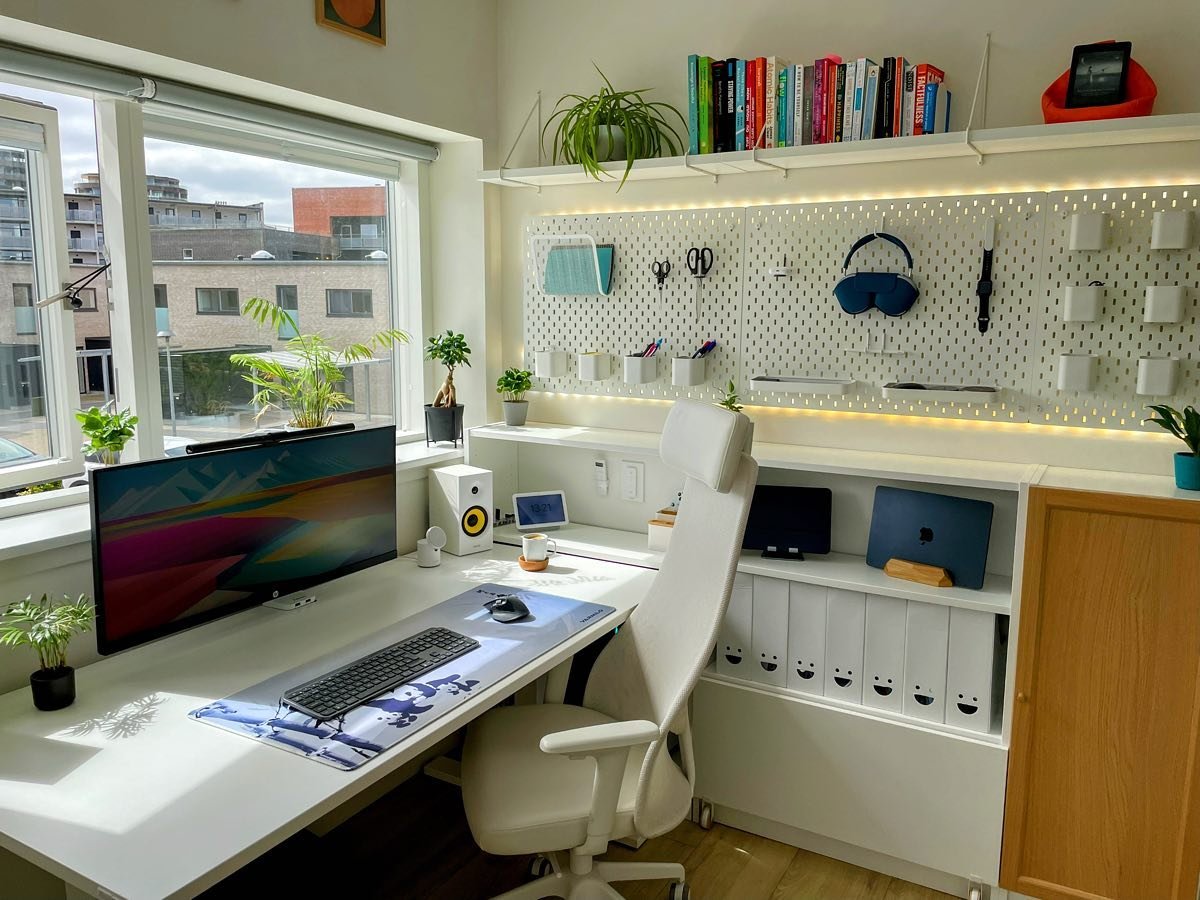
Your home screen should only have tools you reach for every single day. Nothing else should occupy prime real estate on your phone. If you’re also rethinking your physical workspace alongside your digital one, Minimal Workspaces is a great resource for building a clean, distraction-free environment from the ground up.
Hack #3
The One-In-One-Out File Rule
Your computer’s desktop and Downloads folder are likely a wasteland of clutter.
People save files with names like “final_v2_REALLYFINAL_USE_THIS.docx” and then wonder why they can never find anything. Digital files accumulate over time just as physical clutter does — without the visual prompt of ever-growing stacks, however, it’s easier to overlook.
The answer is to borrow a rule from minimalist home organizing: one in, one out.
What the One-In-One-Out Rule Looks Like Digitally
For every new file you save, delete or archive one old one. You download something, you look at what else is in that folder and delete something you don’t need.
This isn’t about being ruthless. It’s about keeping things proportional. Folders get fat because people never subtract — only add.
Here is a practical folder structure that keeps things clean:
| Folder Name | What Goes Here | Review Frequency |
|---|---|---|
| Inbox | Recent downloads and saves (temporary) | Daily — empty before bed |
| Active Projects | Work you are currently doing | Weekly |
| Archive | Completed work you may need | Monthly |
| Resources | Templates, references, guides | Quarterly |
| Trash | Anything obsolete or duplicated | Weekly — clear it |
The 3-Minute End-of-Day Desktop Clear

When the end of each day comes, dedicate 3 minutes to your desktop and Downloads folder. Delete what you don’t need. File what you do. The only things you should have on your desktop are your wallpaper and a few actively-used shortcuts — zero loose files.
This habit alone can free up 20–30 minutes a week that you’d otherwise waste searching for misfiled documents.
Hack #4
The Nuclear Option for Notifications
Here’s a hard truth: most notifications are not urgent. Most are not even helpful.
They are designed by apps to reel you back in. Every ping, every badge, and every buzz is designed to break into what you were doing, pulling your attention away from it.
Research from the University of California, Irvine found that after an interruption, it takes an average of 23 minutes and 15 seconds to fully regain focus. And if you’re getting flagged dozens of times a day? You’re basically never in deep focus at all.
The Nuclear Reset Process
The best way to solve notification fatigue is to start from zero.
Open the notification settings on your phone. Turn off all notifications from every single app. All of them. Then one by one, only turn back on the notifications that truly need your immediate attention.
If I completely ignored this notification for 4 hours, would there be actual consequences?
For most apps, the answer is no.
| Tier | Status | Examples |
|---|---|---|
| Tier 1 | ON (urgent only) | Phone calls, critical alarms, direct messages from family |
| Tier 2 | BATCHED (check 2x daily) | Email, Slack, work apps — no live alerts, check manually |
| Tier 3 | OFF permanently | Social media, news apps, games, promotions, app updates |
Daily Notification Maintenance
The daily habit is simple after the initial nuclear reset: once a week, take 2 minutes to review your notification settings and turn off anything new that snuck in when you installed an app.
When you install most apps, they automatically request notification access. Always deny it by default. You can always enable it later if you discover you genuinely need it — but you probably won’t.
Hack #5
The Browser Tab Bankruptcy
If you have more than 10 browser tabs open right now, this hack is just for you.
Open tabs are a type of digital procrastination. Every tab you leave open is a sticky note saying “I haven’t dealt with this yet.” They add up over time to a wall of anxiety — dozens of tabs, each representing an incomplete thought or delayed task.
Browser tab bankruptcy is the practice of closing it all and starting fresh — deliberately.
How to Declare Tab Bankruptcy
- Step 1: Give yourself one minute to scan your open tabs. Anything you’re definitely done with? Close it immediately.
- Step 2: Store anything you want to “save” using a bookmarking tool or a reading list app (Pocket, Instapaper, or your browser’s built-in reading list). Give it a clear label.
- Step 3: Close everything else. All of it.
- Step 4: Reopen only what is essential right now, during this work session.
The first time, this feels terrifying. But the reality is: if a tab has been sitting open for more than 3 days without you clicking on it, you’re probably never going to look at it. The tab wasn’t serving you — it was simply increasing your mental clutter.
Building the Daily Tab Habit
Daily maintenance rule: maximum 5 tabs open at a time.
When you finish a work session, shut everything down except for what you’ll need first when you next sit down. Create bookmarks folders for projects in your browser so that you can easily reopen what you need.
What Happens When You Stack All 5 Hacks Together
Each of these digital declutter hacks on a daily basis is powerful by itself. But when you combine all five into a single daily practice, something wonderful happens: your digital environment stops working against you and starts working for you.
Here’s what a regular day looks like when all five hacks are implemented:
| Time of Day | Digital Declutter Action | Time Required |
|---|---|---|
| Morning (start of day) | 10-minute inbox sweep | 10 min |
| Mid-morning (between tasks) | Close all unnecessary tabs | 2 min |
| Afternoon | 5-min app audit (one screen) | 5 min |
| End of workday | Desktop and Downloads clear | 3 min |
| Evening | Notification review (weekly) | 2 min |
Total time: about 22 minutes a day.
That’s less than one full episode of a TV show. And in return, you reclaim hours of focus, clarity, and productivity for the days ahead.
How to Make These Hacks Stick: The Mindset Shift
Habits don’t stick when they feel like a chore. They stick when they resonate with your identity.
One fundamental way to reframe your approach is this: don’t think of digital declutter as a thing you do to fix something that’s “wrong.” Think of it as the way you take care of a tool.
You wouldn’t allow a saw to grow rusty and dull and then question why it cuts so poorly. The same applies to your digital tools. They take a few minutes each day to maintain — keeping them sharp and ready.
The “Good Enough” Standard
Many people quit the quest for digital organization because they are seeking perfection. They want every detail to be neatly labeled, color-coded, and sorted — and when that feels like too much work, they do nothing at all.
Don’t aim for perfect. Aim for good enough to work well.
An inbox with under 20 emails is good enough. A desktop with under 10 files is good enough. Five browser tabs instead of fifty is more than enough. Progress beats perfection every single time.
Common Mistakes People Make With Digital Decluttering
No matter how determined your intentions, a few missteps can hold your digital declutter habit back.
- Attempting to fix everything in one go. Big one-off cleanouts are satisfying but rarely stick. The mess creeps back within weeks. Daily small habits are what create lasting change.
- Not having a system. Deleting files without a folder structure is like cleaning your room by throwing everything under the bed. You need a simple, consistent place to put things — otherwise the clutter just redistributes.
- Forgetting cloud storage. Most people focus on their phone and desktop but ignore Google Drive, Dropbox, or iCloud — which can feel just as cluttered. Apply the same decluttering principles there as well.
- Reinstalling deleted apps. If you’ve deleted an app for digital health reasons, don’t load it back when you’re bored. Wait 72 hours. Reinstall it deliberately only if you genuinely need it.
FAQs — Daily Digital Declutter Hacks
Q: When do we start to see results from daily digital declutter habits?
People generally experience a decrease in stress and mental fatigue within just 7 days. After 30 days of daily habits, your digital space stays clean with minimal effort.
Q: Do I need any special apps or software to declutter digitally?
No. All five of these hacks can be performed with tools you already own — your phone settings, your file explorer, and your browser. Tools like Pocket or Instapaper are optional for tab management, but not required.
Q: What if I’m afraid to delete something important?
Create an “Unsure” folder and keep things in there for 30 days. If you don’t need them, delete the entire folder at month-end. Most of the time, you’ll find you needed none of it.
Q: I already use cloud storage — is digital declutter still worth doing?
Absolutely. Cloud storage does not clear mental clutter — it simply shifts the pile online. Messy cloud folders cause the same strain as an untidy hard drive.
Q: How do I prevent the clutter from reappearing?
The trick is to make the daily habits non-negotiable — the way you brush your teeth. The 5 hacks in this article are short enough to complete every day without willpower fatigue. Consistency is the only real solution to recurring digital mess.
Q: What is the single best hack for beginners?
Start with Hack #4 — the Notification Nuclear Option. Turning off almost all notifications has the most immediate, noticeable impact on your focus and stress levels. Most people feel calmer within a single day.
Bringing It All Together
Digital clutter is not a technology problem. It’s a habit problem.
The five daily digital declutter hacks covered in this article — the inbox sweep, the app audit, the one-in-one-out file rule, the notification reset, and tab bankruptcy — are not complex. They don’t require technical skill or a huge time investment. They require consistency.
Start with one hack today. Just one. Do it again tomorrow. Add a second one next week.
In a month, your phone will start feeling lighter. You will feel sharper during your work sessions. And that low-grade digital anxiety you’ve been carrying around? It’ll start to fade.
Your devices are supposed to work for your life — not the other way around.