Introduction: Why Minimalism in Workspaces Matters More Than Ever
Walk into any cluttered workspace and you can almost feel the mental noise. Sticky notes overlapping each other, cables tangled like vines, unused gadgets gathering dust—it all adds up. While it may seem harmless, this chaos quietly drains your focus, slows decision-making, and even increases stress.
Minimal workspaces are not about owning less for the sake of aesthetics—they’re about removing friction. When done right, a minimal workspace becomes a silent partner in your productivity. It helps you think clearly, work faster, and feel calmer.
This guide breaks down five practical minimal workspace hacks that are not only easy to implement but also proven to make a difference. These are not Pinterest-only ideas—they’re realistic, adaptable, and effective.
Hack #1: The “Surface Reset” Rule
What It Means
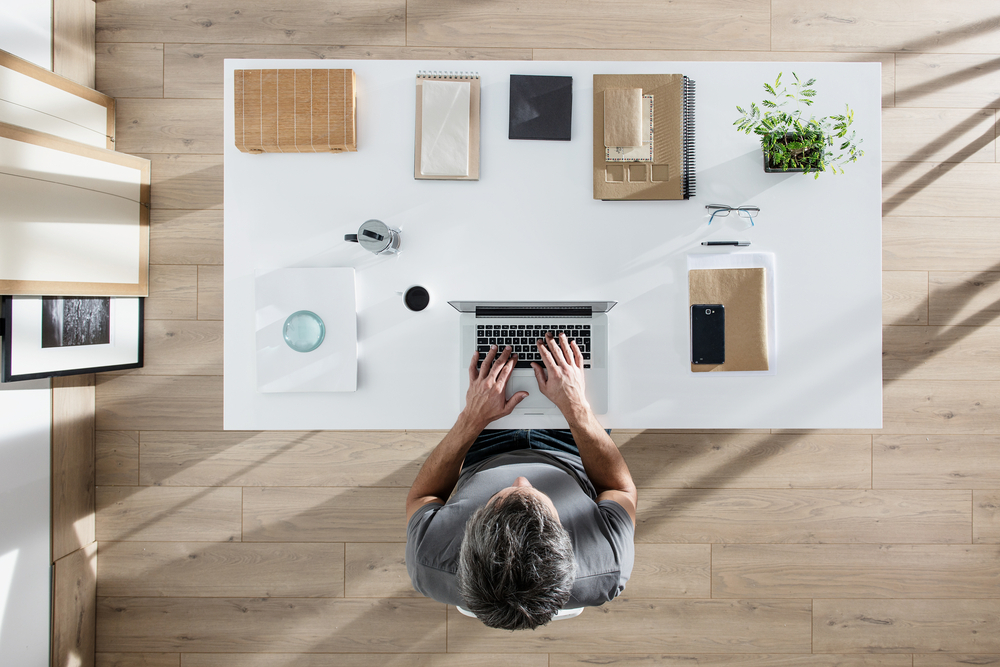
Your desk surface should only contain what you actively use during a task. Nothing more.
This doesn’t mean you throw everything away. It means you separate storage from usage.
Why It Works
Your brain constantly scans your environment. Every extra item on your desk competes for attention—even subconsciously.
A clean surface reduces cognitive load and improves clarity.
How to Apply It
- Remove everything from your desk.
- Add back only:
- Your laptop or monitor
- One notebook or planner
- One pen
- Optional: a small plant or lamp
- Store everything else in drawers or organizers.
Surface Impact Table
| Desk State | Focus Level | Stress Level | Task Speed |
|---|---|---|---|
| Fully cluttered | Low | High | Slow |
| Semi-organized | Medium | Medium | Moderate |
| Minimal surface | High | Low | Fast |
Pro Tip
At the end of each day, do a 30-second reset:
- Clear your desk
- Align your items
- Prepare for the next day
This creates a mental “fresh start” every morning.
Hack #2: One-Zone, One-Purpose Layout
What It Means
Divide your workspace into clear zones, each with a single purpose.
Even if you have a small desk, you can mentally assign zones.
Example Zones
| Zone Type | Purpose | Items Included |
|---|---|---|
| Focus Zone | Deep work | Laptop, notebook |
| Utility Zone | Quick access items | Charger, pens, sticky notes |
| Personal Zone | Comfort & identity | Plant, photo, small decor |
Why It Works
When your brain associates a specific area with a specific activity, it reduces decision fatigue.
You don’t waste time thinking:
“Where is that cable?”
“Where should I write this?”
Everything has a home.
Visual Layout (Simple Representation)
[ Personal ]   [ Focus Zone ]   [ Utility ]
   🌿             💻📓            🔌✏️
Small Space Hack
If your desk is tiny:
- Use vertical zones
- Add a shelf above your desk
- Use wall-mounted organizers
Hack #3: Digital Minimalism = Physical Minimalism
The Hidden Clutter
Even if your desk is clean, your digital environment might not be.
- 50 open tabs
- Messy desktop icons
- Random downloads
- Notifications everywhere
This is still clutter—just invisible.
Why It Matters
Your brain doesn’t differentiate much between physical and digital clutter. Both create distraction.
Digital Cleanup Checklist
| Area | Action | Frequency |
|---|---|---|
| Desktop | Keep max 5 icons | Weekly |
| Browser Tabs | Use tab manager or bookmarks | Daily |
| Downloads Folder | Delete or organize files | Weekly |
| Notifications | Disable non-essential alerts | Once |
The “5-Tab Rule”
Never work with more than 5 tabs open at once.
If you need more:
- Bookmark them
- Use tools like tab groups
Before vs After Chart
| State | Distraction Level | Productivity |
|---|---|---|
| 20+ tabs open | High | Low |
| 5 tabs max | Low | High |
Hack #4: Cable and Tech Simplification
The Problem
Cables are the fastest way to destroy a minimal workspace.
Messy wires = visual chaos.
The Solution
Simplify your tech setup.
Steps to Apply
- Identify essentials
- Do you really need 3 chargers on your desk?
- Use cable organizers
- Clips, sleeves, or under-desk trays
- Go wireless where possible
- Wireless mouse, keyboard, headphones
Cable Management Options
| Method | Cost | Effectiveness | Difficulty |
|---|---|---|---|
| Cable clips | Low | Medium | Easy |
| Cable sleeves | Medium | High | Easy |
| Under-desk tray | Medium | Very High | Moderate |
| Wireless devices | High | Maximum | Easy |
Visual Flow Improvement
Before:
Laptop → tangled cables → charger → extension → chaos
After:
Laptop → clean line → hidden cable → calm
Bonus Tip
Label your cables. It saves time and reduces frustration.
Hack #5: Intentional Decor (Less, But Better)
The Myth
Minimal workspace = boring workspace
Not true.
Minimalism is about intentional choices, not emptiness.
What to Include
Choose 2–3 meaningful items:
- A small plant
- A framed quote
- A personal photo
- A clean desk lamp
Decor Impact Table
| Decor Type | Effect on Mood | Effect on Focus |
|---|---|---|
| No decor | Neutral | High |
| Too much decor | Overstimulating | Low |
| Intentional decor | Positive | High |
The “Emotional Anchor” Idea
Keep one item that makes you feel grounded.
It could be:
- A gift
- A memory
- Something symbolic
This makes your workspace feel yours without clutter.
Putting It All Together: A Minimal Workspace Blueprint
Step-by-Step Transformation Plan
| Step | Action | Time Required |
|---|---|---|
| 1 | Clear desk completely | 15 minutes |
| 2 | Apply surface reset | 10 minutes |
| 3 | Create zones | 20 minutes |
| 4 | Organize cables | 15 minutes |
| 5 | Clean digital workspace | 30 minutes |
| 6 | Add intentional decor | 10 minutes |
Productivity Improvement Chart
Productivity Level
│
│        ██████████████  Minimal Workspace
│    █████████           Semi-Organized
│  █████                Cluttered
│________________________________________
Common Mistakes to Avoid
1. Going Too Extreme
Throwing everything away can backfire. Keep what you actually use.
2. Ignoring Digital Clutter
A clean desk with a messy laptop still causes distraction.
3. Over-designing
You don’t need a Pinterest-perfect setup. Function comes first.
4. No Maintenance System
Minimalism is not a one-time task—it’s a habit.
Daily, Weekly, Monthly Maintenance System
Daily (2–5 minutes)
- Reset desk
- Close tabs
- Put items back
Weekly (15 minutes)
- Clean desk
- Organize files
- Remove unnecessary items
Monthly (30 minutes)
- Re-evaluate setup
- Remove unused tools
- Upgrade if needed
Real-Life Scenario: Before vs After
Before Minimalism
- Cluttered desk
- Constant distractions
- Slow workflow
- Mental fatigue
After Minimalism
- Clear surface
- Faster decision-making
- Calm mindset
- Increased output
Final Thoughts
A minimal workspace is not about perfection—it’s about clarity.
When your environment is simple, your thinking becomes sharper. When your desk is clean, your work becomes smoother. And when everything has a purpose, your day feels more controlled.
Start small. Even one hack can make a noticeable difference.
FAQs
1. Do I need to buy new furniture for a minimal workspace?
No. Minimalism is about removing, not adding. Start with what you already have and simplify it.
2. How long does it take to see results?
You can feel a difference within a day, especially after clearing your desk and reducing distractions.
3. Is minimalism suitable for creative work?
Yes. In fact, it often enhances creativity by removing distractions and allowing ideas to flow more freely.
4. What if I need multiple tools for my job?
Store them smartly. Keep only what you need for the current task on your desk.
5. How do I maintain a minimal workspace long-term?
Follow a simple routine:
- Daily reset
- Weekly cleanup
- Monthly review
6. Can minimal workspaces improve mental health?
Yes. A clean, organized environment reduces stress, improves focus, and creates a sense of control.