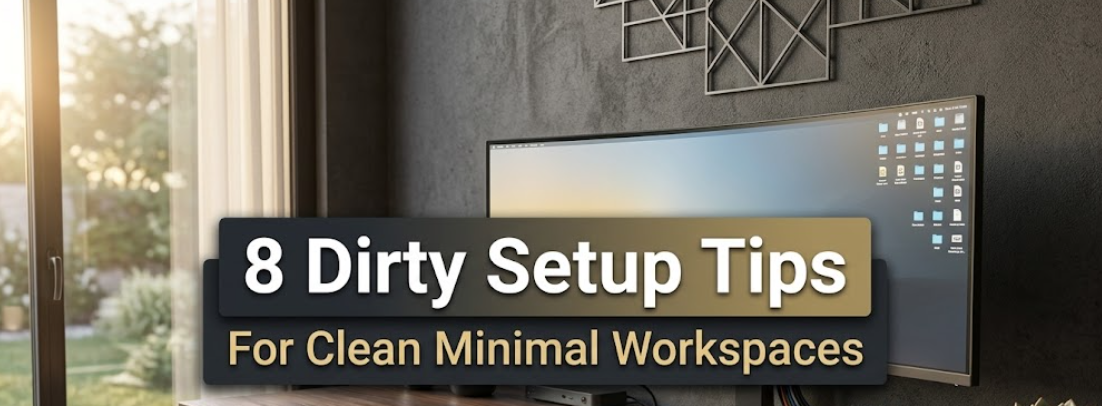
There’s a certain power in sitting down at a simple, clean desk.
No stack of papers. No tangled cables. Not your random coffee mugs from three days ago. Just you, your tools and the job ahead of you.
That’s the power of a minimal workspace setup. And it’s not just skin deep — the science backs this up. Research has found that cluttered environments deplete your mental energy and make focus more difficult. A clean setup does the opposite. It tells your brain: it’s work time.
Whether you’re a student, a remote worker trying to get stuff done, or just someone who wants to be more productive at home, this guide covers 8 practical tips for creating an effortlessly minimal workspace that helps — not hinders.
Let’s get into it.
Why Your Workspace Setup Matters More Than You Think
Before we get into the tricks, it’s useful to know what is really going on.
Your environment shapes your behavior. Psychologists refer to this as “context-dependent behavior” — your brain associates physical places with actions. A messy desk carries a capacity for disorder in your mind.
A minimal setup eliminates those friction points. You don’t need to be a design snob, nor do you need to spend thousands of dollars on furniture. It’s about carving out a space that supports you, rather than detracts from your efforts.
Now let’s build it.
Tip 1: Give Your Desk a Complete Empty-Out
The rule is this: everything comes off the desk first.
Yes, everything.
Don’t simply rearrange what exists. Start from zero. Put everything on the floor or a nearby surface, and ask yourself one question for each item: Do I use this every day?
If the answer is yes, it deserves a place on your desk. If not, it goes into a drawer, a storage bin or the garbage.
The Keep–Store–Toss Method
| Category | What It Means | Example Items |
|---|---|---|
| Keep | Used every single day | Monitor, keyboard, notebook |
| Store | Used weekly or less | Extra cables, reference books |
| Toss | Never used, broken, or expired | Old pens, tangled earbuds, sticky notes from 2019 |
Just making this one change can reduce your desk clutter by 60–70%.
Don’t skip it. It’s the basis of everything else.
Tip 2: Choose a Neutral Color Palette and Be Consistent
Color affects focus far more than most people realize.
Bright, contrasting colors excite the brain — works well at a party, but badly when you’re trying to focus for hours. Minimalist workspaces often rely on neutral, calming hues.
Think whites, grays, beiges, gentle greens and muted blues. If you want more inspiration on color and layout ideas, Minimal Workspaces is a great resource dedicated entirely to clean desk setups and minimal design.
Workspace Color Palette Guide
| Works Well | Why It Helps | Avoid | Why It Hurts |
|---|---|---|---|
| Soft white | Neutral, calming, clean | Bright red | Raises alertness, increases stress |
| Light gray | Reduces visual noise | Neon yellow | Overstimulates the eyes |
| Warm beige | Cozy without distraction | Bold orange | Too energizing for long focus |
| Muted sage | Linked to calm and focus | Hot pink | Pulls attention away from work |
| Slate blue | Promotes concentration | Electric purple | Visually stimulating, tiring |
You don’t have to repaint your entire room. Small adjustments make a difference — replace a bright red mousepad with a gray one. Swap out a loud, patterned notebook for a plain white one. These little details add up over time.
Tip 3: Play the Cable Management Game
Nothing will ruin the minimal desk aesthetic more quickly than a spaghetti pile of cables.

And it’s not just about looks. Tangled cables are genuinely distracting. Your eye catches sight of them constantly, even when you’re not looking.
Here are five cable management moves that cost almost nothing:
- Velcro cable ties — reusable and adjustable to hold cords together in clean bundles. Way better than zip ties you have to cut every time you rearrange.
- Cable clips with adhesive backing — affix these to the underside of your desk or along its back edge to route cables along a less visible path.
- A cable management box — small plastic boxes that hide your power strips and excess cable length. They rest on the floor and make everything look intentional.
- Wireless wherever possible — a wireless keyboard and mouse eliminates two of the most common cable culprits in one easy move.
- Label your cables — use small labels or color-coded tape so you never have to trace a cable back to figure out what it’s plugged into.
The goal is simple: if you can’t see a cable from your normal seated position, it doesn’t exist.
Tip 4: Take Desk Surface Area Seriously
Here’s one mindset shift that makes all the difference: your desk surface is prime real estate.

Everything placed on it must earn its spot. When there’s no rule in place, most desks become dumping grounds. Stuff lands there and never leaves.
Aim for what designers call the “three-item rule” for minimal setups: only three categories of items live on your desk surface at any given time.
The Three-Item Rule Breakdown
| Slot | What Goes Here |
|---|---|
| #1 – Primary tool | Monitor, laptop, or sketchbook — whatever your core work revolves around |
| #2 – Input device | Keyboard and mouse (or tablet + pen) |
| #3 – One analog anchor | A notebook, a single plant, or a small lamp |
Everything else gets a home somewhere else — a drawer, a shelf, a cabinet. If it doesn’t have a home, make one.
This doesn’t mean your desk has to look like a photo shoot every second. But it gives you a standard to reset to, which is just as important.
Tip 5: Get Your Lighting Setup Right
Good lighting is one of the most underrated parts of a minimal workspace.
Most people see it as an afterthought. They work under harsh overhead lights or in dimly lit rooms where they’re constantly squinting. Neither extreme is good for your eyes, your mood or your energy levels.
The goal is layered, soft lighting that matches the time of day. According to Harvard Health, the color temperature of light directly affects your alertness and sleep quality — making this more than just an aesthetic choice.
Lighting Zones for a Minimal Desk
- Ambient light — the background light of your room. Natural daylight is ideal. If you’re near a window, arrange your desk so the light comes in from the side (not directly behind or in front of your monitor). This minimizes screen glare and gives you good overall brightness.
- Task light — a desk lamp aimed at your working surface. Choose one with adjustable color temperature. Use cooler (daylight) tones in the morning. Switch to warmer tones in the late afternoon or evening. This aligns with your body’s natural rhythm.
- Accent light — optional, but a simple LED strip behind your monitor or under your desk shelf adds depth and reduces eye strain by raising the ambient glow behind your screen.
Tip 6: Build a “One In, One Out” Habit
Organizing your desk once is easy. Keeping it that way is the real challenge.
This is where habits beat willpower every time.
The “one in, one out” rule is simple: every time something new arrives on your desk — a new gadget, a book, a sticky note, anything — something else must go.
It sounds strict, but it works for one reason: it forces a decision before clutter even has a chance to build up.
Pair this with a quick 5-minute desk reset at the end of each day. Before you close your laptop, put everything back where it belongs. Throw away trash. File papers. Charge devices.
Think of it like brushing your teeth — a daily habit that prevents a much bigger problem down the line.
Tip 7: Go Vertical — Use Wall and Shelf Space Smartly
One of the biggest mistakes people make with small workspaces is treating only the desk surface as storage.
Your walls, and the space above your desk, are powerful zones that most setups ignore entirely.
A simple floating shelf above your monitor holds books, speakers or a plant — things that would normally crowd your desk. A pegboard on the wall gives you a completely customizable storage system for tools, notebooks, headphones and more.
Vertical Space Ideas by Budget
| Budget Level | Ideas |
|---|---|
| Low (under $20) | Command strips + small hooks, simple pegboard square |
| Medium ($20–$60) | Floating shelf, monitor riser with USB ports, magnetic wall strips |
| Higher ($60+) | Built-in wall shelving, custom monitor arm with integrated shelf |
Going vertical gives you more room to breathe at desk level while keeping everything you need within easy reach. It’s one of those changes that seems minor until you’ve done it — and then you wonder how you ever managed without it.
Tip 8: Personalize Without Cluttering
Minimalism doesn’t mean sterile.
A workspace that feels cold and impersonal isn’t motivating — it just feels like a waiting room. The trick is adding personality in a measured way.
The rule of thumb: one or two meaningful items, displayed intentionally.
This might be a small potted plant on the corner of your desk (a low-maintenance succulent or pothos works great). It might be a single framed photo, a favorite mug or a small piece of art on the wall.
The key word is single. One plant, not five. One framed photo, not a collage. One decorative object, not a collection.
These items give your space warmth and personality. They make it feel like yours. But because there are so few of them, they don’t compete for your attention.
Your Minimal Workspace Checklist
Before you close this tab, use this as your action plan:
| Step | Trick | Time to Complete |
|---|---|---|
| 1 | Full desk clear-out using Keep–Store–Toss | 30–60 min |
| 2 | Swap out high-stimulation colors for neutrals | 10–30 min |
| 3 | Bundle and hide all cables | 20–45 min |
| 4 | Apply the three-item rule to your surface | 15 min |
| 5 | Adjust your lighting setup | 15–30 min |
| 6 | Set a daily 5-minute reset habit | Ongoing |
| 7 | Add one floating shelf or vertical element | 30–60 min |
| 8 | Choose one or two meaningful personal items | 10 min |
You don’t have to do all eight in a day. Pick the two or three that feel most pressing for your current setup and start there.
Frequently Asked Questions
Q: Does a minimal workspace mean I can’t have anything personal on my desk?
Not at all. Minimalism isn’t about removing personality — it’s about being deliberate. One meaningful plant, photo or object adds warmth without creating clutter. The goal is fewer things, not zero things.
Q: What’s the best desk size for a minimal setup?
Bigger isn’t always better. A desk that sits between 48–60 inches is ideal for most people. It gives you enough room for your main tools without so much empty surface that it becomes a clutter magnet. A 40-inch desk works fine with good vertical storage if space is tight.
Q: How do I keep my digital workspace minimal too?
Apply the same principles. Organize your desktop with folders instead of scattered files. Close tabs you’re not using. Use one task manager instead of three. A clean digital environment reinforces your physical one.
Q: I share a workspace with someone else. Can I still go minimal?
Yes, but it takes communication. Define “zones” for each person. Use shared storage (a drawer unit between two desks) instead of keeping everything on the surface. Even in shared spaces, boundaries and simple rules go a long way.
Q: What’s the single most impactful change for a cluttered desk?
The full clear-out in Tip 1. Most people try to organize around their clutter. Removing everything first and starting from scratch is the fastest way to see real change — and it sets the tone for every other habit.
Q: Do I need to spend a lot of money on a minimal setup?
Definitely not. Some of the most effective tricks here cost nothing (the daily reset habit, the three-item rule) or just a few dollars (velcro cable ties, a single shelf). Minimalism, by definition, means using less — not buying more.
Wrapping It Up
A clean, minimal workspace isn’t a luxury — it’s a tool.
It clears visual noise. It reduces micro-distractions. It makes your brain feel like it has permission to focus. And the best part? You don’t need a complete room makeover to get there.
Start with the clear-out. Add the cable management. Set a daily reset habit. Go vertical. That’s already more than most people ever do — and you’ll feel the difference within a week.
Your workspace should work as hard as you do. Now go set it up right.