For most people, minimalism conjures images of stark white rooms and bare shelves — owning exactly 47 things.
That’s not what this is.
It’s about optimizing your daily setup — your desk, your phone, your workflows, your habits — so that everything works better by removing the things getting in the way. Less friction. Less noise. More clarity.
The best part? These are upgrades that don’t take weeks to implement. Most of these don’t take longer than an hour. Some take five minutes.
You don’t have to purchase anything. You don’t need to discard everything. You simply need to implement a handful of intelligent, strategic adjustments in how your space and systems are organized.
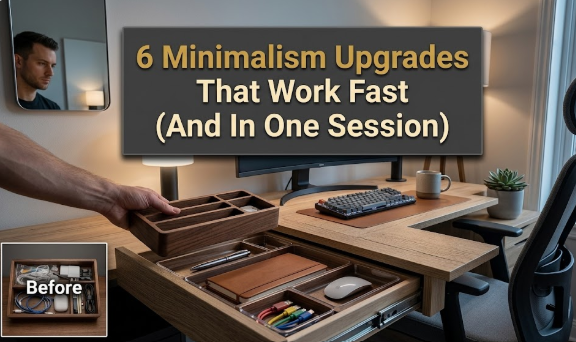
Here are 6 fast setup minimalism upgrades that actually stick — and actually work.
Why “Fast Setup” Minimalism Is So Effective
The typical minimalism advice goes: declutter your entire home, donate 80 percent of your belongings, and start anew.
That sounds great. But almost nobody does it.
Fast setup minimalism works differently. Choosing one area at a time, you strip it down and make it leaner, cleaner, more intentional. The shifts are small enough that you can make them today — but significant enough that they will be felt immediately.
Here’s the big idea: the environment around you shapes your behavior.
A messy desk scatters your attention five ways. Having a stuffed phone is distracting. A complex morning routine depletes your decision-making energy before you reach work.
Strip this back and your brain gets to breathe. Focus comes easier. Decisions feel lighter. Work flows faster.
That’s the payoff from these fast setup minimalism upgrades.
Upgrade 1: Your Physical Desk — One Surface, One Purpose

Your desk is the best real estate in your workspace.
If it’s strewn with random stuff — old cables, coffee mugs, long-ago notebooks, charging bricks — then it silently competes for your attention whenever you sit down.
The 60-Second Desk Audit
First, take a glance at your desk right now. Ask this about every item:
- Do I use this daily?
- Is it here to stay — or has it just stopped off?
Anything that doesn’t make both cuts gets a new home. A drawer, a shelf, a bin, or a donation box.
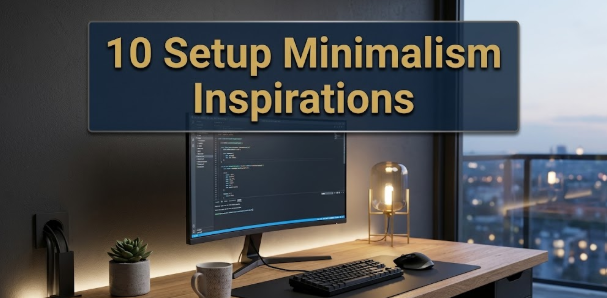
The aim is a desk with just three to five items on its surface: your computer, a notepad, something to write with, and perhaps a lamp or plant. That’s it.
The Cord Problem
Cords are one of the largest unseen sources of desk visual noise.
A few quick fixes make a world of difference:
| Problem | Fast Fix |
|---|---|
| Tangled cords everywhere | Velcro cable ties (under $5) |
| Multiple chargers cluttering the surface | Single multi-port USB hub |
| Monitor cables dangling | Adhesive cable clips under the desk edge |
| Charging cables out permanently | One cable in a drawer, out when needed |
None of them require you to swap out your furniture or purchase a standing desk. They’re inexpensive and take 20 minutes.
The “Only What’s Active” Rule
Minimalist desk setup does not mean you need the prettiest desk in the world. It’s about having a surface that consists only of what you are actively working on at the moment.
Got a project on the go? Those materials reside on your desk.
Project done? They go away.
This single habit — keeping your desk up to date instead of cluttered — is the entire game.
Upgrade 2: Your Phone Home Screen — Go Hard on the Slimming
Your phone home screen is either a tool or a trap.
Most people’s phones are traps. The home screen is crammed with apps and folders, notifications and badges vying for attention the moment the screen comes to life.
The fast setup minimalism upgrade here is radical but quick: only keep the apps on your home screen that you actually use every single day.
The Home Screen Rule: 9 Apps Maximum
One screen. No folders. No app drawers on the homepage. Only the essential tools you need day-to-day.
A clean setup can look like:
- Phone
- Messages
- Calendar
- Maps
- Music or Podcasts
- Notes
- Browser
- Camera
- One productivity app
Everything else resides on page two — or gets erased altogether.
Notification Badges Are Attention Tax
Each little red number on an app icon is a small request for your attention. It says: “Check me. Something happened. You might be missing something.”
Turn them off. All of them. Except calls and messages from real people.
Here’s a quick mental load comparison:
| Setup | Avg. Unlocks Per Day | Focus Quality |
|---|---|---|
| 40+ apps, all notifications on | 80–100 unlocks | Low — reactive all day |
| 10 apps, selective notifications | 30–50 unlocks | Medium — some control |
| 9 apps, badges off, focus mode on | 15–25 unlocks | High — intentional use |
Fewer unlocks means less time lost to the scroll spiral. It adds up fast — some studies suggest the average person reclaims 1–2 hours per day just by cutting phone use deliberately.
Use a Plain Wallpaper
It sounds trivial. It isn’t.
A busy wallpaper adds visual noise every time you pick up your phone. A plain color (black, white, or a muted tone) makes the icons easier to see and the phone feel calmer in your hand.
Try it for a week. The difference is quietly significant.
Upgrade 3: Your Morning Routine — Kill Decision Fatigue Early
Decisions are expensive.
Every decision you make — what to wear, what to eat, what to do first — draws on mental energy. By the time you get to work on your most important task, that energy is already partly spent.
This is known as decision fatigue, and it’s a significant drain on performance.
The fast setup minimalism upgrade here is to design your mornings so that most of the meaningful decisions are already made the night before.
Pre-Decide Everything You Can
The night before, lock in:
- What you’ll wear (pulled out and ready to go)
- What breakfast will be (the same most days works well)
- The 3 most important tasks for the day (written on paper or in your task app)
- When your morning routine begins and finishes
When you wake up, you’re not figuring it out — you’re just doing. The path is already clear.
Build a Morning Stack
A morning stack is a predetermined order of simple habits that occur in the same sequence each day.
Something like:
- Wake up
- Water
- 10 minutes of movement
- Breakfast (same as usual)
- 5-minute review of today’s 3 tasks
- Start work
It is short, predictable, and requires zero decisions. That’s the point.
What to Cut From Your Morning
Fast setup minimalism also means eliminating things that sap your morning energy before you even get started.
The biggest offenders:
- Checking email before you’ve completed the first focused task of your day
- Scrolling social media in the first 30 minutes of waking
- Long, elaborate routines with no buffer time
- Making breakfast from scratch every morning when simple is just as good
Cut the extras. Protect the first 60 to 90 minutes of every day like they’re your most important resource — because they are.
Upgrade 4: Your Wardrobe — Capsule Thinking, No Full Capsule Required
You don’t need to whittle your wardrobe down to 33 items of clothing to benefit from minimal wardrobe thinking.
What you want is a wardrobe where every item is something you genuinely like, wear, and that goes with everything else you own. For more inspiration on building intentional living spaces and setups, Minimal Workspaces is a great resource worth exploring.
The 90-Day Test
Every piece of clothing you own should pass a simple test:
Have I worn this in the past 90 days? (Or would I, if the season were right?)
If not — it’s a candidate for the cut.
It’s not about owning as few things as possible. It’s about having only what deserves its place.
Build a Core Color Palette
Perhaps the fastest setup minimalism upgrade you can make to your wardrobe is committing to 2–3 base colors that all work together.
For example: navy, white, and grey. Or black, cream, and tan.
When every piece in your closet speaks the same color vocabulary, getting dressed is a breeze. Things match by default. You waste zero brainpower deciding on outfits.
Here’s how the logic works:
| Wardrobe Type | Number of Colors | Morning Decision Time |
|---|---|---|
| Unedited, random accumulation | 10+ unrelated colors | 10–15 minutes |
| Edited wardrobe, some coordination | 5–6 colors, mostly compatible | 5–7 minutes |
| Capsule-style, 2–3 core colors | Everything coordinates | Under 2 minutes |
The time saved is real. The mental energy saved is even larger.
One-In, One-Out
Once your wardrobe is in good shape, follow the one-in, one-out rule.
New item comes in? An old item goes out.
This keeps the slow creep of accumulation that gradually refills a wardrobe at bay. It’s a maintenance habit, not a restriction — and it takes about 30 seconds per purchase.
Upgrade 5: Your Digital Tools — One App Per Job, Period

This one gets people because the productivity app world is designed to make you believe more tools equals more output.
It doesn’t.
More tools means more places to monitor, more systems to maintain, and more mental overhead just to stay organized.
The fast setup minimalism upgrade here is deliberate simplicity: one app per job, chosen consciously, and used consistently.
The Overlap Audit
Open your phone and your computer. For each category below, write down every app you’re using. Circle any category with more than one tool:
| Category | Your Tools | Target |
|---|---|---|
| Notes & writing | ??? | 1 app only |
| Task management | ??? | 1 app only |
| Calendar | ??? | 1 app only |
| File storage | ??? | 1 app only |
| Communication | ??? | 1–2 apps max |
| Reading / saving articles | ??? | 1 app only |
If you have three note-taking apps, you have a problem. Notes get dispersed, systems get abandoned, and you end up maintaining tools rather than using them.
How to Pick the Right One
You don’t need the best app. You need the one you’ll actually use.
Pick based on two criteria:
First, does it work on every device you use? (Phone, laptop, tablet if applicable.)
Second, is it simple enough that setup takes under 10 minutes?
If yes to both — that’s your tool. Commit to it. Delete the rest.
The Hidden Cost of App Switching
Every time you switch between tools, there’s a switching cost. Your brain has to reorient, reload context, and remember where things are stored.
This doesn’t sound like much. But if you’re jumping back and forth between 3 note apps, 2 task managers, and a different calendar on your phone than on your computer, those seconds add up to real lost time and mental friction over the course of a day.
One simple, consistent setup takes all of that away.
Upgrade 6: Your Commitments — The Ultimate Power Move of Minimalism
This is the one most people miss.
You can have a perfectly organized desk, a clean phone, a lean wardrobe, and streamlined digital tools — but if your schedule is packed with commitments you don’t truly want or need, you will still feel overwhelmed.
Applying minimalism to your time is where the real transformation occurs.
Say No by Default
Most people operate under a “yes by default” policy. The internal question when someone asks something of them is: “Is there a reason I should say no?”
Flip it.
The question should be: “Is there a compelling reason I should say yes?”
If it’s anything but a clear, enthusiastic yes — the default is no.
This isn’t about being unhelpful or antisocial. It’s about reserving your time and energy for the commitments that truly mean something to you.
The Weekly Commitment Audit
At least once a week — Friday afternoon works well — spend 5 minutes reviewing your calendar and to-do list.
Ask:
- Which of these things actually needs to happen this week?
- Which could be delegated, delayed, or cancelled?
- Am I doing things out of habit or guilt rather than genuine value?
It’s remarkable how many items survive on a calendar purely through inertia. A 5-minute audit removes them.
The “Protect Your Morning” Rule
One specific and powerful aspect of commitment minimalism: keep your mornings meeting-free, as much as possible.
The first 2–3 hours of your day are typically your highest-focus, highest-energy window. Packing them with meetings, calls, or commitments shatters that window and makes it virtually nonexistent.
A morning free of all scheduled commitments is a morning where deep work becomes possible.
How Long Do These Upgrades Actually Take?
V
visualize
V
visualize show_widget
https://46b03ac9016aee6e8c078d1c563d510f.claudemcpcontent.com/mcp_apps?connect-src=https%3A%2F%2Fesm.sh+https%3A%2F%2Fcdnjs.cloudflare.com+https%3A%2F%2Fcdn.jsdelivr.net+https%3A%2F%2Funpkg.com&resource-src=https%3A%2F%2Fesm.sh+https%3A%2F%2Fcdnjs.cloudflare.com+https%3A%2F%2Fcdn.jsdelivr.net+https%3A%2F%2Funpkg.com+https%3A%2F%2Fassets.claude.ai&dev=true
The six upgrades collectively require about two hours. Many of them take less than 30 minutes each. The wardrobe edit is the longest — and even that’s a one-time investment.
The Right Order to Work Through These
You do not need to do all six at once. If anything, one at a time is better — you get to feel the results before proceeding to the next.
A solid sequence for most people:
Begin with the phone home screen. It takes 15 minutes and results in an immediate, perceptible difference to how calm your phone feels.
Then tackle the desk. The shift in the physical environment generates momentum.
Then go to digital tools — since a cleaner desk and phone help you notice which apps you’re truly using.
Then commitments — because simplifying your schedule doubles the value of everything else you improve.
Morning routine and wardrobe can come in any order after that. They both reduce daily friction, and they reinforce each other.
Maintaining What You’ve Built
If you attach a simple maintenance rule to each of these areas, the upgrades stick.
| Upgrade | Maintenance Rule |
|---|---|
| Desk | Clear it completely before leaving for the day |
| Phone screen | Delete any new app that hasn’t been used in 2 weeks |
| Morning routine | Review it monthly — keep what works, cut what doesn’t |
| Wardrobe | One-in, one-out for every new purchase |
| Digital tools | No new tool without removing an existing one |
| Commitments | Weekly 5-minute calendar review every Friday |
These maintenance rules are light. All of them take just a few minutes. But they keep the clutter from returning — which is the real danger after you’ve done the initial work.
FAQs: Fast Setup Minimalism Upgrades
Q: Do I have to be a “minimalist” to make these upgrades? A: Not at all. These upgrades are about optimizing your particular setup for how you want to live — not adopting a lifestyle label. You can do all six of these and still own plenty of things. The goal is function, not aesthetics.
Q: What upgrade makes the most difference, fastest? A: The phone home screen and morning routine tie for the quickest payoff. Both take less than 20 minutes to set up and provide you with noticeably calmer, more focused days within a week.
Q: What if I try minimalism and dislike it? A: Nothing here is permanent. You can always put things back. But in practice, many people discover they don’t miss what they removed — because they weren’t using it in the first place. The absence of clutter is rarely regretted.
Q: I work in a shared space with others. Can I still do the desk upgrade? A: Yes — but concentrate on your individual section of the workspace. Your portion of a communal desk, your monitor, your immediate area. Even a partial tidy-up makes a real difference to how focused you feel.
Q: Is the wardrobe upgrade worth the effort? A: It’s the sleeper upgrade for a lot of people — underestimated going in, deeply appreciated coming out. The decision fatigue from getting dressed is real. When your wardrobe works on autopilot, you arrive at your desk with more energy than you might expect.
Q: Once I’ve done these upgrades, how do I stop new clutter from piling up? A: The maintenance rules above are key. Beyond that, the core habit is to pause before acquiring anything new — an app, a commitment, a piece of clothing — and ask: does this replace something, or is it just adding to the pile?
Q: Do I need special products or tools to do these? A: No. Cable ties cost a couple of dollars. Everything else is free — it’s about removing things, not buying them. That’s one of the greatest things about minimalism as a framework: it saves money by default.
Closing Thought: Less Setup, More Living
Fast setup minimalism upgrades are not about owning less or doing less.
It’s about sifting through the noise so that whatever remains actually deserves your attention — and your best energy.
A five-item desk is easier to work at than a fifty-item one.
A nine-app phone is easier to put down than a sixty-app one.
A morning without fifteen decisions is calmer than one with thirty.
A schedule full of meaningful commitments is more fulfilling than one packed with obligations.
None of these upgrades are big on their own. Combined, they add up to a workspace, a routine, and a daily rhythm that feels truly lighter — and truly yours.
Start with one today. The best time to start is always now.
Sonnet 4.6