There is a common perception that productivity equates to more doing.
More apps. More gadgets. More systems. More tabs open.
But here’s the thing: doing more is often what causes you to feel burned out and behind. The real shortcut for getting more done is having less in the way.
This is the essence of setup minimalism.
A minimalist setup reduces your workspace — both physical and digital — to only what truly helps you focus and create. No fluff. No clutter. No decision fatigue.
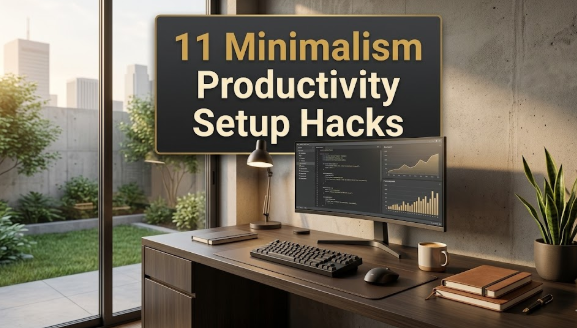
The secrets of setup minimalism used by quietly powerful people to accomplish more in less time that you’ll learn about in this guide include 11 different techniques. These aren’t just aesthetic tips. They’re practical strategies that are grounded in how your brain actually works.
Let’s get into it.
What Setup Minimalism Actually Means for Your Productivity
Setup minimalism doesn’t mean you need to own the fewest things possible or have a perfectly sparse Instagram desk.
It’s about intentional design.
Everything on your desk, everything in your pocket, every tab open in your browser is either supporting your focus — or detracting from it. Minimalism is simply the same trade-off made visible.
When your environment is cluttered, your brain continuously needs to filter out noise. That costs mental energy. And mental energy is precisely what you need to perform at your best.
Cognitive psychology studies consistently find that visual clutter raises cortisol levels — the stress hormone. Less clutter, less stress. Less stress, more output.
These setup minimalism secrets in this guide were made with that intent.
Secret 1 — Have a “Zero Desk” Rule Every Day
Here’s a game-changing habit: your desk should be totally clear before you begin to work.
Not somewhat tidy. Completely clear.
Every morning — or the night before — take everything off your desk surface. Only return what you’ll actually use that day.
This does two things. First, it helps you to make conscious decisions about what should be in your workspace. Second, it presents you with a clean visual slate that tells your brain: time to focus.
Think of it like hitting a reset button. You’re starting anew, not bringing yesterday’s chaos into today’s work.
This one simple, consistent habit is one of the strongest setup minimalism secrets you can implement today.
Secret 2 — The Monitor Setup of “One Screen, One Task”

How many tabs do you have open in your browser right now?
If it’s more than five, you’re likely scattering your focus without realizing it. Every tab that’s open is also a micro-distraction ready to lure you away.
The principle is simple: one screen, one task. Configure your working environment so you can only view the specific thing you are working on.
This might mean:
- Using one monitor instead of two
- Maximizing the app you are currently working on
- Hiding everything else with a tool like Mango, HiDock, or your OS’s built-in focus mode
A dual-monitor setup feels productive. But research on attention has long shown that the brain can’t really multitask. Even switching between tasks visually takes time and mental energy each and every time.
One task. One screen. Full attention.
Secret 3 — Create a “Trigger Zone” for Deep Work
The environment around you will dictate your behavior more than willpower ever could.
A trigger zone is a specific place — a chair, a corner desk, a coffee shop table — that you reserve for nothing but deep work. Nothing else happens there. No casual web surfing, no emails, no snacks.
Over time, your brain learns that spot is for focused work. Sitting there becomes a cue: it’s time to focus.
This is the same reason you sleep better in a bedroom that’s only for sleeping.
You don’t need a home office for this to work. Even the same chair at your kitchen table can be a trigger zone so long as you’re consistent about it.
The key is exclusivity. That spot is for work. Only work.
Secret 4 — The Minimal App Stack: Three Tools, Not Thirty
Open your phone. How many apps do you have?
There are more than 80 apps installed on the average phone, but fewer than 10 that someone would actively use. Those 70 or so extra apps are not only filling your storage — they’re also adding to choice paralysis and notification clutter.
A minimal app stack means picking the least number of tools that still handle all your requirements.
Here is a simple framework to audit yours:
| Category | Ask Yourself | Keep or Cut? |
|---|---|---|
| Communication | Do I use this daily? | Keep only one of each type |
| Note-taking | Do I have duplicates? | Pick only one |
| Task management | Am I actually checking it? | Only keep the one you open |
| Social media | Is this helpful or just habitual? | Cut ruthlessly |
| Productivity tools | Does this address a genuine issue? | Keep only if yes |
This isn’t about using fewer tools for the sake of it. It is to ease the mental burden of keeping too many systems running concurrently.
Secret 5 — Color-Code Nothing (Or Everything Consistently)
Here’s a secret about minimalism that surprises people: random color-coding is worse than no color-coding at all.
When your folders, files, and notes are all different colors without any coherent system, your brain has to waste energy decoding the system rather than using it.
The fix is either:
- Don’t use color labels — use naming conventions instead
- Establish a rigorous, uncomplicated system — e.g. red = urgent, gray = archived, blue = in progress
The second option is good if you actually follow through with it. But most people don’t, and that’s part of why option one is often preferable.
When it comes to workspace organization, the neutral palette — white, gray, black, one accent color — allows your eye to glide effortlessly across your space without visual speed bumps.
This is true for your physical desk accessories, your digital folder structure, and your note-taking system.
Secret 6 — Notification Blackout (Not Just “Do Not Disturb”)
Most people use Do Not Disturb mode when they really need to focus. That’s a good start. But it’s not enough.
Notification blackout means turning off almost all notifications permanently — not just during scheduled blocks.
Here’s your default rule: notifications should never be on unless there is a specific, important reason to turn them on.
Ask yourself about every app: “If I look at this app once a day instead of receiving pushed alerts, does anything actually break?”
The answer is no for most apps — social media, newsletters, news, and non-urgent messaging.
The average individual checks their phone 96 times a day. A big portion of that is triggered by incoming notifications. Cut the triggers, cut the distractions.
A minimalist notification setup would go something like this: calls and emergency alerts on. Everything else, off.
Secret 7 — Plain Text First: Stop Over-Formatting Your Notes
Here’s a setup minimalism secret for your note-taking system: your default format should be plain text.
Most people over-build their notes. Headings, sub-headings, bullet points, nested bullets, bold, italic, highlights, tags, links.
It feels organized. But more often than not, it’s simply complexity in disguise.
Plain text forces clarity. When you don’t have formatting to make something look important, you need the actual words to be clear.
For daily notes, meeting notes, and quick captures — try a plain .txt file or the most basic setting in your notes app. No templates, no pre-built structures. Just type.
Reserve structure for stuff that really needs it, like project plans or reference documents.
Secret 8 — Cable Discipline: The Underrated Physical Secret

Check the space under your desk, behind your monitor, or next to your laptop.
If you see a tangled mess of cables, that clutter is still affecting you even when you’re not looking at it directly.
Visual chaos in your peripheral vision is a low-grade distraction that keeps your nervous system slightly activated. It’s like a background alarm that never quite gets shut off.
Cable discipline is one of the simplest and cheapest setup minimalism secrets.
Cable clips, a small cable sleeve, velcro ties, or even binder clips can route all your cables along a clean line on the edge of your desk or behind your monitor.
Spend 20 minutes on this once. What you get is a quieter desk — and a genuinely calmer mind while working.
For practical inspiration on how to keep both your physical and digital workspace clean and purposeful, Minimal Workspaces is well worth bookmarking.
Secret 9 — A Time-Blocked Calendar: Fewer Slots, Firmer Commitments
Most people have their calendar set up as a meeting catcher — where everybody else’s priorities get added into your day.
A minimalist calendar does the exact opposite.
You protect your most important work first. Deep work takes the best hours. Everything else falls into place around it.
The setup minimalism principle here is fewer, firmer blocks. Rather than a calendar bursting with color-coded events for every micro-task, you have three to five large blocks of time each day — one for each category of work.
Here’s what a minimal time-block day looks like:
| Time Block | Activity |
|---|---|
| 8:00 AM – 11:00 AM | Deep work (creative or complex tasks) |
| 11:00 AM – 12:00 PM | Communications (email, messages, calls) |
| 1:00 PM – 3:00 PM | Meetings or collaborative work |
| 3:00 PM – 4:30 PM | Admin, planning, light tasks |
| 4:30 PM – 5:00 PM | Review and shutdown ritual |
Notice there’s no block for “checking social media” or “browsing.” That’s intentional. If it doesn’t get a block, it doesn’t get your time.
Secret 10 — Capture, Not Carry: The Single Inbox Rule
Here’s one of the most liberating setup minimalism secrets: you don’t need to remember anything.
Your brain is not for storage — your brain is for thinking. Trying to keep track of tasks, ideas, and obligations in your head creates what productivity professionals refer to as “open loops” — unresolved mental threads that drain your attention throughout the day without you realizing it.
The single inbox rule means you have one and only one place where everything goes. One notebook. One inbox in your notes app. One capture tool.
When a task comes in, an idea hits you, or someone asks you to do something — it goes in the inbox. Every time. Without exception.
Then you process the inbox once a day. Everything gets scheduled, delegated, done right away, or deleted.
This setup isn’t complicated. But for anyone whose greatest productivity enemy is their own cluttered mental load, it’s life-changing.
Secret 11 — The Three-Item Daily Rule
The final setup minimalism secret is also the simplest of them all.
Focus on three things that really matter each day. Not ten. Not a full page of a to-do list. Three.
These are the things that, if you get them done, would be a true win for the day. Everything else is secondary.
This works because it demands prioritization before the day has even begun — not at the end when you’re trying to figure out why you’ve been busy all day but nothing substantial was accomplished.
Write your three items on a physical index card, a sticky note, or at the top of your daily note. Put it somewhere visible.
Do those three things before everything else is vying for your attention.
The three-item rule pairs beautifully with setup minimalism too. A tidy desk, an uncluttered screen, three things to do. That’s a powerful setup.
How These 11 Secrets Are All Interlinked
These 11 setup minimalism secrets are not a checklist to race through. They work best as a system.
A clean desk helps focus. Focused work produces better output. Better output builds confidence. Confidence drives a desire to preserve the system. And keeping the system going keeps the desk clear.
It’s a reinforcing loop. Each secret strengthens the others.
You don’t have to do all 11 at once. In fact, that would be quite un-minimalist. Just start with the one that addresses your largest active friction point. Build from there.
Your Maintenance Routine: The Weekly Reset Ritual
Even the ultimate minimalist setup becomes cluttered over time. Life happens.
And that’s why the weekly reset ritual is important. It’s the upkeep work that keeps the system breathing.
Once a week — many favor Sunday evening or Friday afternoon — do a 30-minute reset:
Physical reset: Clear the desk. Put away anything that may have migrated there. Clean the surface. Cable check.
Digital reset: Empty your downloads folder. Archive or delete old files. Close browser tabs. Revisit your app setup — anything you haven’t opened this week?
Calendar reset: Review next week. Have you created your time blocks? Does your schedule match your priorities?
Inbox reset: Clear and process your inbox. Assign, schedule, delete.
Done. That’s it. Half an hour, once a week, and your minimalist setup remains in fighting shape.
Getting Started With Setup Minimalism: A Beginner’s Roadmap
Not sure which of these 11 setup minimalism secrets to try first? Here’s a realistic three-week starter plan:
Week 1 — Physical Foundation Apply the zero desk rule each day. Set up your trigger zone. Handle your cable situation.
Week 2 — Digital Clarity Audit your apps. Delete everything you haven’t opened in two weeks. Turn off all non-essential notifications. For focused work: one screen, one task.
Week 3 — Routine and Mindset Start time-blocking your calendar. Set up your single inbox. Every morning, write down just three items.
In three weeks, you will have a radically different work environment — and a very different relationship with your own productivity.
FAQs About Setup Minimalism for Productivity
What is setup minimalism?
Setup minimalism is the act of purposely designing your physical and digital workspace to hold only what is conducive to focused, productive work. It strips away visual clutter, app overload, and system complexity so your brain can devote its energy to actual work instead of filtering out noise.
Is a minimalist setup really better for productivity?
Yes — and the research supports it. Cluttered environments come with a higher cognitive load, so your brain is working harder just to process what’s around you. Research in environmental psychology, including work from Princeton University’s Neuroscience Institute, has shown that physical clutter competes for your attention and lowers your ability to focus.
Is a pricey desk setup necessary for minimalism?
Absolutely not. The most productive minimalist setups are nothing more than a plain table, a laptop, and a notebook. Minimalism is about eliminating what doesn’t serve you — not replacing it with high-end gear.
How does setup minimalism differ from just being tidy?
Tidiness is reactive — you tidy when things get messy. Setup minimalism is preventative — you arrange your surroundings to minimize mess from forming in the first place. It’s a system, not a chore.
Does setup minimalism work for creative people?
Yes, and it tends to work really well for creatives. For many artists, writers, and designers, a clear, calm space actually frees up more creative energy. Your brain has greater bandwidth for imagination and problem-solving when you’re not perpetually busy managing clutter.
What if I share an office and don’t have full control over my environment?
Most of the secrets are still applicable. Concentrate on the things you can control — your immediate desk area, your digital environment, your notifications, and your calendar. Even a partial application of setup minimalism can make a measurable difference.
How long does it take to set up a minimalist workspace?
The setup itself typically takes a weekend — a couple of hours to declutter physically, and a couple of hours to clean up your digital environment. After that, the weekly reset ritual is just 30 minutes of upkeep per week.
Is the three-item daily rule really enough to stay productive?
For most people, yes. The goal is not to do fewer things — it’s to ensure that the most important things actually get done. Three clear priorities completed consistently will produce far more meaningful results than a 20-item to-do list that’s half-finished every day.
Final Note: Less Is Your Most Potent Productivity Tool
We live in an age of more. More information, more tools, more options, more noise.
Setup minimalism is the counter-move. It’s an intentional decision to do less, own less, and manage less — so that you can give more to what really matters.
The 11 setup minimalism secrets in this guide aren’t about deprivation. They’re about clarity. When your environment is designed to support your best work, great output becomes almost inevitable.
You don’t need a perfect setup. You need a purposeful one.
Start today. Pick one secret. Apply it. Then notice what changes.
A less cluttered desk, a quieter phone, a concentrated mind. That’s productivity — minimalist style.