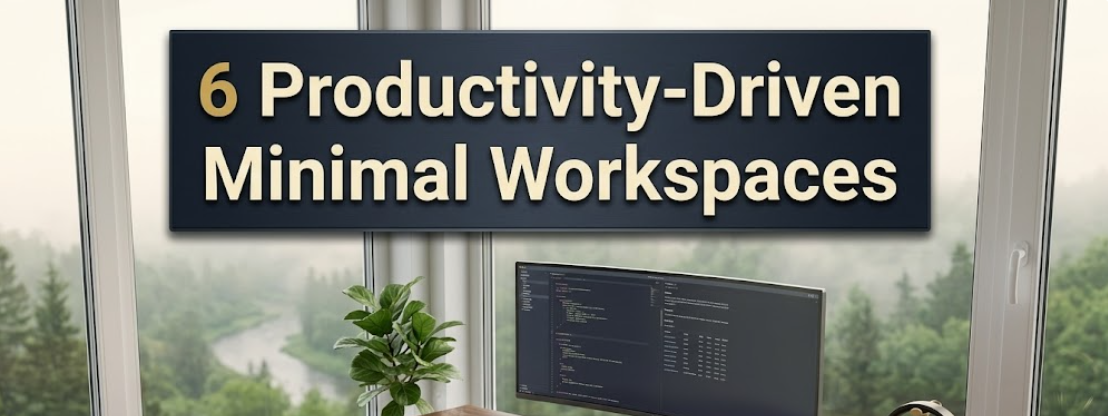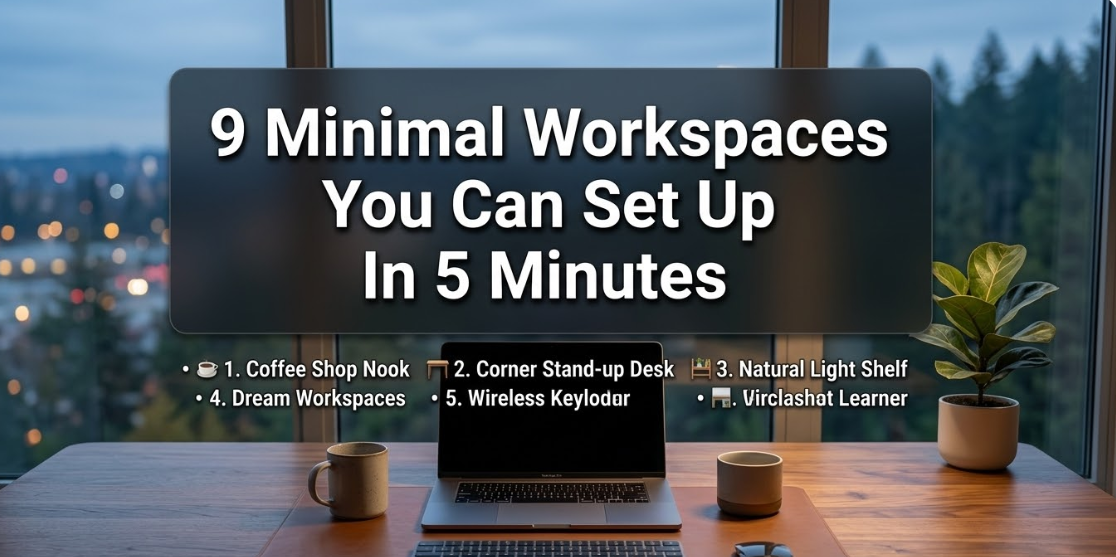
Sitting down at a fresh, clutter-free desk is almost magical. Your mind feels clearer. Your focus sharpens. And somehow even the most difficult tasks seem more manageable.
This is precisely what minimal workspaces offer to you.
Whether you’re a student attending to homework, a remote worker powering through deadlines, or a creative person chasing down ideas, the space surrounding you matters more than you realize. Research shows time and again that a clean, well-organized environment reduces stress and increases productivity.
The best part? You don’t need a big budget or a designer’s eye to make it happen.
In this post, you will learn about 9 effortless minimal workspaces that are easy to design, pleasing to the eyes, and practically useful for everyday work. Each one includes actionable steps you can take now.
Let’s get into it.
Why Minimal Workspaces Actually Work
Before getting into the ideas, let’s quickly see why a minimal setup is like magic.
If your desk is messy, your brain isn’t taking breaks because it’s always having to process everything in your line of sight. That pile of papers. The random cables. The three empty coffee cups. Every one silently tugs at your focus, often without you realizing it.
Minimalism removes that noise.
A clutter-free workspace has the ability to tell your brain it’s time to concentrate. It establishes a sort of mental divide between “work mode” and “everything else.” Research in environmental psychology indicates that visual clutter has a direct effect on cortisol levels — the hormone related to stress.
In short: less junk on your desk means less stress in your head.
And the good news is, minimal doesn’t equal boring. The workspaces below simply show that simple can also be stunning.
1. The One-Monitor Desk Setup

Less screen space is sometimes more productive space.
A single-monitor setup makes you work on one thing at a time. No constant tab-switching. No side-by-side distractions. Just you and whatever task is sitting in front of you.
What You Need
- A single monitor (optimal in the 24–27 inch range)
- A plain desk, without drawers blocking the front
- A wireless keyboard and mouse to cut down on cable chaos
- One desk lamp for ambient lighting
How to Keep It Clean
Hoist your monitor onto a slim arm so the desk surface remains clear beneath it. Take any cables and run them through a cable management sleeve or clip them to the back of the desk leg. Keep only what you actively use on the surface.
Pro tip: When the workday ends, spend just 60 seconds clearing off your desk. You’ll thank yourself every morning.
This configuration is excellent for writers, coders, accountants, or anyone who does most of their work in one primary application.
2. The Wall-Mounted Floating Desk

If you’re short on space, a floating desk is one of the savviest moves you can make.
Wall-mounted shelves with a fold-down desk surface transform any blank wall into a functional workspace. When you’re done working, fold it away and it virtually disappears.
Best Spots for a Floating Desk
- A spare corner of the bedroom
- A hallway niche that usually ends up filled with junk
- A living room wall that is just deep enough for a laptop
Keeping It Truly Minimal
Since shelf space is limited, discipline becomes your design choice. Allow yourself only three things on the surface while you work: your laptop or notebook, one drink, and one small plant or decoration.
Everything else lives in a drawer unit or basket below.
This setup is ideal for apartment dwellers, house-sharers, or anyone who needs a home office that disappears after 5 o’clock.
3. The Natural Light Window Desk
Positioning your desk next to a window is one of the least expensive but most impactful upgrades you can make.
Natural light lowers eye strain, boosts mood, and keeps your circadian rhythm on track. In fact, according to research published in the Journal of Clinical Sleep Medicine, workers sitting near windows sleep an average of 46 minutes more per night than those deprived of natural light access.
How to Set It Up Right
Position your desk perpendicular to the window — not facing directly into it (to avoid glare on your screen), and not with the window behind you (which creates backlighting). Perpendicular is the sweet spot.
Keep the window sill clear. A small succulent or tiny vase will do. Don’t be tempted to pile books or storage here.
What Makes It Minimal
The view itself is the decor. With natural scenery as your backdrop, you don’t need wall art, shelves of trinkets, or brightly colored accessories.
Something as simple as a pale wood desk, a neutral chair, and a tidy surface is all it takes.
4. The Monochrome Desk Setup
A monochrome workspace relies on a single color family throughout — and it creates an effortlessly coordinated look.
That doesn’t mean all of it has to be white (though white is a common option). You could go all black for a dramatic vibe, all beige for warmth, or all gray for a modern professional effect.
The Color Psychology Behind It
| Color Scheme | Mood It Creates | Best For |
|---|---|---|
| All white | Clean, bright, expansive | Creatives, designers |
| All black | Focused, dramatic, bold | Coders, writers, editors |
| Warm beige/brown | Calm, cozy, grounded | Writers, students |
| Cool gray | Professional, neutral, crisp | Business work, finance |
| Sage green | Refreshing, natural, easy | Anyone craving calm |
How to Pull It Off
Pick your anchor color first — usually the desk surface. Then make your accessories match it. Same-colored cable organizer, mouse pad, pen holder, and notebook. Minor differences in texture (matte versus glossy) provide visual interest without undoing the theme.
The result? A desk that looks professionally styled, despite having taken you 20 minutes to put together.
5. The Laptop-Only Minimalist Setup
A laptop on a stand. A wireless keyboard. A wireless mouse. That is it.
It may sound overly simplistic, but the laptop-only setup is one of the most common minimal workspaces for very good reason. It is portable, clean, and requires nearly zero maintenance to stay tidy.
Elevating the Experience
The one big upgrade here is a laptop stand. Your posture significantly improves when your screen is at eye level. A riser or stand raises the laptop up and suddenly that simple setup looks sophisticated.
Pair it with:
- A slim, low-profile Bluetooth keyboard (they look particularly clean)
- A compact wireless mouse in a matching color
- A good pair of wireless earbuds for focus
The Hidden Advantage
Since everything is wireless and portable, you can clear your entire desk in under 10 seconds. That makes it the easiest minimal workspace to maintain — which is typically the biggest challenge with any minimalist setup.
6. The Japandi-Inspired Workspace
Japandi is a design style that fuses Japanese minimalism with Scandinavian simplicity. It’s warm, natural, and deeply calming.
Think natural wood tones, neutral fabrics, and clean lines balanced with purposeful negative space. Everything on the desk is there for a reason.
If you’re looking for more ideas and inspiration along these lines, Minimal Workspaces is a great resource dedicated entirely to clean, intentional desk setups.
Core Elements of a Japandi Workspace
- A light wood or bamboo desk
- A linen or cotton desk mat in cream, beige, or dusty rose
- A ceramic pen holder (handmade-looking, imperfect is the point)
- One tiny bonsai or succulent
- Warm-toned lighting (2700K bulbs, not bright white)
What to Avoid
Stay away from plastic accessories, glossy black electronics left out on countertops, and anything brightly colored. If your tech cannot be avoided (which, frankly, it almost always can’t), put it away when you are not using it or choose matte black, silver, or white tech.
The Japandi workspace is not simply a desk setup — it’s a design philosophy. It says: only what brings value, only what brings calm.
7. The Standing Desk Minimalist Setup
Standing desks went from fad to legitimately mainstream — and if you do it right, they can become some of the cleanest minimal workspaces around.
The secret isn’t the standing desk itself. It is how you style it.
Why Standing Desks Suit Minimalism
A standing desk — particularly an electric height-adjustable one — motivates you to keep your surface uncluttered. You simply cannot stack stuff up when you know you will be raising and lowering the desk multiple times a day.
That forced discipline lends itself naturally to a tidier space.
The Minimal Standing Desk Formula
- One monitor on a slim arm (this is critical — no chunky stand eating up desk real estate)
- A padded anti-fatigue mat in a solid neutral color
- Wireless peripherals only
- A cable spine or management tray mounted under the desk
- Nothing on the surface that is not actively in use
Keep the space below the desk clear too. Nothing will kill the look of a clean standing desk more than a tangle of cables or a random box of files on the floor.
8. The Reading Nook Desk Hybrid
Not every minimal workspace has to be purely for digital work.
A reading nook desk hybrid combines a small writing or reading area with a compact workstation. It’s cozy, personal, and deeply calming.
How to Create One
Begin with a small desk — even a simple table works. Add a comfortable chair (not an office chair; think a cushioned armchair or a padded dining chair). Add a small bookshelf or floating shelf nearby with only a few favorite books.
Add warm lighting. An arc lamp or a small table lamp with a warm bulb will do beautifully.
Keeping It From Getting Cluttered
The most dangerous thing here is the bookshelf. With a little negligence, “a few favorite books” can quietly become an overwhelming wall of spines.
Use the one-in-one-out rule: every time you add a new book to the shelf, one needs to go. The same applies for any decorative items.
This workspace is best for writers, students, and anyone who toggles between reading and writing throughout the day.
9. The Dual-Purpose Minimal Workspace
For those who occupy smaller homes, having a room solely for work is just not an option.
This is exactly the situation for which the dual-purpose minimal workspace was designed. It is a setup that functions as a workspace during the day and blends seamlessly into your living space at all other times.
The Key Design Principles
The furniture has to justify its presence. Each piece should serve at least two purposes. A storage ottoman that hides your work cables. A stylish side table that also holds a laptop. A drawer unit that doubles as a nightstand.
Neutral colors are non-negotiable here. Bold, work-specific colors or accessories that scream “office” will result in your living room morphing into a cubicle. Stay within your home’s existing color palette.
How to Define the Work Zone
Even in a shared space, your brain works better with a defined work area. Mark the work zone with a small rug. Keep your work items in a single basket or bag that you pull out when you’re working and put away when you’re done.
This physical ritual tells your brain: work begins now, work ends now.
The 5-Minute Desk Reset Rule
Regardless of which of these minimal workspaces you go with, there is one habit that ties it all together.
The 5-minute desk reset.
At the end of every single work session — no exceptions — spend five minutes restoring your desk to its minimal state. Put things away. Wipe the surface. Straighten anything that shifted. Plug in devices to charge overnight.
When you sit down the next morning, you will start fresh. No decision fatigue. No visual chaos. Just clean, open space ready for your best work.
It sounds almost too simple. But this habit alone separates people who maintain minimal workspaces from those who set them up and slowly watch them slide back into clutter.
What Every Minimal Workspace Has in Common
After examining all nine ideas, some patterns become apparent.
Every successful minimal workspace shares three core traits:
Intentional surfaces. Nothing sits on the desk by accident. Every item has a reason to be there, and everything else has a home somewhere else.
Cable control. Visible cables are the enemy of minimalism. Whether you use cable sleeves, cable clips, a management tray, or simply go wireless — managing cables makes or breaks the look.
A daily reset habit. The setup is only half the battle. The other half is the five-minute end-of-day tidy. Every workspace on this list falls apart without it.
Get these three things right, and almost any setup will look and feel minimal.
Quick-Start Guide: Build Your Minimal Workspace Right Now
You don’t need to wait for a weekend project or a trip to a furniture store. Here’s how you can get started today.
Step 1 — Clear completely. Remove everything from your current desk surface. Everything. Put it on the floor or a nearby table temporarily.
Step 2 — Clean the surface. Wipe it down. A clean slate makes the next steps easier and more satisfying.
Step 3 — Sort what you removed. Three piles: keep on desk (daily use only), keep nearby (weekly use), and remove from workspace entirely.
Step 4 — Return only the essentials. What qualifies? Your main device, one notebook, one pen, your lamp, and one optional personal item like a small plant.
Step 5 — Deal with cables. Even just tucking them behind the desk or clipping them together makes an immediate difference.
Step 6 — Choose your style. Pick one of the nine workspaces above that matches your space and needs. Use it as a target to work toward.
You now have a minimal workspace. The only job left is keeping it that way.
FAQs About Minimal Workspaces
Q: Do minimal workspaces actually improve productivity, or is it all a fad?
It is backed by real evidence. A 2011 study by neuroscientists at Princeton University concluded that physical clutter in your surroundings competes for your attention, which decreases performance and increases stress. A clear desk eliminates that competition. It’s not simply decorative — it really does help your brain work better.
Q: What if I need lots of items on my desk for work?
Minimalism doesn’t mean removing everything — it means removing the unnecessary. If you genuinely use five things every day, those five things belong on your desk. The key is banishing what you don’t use regularly. A desk cleared of unnecessary items looks minimal even with essential tools present.
Q: How can I keep a minimal workspace tidy with kids or roommates nearby?
Two strategies work best here. First, use storage that closes — drawers, boxes, or baskets with lids so items can be stashed away quickly. Second, be disciplined about the 5-minute reset habit at the end of each day. Even if the space gets messy along the way, a consistent daily reset prevents it from building up.
Q: Is minimalism expensive? Do I have to get all new furniture?
Not at all. Some of the most minimal workspaces use existing furniture. The primary investment here is decluttering and organizing, not purchasing new items. If you do want to upgrade, a monitor arm (one of the biggest visual and comfort improvements) is not very expensive. Going wireless requires a little more investment but is not essential on day one.
Q: What is the single most important change I can make to create a more minimal workspace?
Remove everything that doesn’t belong there. Not “organize it better.” Remove it completely from the desk surface. That one action — even before buying a single new thing — transforms how a workspace looks and feels.
Q: Will a minimal workspace work for creative people, or does creativity require a messy space?
This is a common myth. Some of the world’s most creative people — writers, architects, designers — are known for famously ordered workspaces. Creativity is not born from clutter; it is born from mental space. And a clear desk creates mental space. That said, if a single inspiration board or mood wall helps your creative process, it can absolutely be part of a minimal workspace — just keep everything else clean around it.
Q: What are the simplest minimal workspaces for students?
The laptop-only setup and the floating wall-mounted desk are ideal for students. Both are inexpensive, low-maintenance, and easy to set up in a shared room or dorm. Combine either with a pair of wireless earbuds and you have a clean, distraction-resistant study station.
Wrapping It Up
Minimal workspaces aren’t about owning less for its own sake. They are about building an environment that works with your brain, not against it.
The nine ideas in this article cover every type of space, budget, and work style. Whether you opt for the sleek one-monitor setup, the cozy Japandi desk, the space-saving floating wall model, or the flexible laptop-only station, the guiding principle is the same.
Keep only what serves you. Remove everything else. Reset daily.
Start small. Clear your desk today, even if only for an hour. Experience what it’s like to work in that space. Once you do, and you feel what a truly clean workspace is like, chances are you won’t want to go back.
Your best work begins at a clear desk.