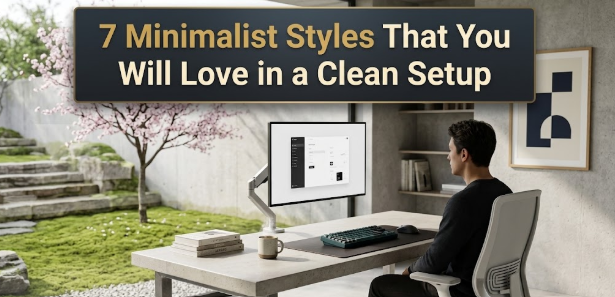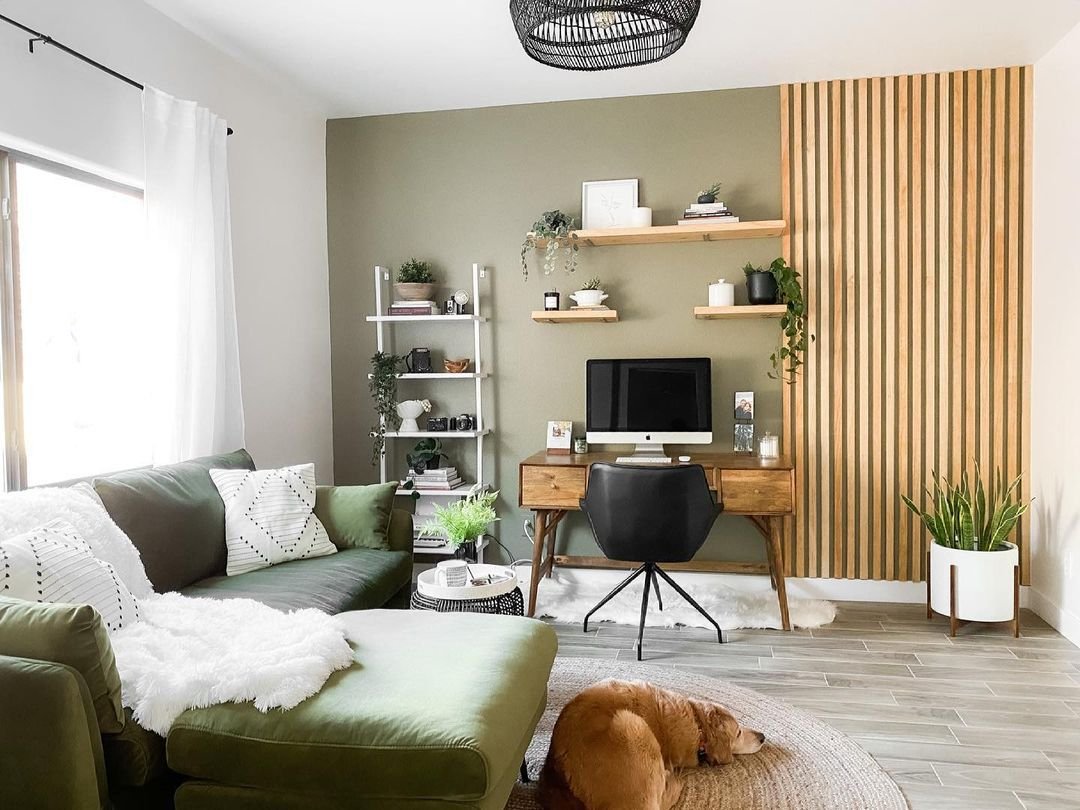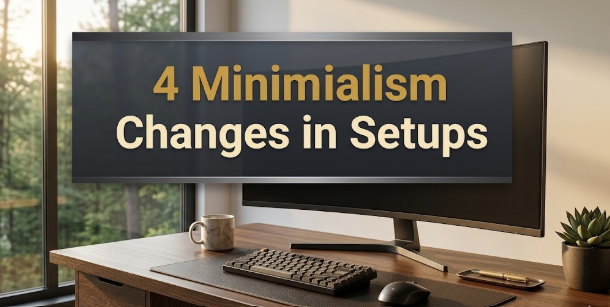
Just imagine: you sit down at your desk. All you have on it is your laptop and a small glass of water. The cables are hidden. The walls are clean. The light is soft and warm.
How does that feel?
To most it seems calm, tranquil even. Focused. Like you can actually think.
That is the magic of setup minimalism. It isn’t about less for less; it’s not a consumption diet. It’s about keeping only what actually helps you do your best work — and getting rid of everything else.
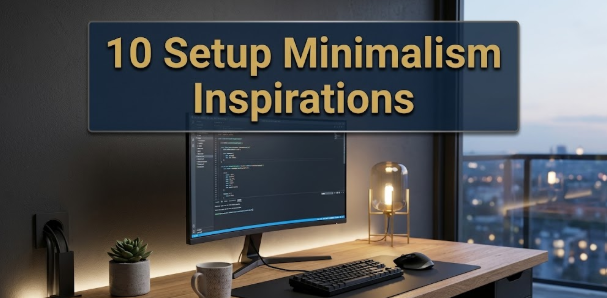
This article provides you with 10 real, practical setup minimalism inspirations to use right away. Regardless of whether you work from home, study in your bedroom or game till the late hours of night, there’s something here for you too.
Let’s dig in.
Why a Minimal Setup Makes You Better at What You Do
Before we dive into the inspirations, let’s discuss the why.
Every glance your eyes cast falls on what you must take in. Every object on your desk. Every cable on the floor. Every single sticky note on the wall. And even if you’re not actively looking at those things, your mind is receiving and processing that information. That takes energy.
A messy desk is a messy mind. Research shows that visual clutter induces greater stress and simultaneously diminishes your ability to concentrate on complex tasks.
A minimal setup eliminates that visual noise. Your brain ceases to do background housekeeping and begins to do real work.
It is not magic. It is just good design.
| What Is Eliminated | What You Receive |
|---|---|
| Excess cables | Visual tranquility, cleaner aesthetics |
| Unused gadgets | Quicker decision-making, less distraction |
| Random decor | Cognitive space |
| Cluttered shelves | A sense of control |
| Overcrowding of colours | A harmonious calm |
Inspiration #1: The Bare Desk Rule — Nothing That Does Not Belong
The single most powerful setup minimalism move you can possibly make is also by far the simplest.
Clear your desk completely.
Dump everything out on the floor, or into a box. All of it. Then return only what you actually use every single day.
What Stays, What Goes
For most people, only about three to five items end up deserving a permanent spot on the desk. For the most part, that just means a monitor or laptop, a keyboard, a mouse and maybe a little notepad.
Everything else — that spare charger, the pile of receipts, the figurine you bought three years ago, the coaster from a coffee shop — none of it deserves to be here by default.
The rule goes like this: everything on your desk must earn the right to be there. If it isn’t used every day, it gets put away.
That one change makes an instant, visible difference. Your workspace feels twice as large. Your brain is half as cluttered.
Inspiration #2: Go Single Monitor and Never Look Back

This one surprises people. In the world of productivity hacking, more monitors are the usual cure-all.
But the truth is, one well-chosen monitor in the right size is usually more focused and more satisfying than two or three screens trying to catch your eye.
Choosing the Right Single Screen
A 27-inch or 32-inch monitor at an appropriate resolution provides all the screen real estate you’ll ever need for split windows, reference material and your main work — but without the sprawling mess of multiple monitors.
The visual benefit is huge. One screen, one single point of focus. Your posture is better. Your neck stays centred. And the desk feels dramatically more open on both sides.
If you find yourself needing a second screen occasionally, a compact supplemental display that you only pull out when necessary is a smarter minimalist choice than having a two-screen setup permanently in place.
Inspiration #3: End the Cable Chaos — Once and for All
Nothing ruins a clean desk aesthetic faster than cables.
A snarl of cords trailing from your monitor, keyboard, mouse, phone charger, laptop charger and desk lamp makes even the nicest setup an eyesore.
Three Strategies for Winning the Cable Wars
Go wireless where you can. A wireless keyboard and mouse instantly removes two cables. A wireless charging pad replaces your phone cable. These gradual shifts add up quickly.
Use cable management tools. Under-desk cable trays, adhesive cable clips and velcro ties are cheap and extremely effective. The point is to get every cable out of your line of sight.
Consolidate with a docking station. One cable from your laptop into a dock can replace five or six individual connections. It is one of the cleanest single moves you can make in any setup.
Hidden cables are one of the biggest aesthetic transformations of almost any single change you can make to a workspace. The desk surface now appears purposeful instead of haphazard.
Inspiration #4: Light the Way
Lighting is the most frequently overlooked setup minimalism inspiration — but it might also be the one that makes the biggest difference to mood.
Harsh overhead fluorescent lighting renders even a clean setup sterile and cold. Warm, indirect lighting can make the same space feel inviting, calm and creative.
The Minimal Lighting Formula
The ideal minimal lighting setup uses two light sources. First, natural daylight from a window placed to the side of your monitor — not behind or in front of you — is easier on the eyes and keeps the space feeling alive.
Second, a warm desk lamp with adjustable brightness fills the space when natural light isn’t available. LED bulbs in the 2700K to 3000K range give a warm white glow that is comfortable on the eyes and flattering to most setups.
Steer clear of LED strips that glow in vibrant colours. They photograph well, but they add visual noise to your real-life working environment. Warmth and subtlety are always the minimalist choice.
Inspiration #5: Choose a Neutral, Cohesive Colour Palette

Colour is one of the most underrated aspects of building a minimal desk setup.
One rule that many of the best minimal setups follow is very simple: choose two or three tones and stick with them.
Colour Combinations That Work
| Palette Name | Primary Colour | Secondary Colour | Accents |
|---|---|---|---|
| Brilliant white | White | Light grey | Black |
| Medium tan | Beige/cream | Warm sand | Driftwood warm |
| Natural timber | Wood tone | White | Green plant |
| All-black | Black | Dark grey | Silver |
| Slate & stone | Dark grey | Charcoal | White |
The base colour is the one that goes mostly on your desk surface, wall and large items such as your monitor or desk mat. The accent covers smaller details — your keyboard, lamp or chair. Details are for the most minute touches.
When all the objects on your desk speak a colour language, the entire setup reads as purposeful and soothing. Even a neat desk can look chaotic when colours clash or mix haphazardly.
Inspiration #6: Add One Small Plant — Just One
Minimalism does not mean sterile.
A single, well-chosen plant breathes life, warmth and a natural focal point into a minimal desk setup without creating visual clutter. For more ideas on building a calm, purposeful workspace, Minimal Workspaces is a great resource to explore.
Best Plants for a Minimalist Desk
Small plants work best, as they introduce an organic texture without overwhelming the space. A small cactus, a cluster of succulents, a pothos vine in an understated ceramic pot or a snake plant in a simple white planter are all popular options.
The key word is “one.” One plant is a purposeful, lovely accent. Three plants is a collection. Five plants is a garden. As soon as you have more than one or two plants on your desk, you’ve shifted from minimal to maximalist.
Pick a planter in a neutral colour — white, terracotta, black or natural wood — that fits into your colour scheme. The vessel is at least as important as the plant.
Inspiration #7: Trade Your Full-Size Keyboard for a Compact One
Your keyboard takes up a surprising amount of desk real estate.
A full-size keyboard with a numpad stretches across almost half your desk. A compact 60% or 75% keyboard can free up six to ten inches of desk space.
The Compact Keyboard Advantage
Aside from freeing up space, smaller keyboards look drastically cleaner. Their proportions fit a minimal setup much better than a large board loaded with media keys, a numpad and function rows.
60% keyboards do away with the numpad, function row and navigation keys altogether. 75% keyboards retain the function row and a compressed navigation cluster, but are still significantly smaller than a full-size board.
Both sizes are well-represented in the minimal setup community, with options available at all price points — budget boards under $50, and premium offerings in the $150–$300 range.
If you work heavily with numbers and genuinely require a numpad, consider a discreet wireless numpad that can be stashed away when not in use, rather than dedicating it to permanent desk space.
Inspiration #8: Hide Your Storage
Visible storage is visual noise.
Open shelves filled with books, gadgets, boxes and odds and ends are one of the largest contributors to background clutter in a home office or bedroom setup.
The Closed Storage Principle
The cleanest minimal setups keep things behind closed doors. From a minimalism standpoint, a desk with one deep drawer will always beat one with open shelves.
Options to consider:
- Magnetic or mounted under-desk drawers
- A small wall-mounted floating cabinet behind the setup
- A slim sideboard or low cabinet next to the desk for bulkier items
- Cable management boxes that conceal power strips and extra lengths of cord
If open storage is unavoidable, stick to one shelf only and contain the contents visually with matching storage boxes or containers in neutral colours.
The rule is: what you see is part of your setup. Ensure everything in sight is intentional.
Inspiration #9: Leave the Walls Nearly Bare
The wall behind your desk is part of your setup.
Most people tend to overlook it, or let it devolve into a dumping ground for calendars, pinboards, sticky notes and random pieces of art. But the wall is one of the most powerful tools you have in a minimal setup.
The One-Piece Wall Rule
The cleanest approach is to do nothing. A simple, freshly painted wall in your setup’s base colour serves as a soothing, open backdrop that allows everything in the foreground to do its job.
If you want something on the wall, commit to one framed piece. It can be a print, a photograph, a piece of typography — anything that you genuinely love. Frame it properly. Hang it at the right height. And then stop.
One piece is a statement. Two pieces is a gallery wall in progress. Five pieces is noise.
Warm neutrals such as off-white, greige or a soft sage are excellent wall colours in minimal setups. They give warmth without upstaging the desk or gear.
Inspiration #10: Mirror Your Digital Space Through Your Physical One
This is the setup minimalism inspiration most people miss entirely.
Your workspace includes your screen. Physical clutter creates mental noise, and so does the mess on your computer — a cluttered desktop, a browser with 47 open tabs, an overflowing taskbar full of icons. According to research published by Princeton University Neuroscience Institute, visual clutter directly competes for your attention and reduces performance.
The Digital Desk Clean-Up
Start with your desktop wallpaper. Pick something clean and calm — a single colour, a subtle gradient or an uncomplicated nature photo devoid of text or branding. A clean wallpaper makes your screen feel like an extension of your desk rather than a billboard.
Next, remove every icon from your desktop. Open programs using your applications folder or the start menu. Your desktop should be a blank canvas, not a launcher.
Finally, manage your browser tabs. Extensions such as OneTab, or Arc’s built-in tab management, collapse your open tabs down into a list you can work from cleanly.
Let your digital space and your physical space tell the same story: deliberate, still, focused.
Building Your Minimal Setup Step by Step
You do not need to upend everything all at once.
The most practical approach is to implement one change first, live with it for a week, and then move on to the next. Here is a suggested order based on impact:
- Empty your desk completely — 1 hour
- Hide or remove cables — an afternoon
- Decide on your colour palette — free, just a decision
- Set a clean wallpaper and clear your digital desktop — 10 minutes
- Replace a full-size keyboard with a compact one — optional purchase
- Put one plant in the right pot — under $20
- Upgrade or adjust your lighting — $30 to $80
- Switch to a single monitor if using dual — optional change
- Manage wall and storage — continuous improvement
Each step builds on the last. After just a few steps, you’ll already notice the difference.
FAQs About Setup Minimalism
Q: Does a minimal setup have to be expensive? Not at all. The biggest-impact changes are mostly free. Emptying your desk, tucking away cables with velcro ties, changing your wallpaper and selecting a colour palette are all free or almost free.
Q: Can a minimal setup still be personal and unique? Yes. Minimalism is not about removing all personality — it’s about choosing where to put personality intentionally. One plant, one piece of art, one carefully selected desk accessory can say a great deal about who you are while keeping the space clean.
Q: What is the best colour for a minimal desk setup? White and grey are most common because they photograph well and reflect light. But warm wood tones with white accents are equally beautiful and feel warmer in real life. Select the palette that suits your room and your personality.
Q: Do I need to invest in a standing desk for a minimal setup? No. A standing desk can be part of a minimal setup, but it is not required. A simple, clean desk at the right height is all you need. Cleanliness matters more than mechanism.
Q: How do I keep a minimal setup tidy every day? The secret is the end-of-day habit. Spend a minute before you stop working clearing your desk of anything that doesn’t belong. Put things away, wipe the surface and close your browser tabs. That one minute keeps everything purposeful.
Q: Does minimalism mean owning nothing? No. Minimalism is about having what you need and nothing that you don’t. A well-stocked, functional setup with good tools is fully compatible with minimalism — provided every item earns its place.
Q: Can gaming setups be minimal too? Absolutely. Some of the most stunning gaming setups are built on minimal design principles: single monitor, wireless peripherals, hidden cable management and a dark neutral colour palette. Gaming gear does not have to mean chaos.
Wrapping Up
Setup minimalism is not a fad. It’s a permanent change in the way you interact with your workspace.
Your thinking is cleaner when your space is clean. When your desk is intentional, your work becomes more intentional. And when you eliminate the visual noise, you find out what your best work truly feels like.
You don’t have to tackle all 10 inspirations at once. Pick one. Start today. Build from there.
A setup that serves you without distracting you is one of the best investments you can make — in your focus, your wellbeing and the quality of everything you create.