Ever sat down to do the work only to feel scattered and unfocused before even getting started?
A messy desk, too many open tabs, loud colors on the wall, cables everywhere — it all adds up. Your brain notices everything in your environment. And when there’s too much to digest, focus takes a hit.
And that’s precisely why minimal workspaces for focus have exploded. From students and remote workers to creatives and programmers — people all over the world are stripping their spaces down to the essentials and discovering that they’re more productive in less time.
This guide takes you through five of those powerful minimal workspace setups, what makes each one click, and how to set up one for yourself — even on a budget.
Why Your Workspace Is Messing With Your Brain More Than You Realize
Before diving into the setups, it’s helpful to understand just why a clean, simple workspace makes you more focused.
Your mind is always on the lookout for information around you. It can’t completely ignore a stack of papers, a phone on the desk face-up and buzzing, or a wall littered with distracting decorations. Your brain is expending energy processing those things whether or not you’re consciously thinking about them.
This is known as cognitive load — the mental effort your brain exerts at any moment. A cluttered workspace silently adds to your cognitive load, so you have less brainpower for the actual work you’re trying to do.
Minimalism in a workspace is more than a style guide. It’s a genuinely useful strategy to shield your attention.
Environmental psychology research has shown that people who work in organized, orderly spaces report higher concentration levels and lower stress than those who don’t. The gist is simple: less stuff around you means more mental space for you.
What Makes a Workspace Truly “Minimal”?
A minimal workspace does not mean bare. It means intentional.
Everything in the space has a purpose for being there. Nothing is there “just in case” or has ended up there by accident. You’ll recognize three core qualities in every effective minimal workspace:
Only what you need — tools, devices, and supplies that serve your current tasks and nothing else.
Visual calm — neutral shades, clean lines, no visual noise vying for your eyes.
Reduced friction — everything is within arm’s reach and easy to use, so you’re not wasting time searching or moving things around.
Now let’s check out the five setups that fulfill all three criteria.
V
visualize
V
visualize show_widget
https://8b550fda9223c44ccf83cee86a5dfebd.claudemcpcontent.com/mcp_apps?connect-src=https%3A%2F%2Fesm.sh+https%3A%2F%2Fcdnjs.cloudflare.com+https%3A%2F%2Fcdn.jsdelivr.net+https%3A%2F%2Funpkg.com&resource-src=https%3A%2F%2Fesm.sh+https%3A%2F%2Fcdnjs.cloudflare.com+https%3A%2F%2Fcdn.jsdelivr.net+https%3A%2F%2Funpkg.com+https%3A%2F%2Fassets.claude.ai&dev=true
Workspace 1: The Desk Purist
This is the classic minimal workspace setup — and for good reason. It works.
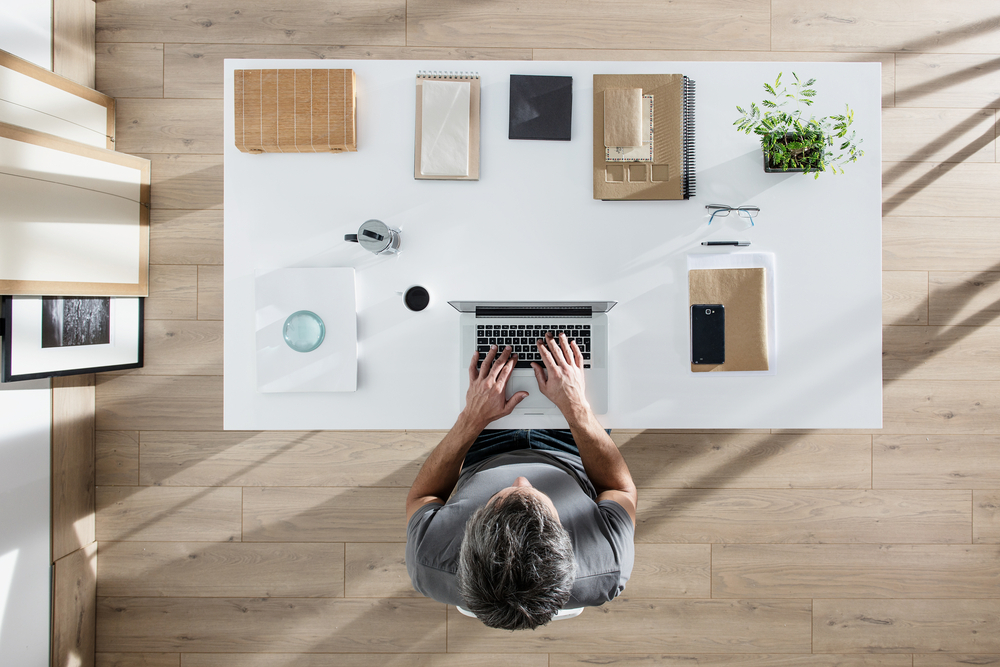
The Desk Purist setup revolves around one clean desk surface with only three things on it: your computer, a notebook, and a pen. That’s it. No additional monitors unless absolutely necessary. No sticky notes stuck to the sides. No decorative items.
What the Setup Looks Like
The desk itself should be a solid, neutral color — white, light wood, or gray. The walls surrounding it remain empty or have one calm piece of art that does not demand attention. Cable management is done with ties or a cable box so that cords vanish from sight.
The chair is understated yet ergonomic. No bright gaming chairs covered in LED lights.
A small, dimmable lamp sits to one side. Natural light enters from the side — not directly behind or in front of the screen.
Why It Works
The Desk Purist setup makes your eyes rest on only what matters. When you sit down, there is literally nothing else to do except work. No tidying up needed. No shuffling things around.
It also forms a strong mental link. When you sit at this desk, your brain learns quickly: this is where work happens. That association itself becomes a powerful focus trigger.
Best For
Writers, students, programmers, and anyone who primarily works on a single device.
Quick Setup Tip
Perform a “desk audit” before you build this setup. Dump everything off your existing desk into a box. Only bring back what you actually used in the last week.
Workspace 2: The Digital Monk

Not everyone works with paper. Some people are 100% digital — all tasks, notes, communication, and creation takes place on screen.
The Digital Monk setup transfers minimalism into the digital world. The desk is still clean, but the real work here is done on the screen — and that’s where this setup strips away everything unnecessary.
What the Setup Looks Like
A single monitor or laptop sits on a clean desk. There is nothing on the desk other than the device, a pair of headphones, and perhaps a glass of water.
On screen, the setup is no less bare-bones. A plain, dark or light solid color desktop wallpaper — no beach photo or mountains, just one flat color. Apps are arranged in folders and pinned to a minimal dock or taskbar. Notifications are universally disabled.
Full-screen focus modes are used during work sessions. Only one app is visible at any time.
Why It Works
Digital clutter is no less real than physical clutter. An inbox with 4,000 unread emails, a taskbar with 20 pinned apps, a browser with 30 open tabs — each of them fires small signals all around your brain.
The Digital Monk does for the screen what the Desk Purist does for the desk. When your screen is simple, your mind follows.
Tools That Help
- Full-screen mode on every app
- A browser extension like OneTab to collapse open tabs
- System “Do Not Disturb” scheduling to prevent notifications from interrupting deep work
Best For
Remote workers, developers, designers, content creators — anyone who spends 6+ hours a day in front of a screen.
If you’re looking for more inspiration and curated ideas for this kind of setup, Minimal Workspaces is a great resource dedicated entirely to helping people design cleaner, more focused work environments.
Workspace 3: The Standing Studio
Sitting all day isn’t good for your body — or your brain. Low energy, back pain, and afternoon mental fog are all linked to spending long hours in a chair.
The Standing Studio is a minimal workspace built around a height-adjustable desk. The core idea is simple: you stand when you need energy and creativity, and you sit when your focus needs to be on detailed tasks. Movement becomes part of the workflow.
What the Setup Looks Like
A height-adjustable desk (also known as a sit-stand desk) is the centerpiece. The desk surface stays even more minimal than a traditional setup, because you can’t pile things up when switching between heights. Only your laptop or monitor, a keyboard, a mouse, and one small notebook remain on the surface.
An anti-fatigue mat sits on the floor for standing periods. A stool or ergonomic chair handles the sitting periods.
No shelves, no cabinets, no side tables — everything extraneous is kept out of view.
Why It Works
Research consistently shows that alternating between sitting and standing increases blood flow to the brain, which supports clearer thinking and prolonged attention. One study published in the International Journal of Environmental Research and Public Health found that workers using sit-stand desks reported significantly less fatigue and greater engagement during work.
The physical act of adjusting your desk also serves as a natural break — a moment to reset before diving back in.
A Simple Sit-Stand Schedule
| Time Block | Position | Why |
|---|---|---|
| First 30 min of work | Standing | Builds energy and alertness |
| Deep focus work session | Sitting | Reduces physical load for concentration |
| After a meal | Standing | Prevents the energy crash |
| Creative brainstorming | Standing | Movement fosters creative thinking |
| Final hour of day | Sitting | Wind-down time |
Best For
Anyone who struggles with low energy at work, those with back pain, and anyone doing both creative and analytical tasks in one day.
Workspace 4: The Nature-Lit Nook

This setup goes beyond the notion of minimal workspaces for focus and grounds it in something humans respond to instinctively: nature.
The Nature-Lit Nook is not a full biophilic office design project. It is a small, purposeful corner of your space that uses natural light, one or two plants, and natural materials to create a calm, grounded environment.
What the Setup Looks Like
The desk or work surface is placed by a window to make use of daylight. The surface itself is wood or has a wood grain texture — even a laminate version does the job.
One or two small plants sit on or near the desk. Not a jungle — just enough greenery to register without demanding your attention.
The color scheme of the space leans toward warm neutrals — cream, soft beige, warm gray, pale green. Nothing loud or stimulating.
No screens face you except the one you’re working on. Your work device is the only technology visible.
Why Natural Light Changes Everything
Natural light isn’t just about being able to see. It regulates your body’s circadian rhythm — the internal clock that dictates when you feel alert and when you feel tired.
Working in natural light has been associated with better sleep quality, lower levels of stress hormones, and — crucially — increased daytime alertness. A study from Northwestern University found that workers in offices with windows slept an average of 46 more minutes per night compared to those without window access.
Better sleep leads to better focus the next day. It’s a feedback loop that starts with where you place your desk.
The Role of Plants
Even one small plant in your workspace can help reduce stress. Research published in the Journal of Physiological Anthropology found that interacting with indoor plants lowered both psychological and physiological stress responses.
You don’t need a green thumb. A pothos, snake plant, or small succulent requires virtually no upkeep and still delivers the benefit.
Best For
People who feel anxious or overstimulated in clinical, sterile environments. Also ideal for anyone working from home who doesn’t want to feel so “cooped up.”
Workspace 5: The Dual-Zone Den
Sometimes one workspace style doesn’t cut it. You need a space where you can do concentrated, heads-down work — and a separate area where you think, plan, and brainstorm more loosely.
The Dual-Zone Den splits one room — or even one large desk area — into two intentional zones, each designed for a different kind of work.
What the Setup Looks Like
Zone 1 — The Deep Work Zone: A minimal desk setup similar to the Desk Purist. Clean surface, computer, notebook, one pen. This zone is designed for focused, uninterrupted work. No phone, no extra clutter. You sit down here when it’s time to produce.
Zone 2 — The Think Zone: A comfortable chair, a small side table or lap desk, and a notebook. No computer in this zone. It’s where you plan, sketch ideas, read physical books, or simply think. Some people add a whiteboard on the adjacent wall for brainstorming.
The two zones are separated either physically — different corners of a room — or by a visual cue: a different rug, different lighting, or simply distinct enough furniture that your brain registers the shift.
Why Two Zones Work Better Than One
Different types of work require different mental states.
Deep work — coding, drafting a document, analyzing data — demands quiet, narrow attention. It benefits from a still, minimal environment without distractions.
Creative or planning work — thinking through a problem, mapping out a project, brainstorming ideas — benefits from slightly more movement, a comfortable posture, and freedom from a screen.
When you mix both modes in one undifferentiated space, neither gets the environment it needs. Your deep work area becomes too casual, and your think zone becomes too tense.
Two zones, two mental modes. The switch between them becomes a conscious act — and that intentionality itself enhances focus.
According to research from the American Psychological Association, our environments powerfully shape our mental states and behaviors — which is exactly why dedicated zones work so well for different types of thinking.
Best For
Entrepreneurs, managers, writers, and anyone whose work involves both creative thinking and focused execution in the same day.
How the 5 Setups Compare
| Workspace | Best For | Budget Level | Space Needed | Key Feature |
|---|---|---|---|---|
| The Desk Purist | Single-device workers | Low | Small | Ultra-clean desk surface |
| The Digital Monk | Screen-heavy workers | Very Low | Any | Digital + physical minimalism |
| The Standing Studio | High-energy workers | Medium–High | Medium | Sit-stand flexibility |
| The Nature-Lit Nook | Anxious or stressed workers | Low–Medium | Near window | Natural light + plants |
| The Dual-Zone Den | Mixed-mode workers | Medium | Larger room | Two intentional zones |
The Biggest Mistakes People Make With Minimal Workspaces
Setting up a minimal workspace sounds straightforward, but people often stumble over the same mistakes. Here’s what to avoid:
Going too minimal. Removing everything does not mean removing comfort. If you’re sitting on an uncomfortable chair at a desk with no lamp, you’ll spend your time managing discomfort instead of focusing.
Setting it up once and never maintaining it. Clutter creeps back. A five-minute weekly reset — clearing the desk, closing browser tabs, putting things back where they belong — keeps the setup working for you.
Thinking the space alone will do the work. A minimal workspace reduces friction and promotes concentration. But unless you’re also managing your time, sleep, and mental state, even the most perfect desk won’t save a distracted mind.
Copying someone else’s exact setup. What works for a programmer may not work for an illustrator or a teacher. Use the five setups in this guide as starting points, not blueprints.
Small Upgrades That Make a Big Difference
You don’t need to spend a lot to improve your workspace. These simple changes have an outsized impact on focus:
A phone drawer — somewhere to put your phone completely out of sight during work sessions. Out of sight really is out of mind — research on smartphone presence has found that even having your phone face-down on the desk is enough to diminish available cognitive capacity.
Warm, dimmable lighting — harsh overhead fluorescents are cognitively fatiguing. A soft, warm desk lamp changes the feel of the space and supports you in staying calm and focused for longer.
A single analog timer — a physical kitchen timer or a simple cube timer on your desk makes time feel real and creates a sense of urgency without the stress of phone timers, which require you to pick up the device.
Noise-canceling headphones — not always for music. Sometimes for silence. A decent pair of noise-canceling headphones worn with no audio playing blocks background noise you may not have even realized was affecting your concentration.
FAQ About Minimal Workspaces for Focus
Q: Do I need a large room to have a minimal workspace? No. Some of the most effective minimal workspaces for focus are tiny. A corner of a bedroom with a small desk and good lighting is plenty. The point is what’s on the surface and surrounding you, not how big the room is.
Q: Can I maintain a minimal workspace if I share a space with others? Yes, though it takes a bit more planning. Use noise-canceling headphones, position your desk away from high-traffic areas, and establish a simple “do not disturb” signal — such as headphones on means you’re in focus mode.
Q: How long will it take to set up one of these workspaces? The Desk Purist and Digital Monk can be set up in an afternoon. The Standing Studio takes longer because of the furniture. The Nature-Lit Nook just needs a desk move and a plant. The Dual-Zone Den depends on your room size.
Q: Is it okay to have decorations in a minimal workspace? One or two items that genuinely calm you — a small framed photo, one piece of art on the wall — won’t hurt. A good rule of thumb: if your eyes are drawn to something more than once while you’re working, it’s a distraction.
Q: Do minimal workspaces work for creative people? Absolutely. Many professional designers, writers, and musicians swear by stripped-down spaces. The idea that creative work requires a chaotic environment is a myth. Creativity is easier when your brain isn’t spending its energy filtering through noise.
Q: What’s the single most impactful change I can make today? Put your phone in a drawer — or another room entirely — during your work session. That one change will likely double the length of your uninterrupted focus windows.
Closing Thoughts
Minimal workspaces for focus aren’t a trend or an aesthetic choice. They’re a practical response to the simple fact that attention is one of your most precious resources — and your environment is either protecting it or draining it.
You don’t need to buy new furniture, rent a larger apartment, or spend a weekend redoing your room. Start with one desk, one decision: what truly needs to be here, and what doesn’t?
Choose the setup from this list that resonates with how you work. Try it for one week. Pay attention to how you feel when you sit down to get started, how long you’re able to stay in the zone, and what your energy level is like at the end of the day.
The right minimal workspace doesn’t just help you work more. It enables you to think better, feel calmer, and actually enjoy the time you spend working.