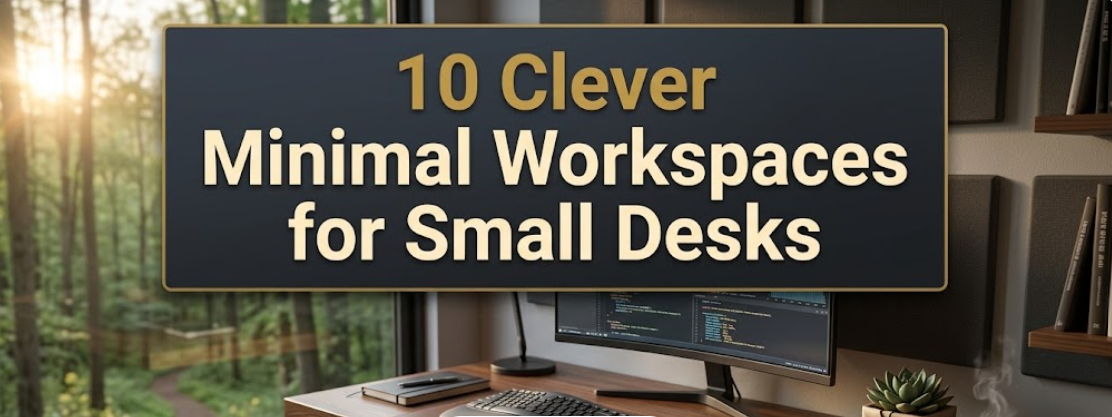
So if you’ve ever looked at your little desk and wondered how on earth you’re supposed to get anything done, you’re not alone. Every single day, millions work, study, and create in small spaces. The good news? A small desk doesn’t mean a small life. Even a very small workspace, with the right setup, can feel open, organized, and extremely productive.
This guide takes you through 10 intelligent minimal workspace ideas that work. Whether you’re a student doing homework, a remote professional scheduling video meetings, or someone crafty with side projects, there’s something here for you.
Let’s get into it.
Why Minimal Workspaces for Small Desks Work Better
Understanding why minimal design is so effective in small spaces will certainly help before diving into the setups.
A messy desk makes for mental commotion. Environmental psychology studies show that visual clutter increases stress and decreases focus. When your desk is clean and purposeful, your brain doesn’t waste any energy evaluating all of the junk.
Minimal workspaces operate under a simple notion: only keep what you actively use daily on the surface area of your desk. The rest is stored, hidden away, or removed. Doing so frees up not only physical space but mental bandwidth as well.
Small desks make you be choosy. That’s actually a hidden advantage.
V
visualize
V
visualize show_widget
https://39ceeaed61079d3258599f83a3201d21.claudemcpcontent.com/mcp_apps?connect-src=https%3A%2F%2Fesm.sh+https%3A%2F%2Fcdnjs.cloudflare.com+https%3A%2F%2Fcdn.jsdelivr.net+https%3A%2F%2Funpkg.com&resource-src=https%3A%2F%2Fesm.sh+https%3A%2F%2Fcdnjs.cloudflare.com+https%3A%2F%2Fcdn.jsdelivr.net+https%3A%2F%2Funpkg.com+https%3A%2F%2Fassets.claude.ai&dev=true
Clutter-free desks earned significantly higher marks on focus and task completion than their cluttered counterparts.
The 10 Smart Minimal Workspaces
1. The Floating Wall Desk Setup
When in doubt, sometimes the best play is to go vertical. A wall-mounted floating desk takes up zero floor space and provides a dedicated work zone in any room.

How it works: A floating shelf desk (generally 24–36 inches wide) mounts directly onto the studs in the wall. Then you fold it up when you’re finished. It’s the ultimate minimal setup, as it basically disappears after work hours.
Best for: Bedroom workers, studio apartments, students without a dedicated office.
Key items to include:
- A single monitor arm or laptop stand
- A small drawer unit that attaches under the shelf
- A pegboard panel overhead for tools and cables
The key is to combine this setup with good lighting. A wall-mounted swing arm lamp leaves the desk surface clear and directs light right where you want it.
2. The Corner Desk Maximizer
Corners remain an untapped resource in small spaces. A simple L-shaped or triangular corner desk makes that dead zone your most productive area.
Why it works so well:
The corner configuration provides two surfaces within the space of a single footprint. You could assign one side to your computer and the other to writing, sketching, or storing a few essentials.
Tips to keep it minimal:
- Run cords along the edge of the desk and hide them behind cable management clips
- Add a small monitor riser with a drawer underneath for hidden storage
- Leave just a single personal item on the surface (a plant, candle, or small picture)
This setup is ideal for bedrooms or living rooms with unused corners where the desk folds into the ambiance of the room, rather than being an eyesore.
V
visualize
V
visualize show_widget
https://39ceeaed61079d3258599f83a3201d21.claudemcpcontent.com/mcp_apps?connect-src=https%3A%2F%2Fesm.sh+https%3A%2F%2Fcdnjs.cloudflare.com+https%3A%2F%2Fcdn.jsdelivr.net+https%3A%2F%2Funpkg.com&resource-src=https%3A%2F%2Fesm.sh+https%3A%2F%2Fcdnjs.cloudflare.com+https%3A%2F%2Fcdn.jsdelivr.net+https%3A%2F%2Funpkg.com+https%3A%2F%2Fassets.claude.ai&dev=true
3. The One-Monitor Flat Setup

Having more screens does not always equate to being more productive. The one-monitor flat setup is clean, focused, and surprisingly effective for a small desk.
The pitch is straightforward: one big monitor (24–27 inches), a wireless keyboard, and a wireless mouse. Nothing else on the surface other than maybe a small notebook and a cup.
Why go wireless? Cables are a minimal desk’s arch nemesis. A wireless keyboard and mouse eliminate that mess right away. Combine them with a cable management box for your power strip and you’ve cut 90% of the visual noise.
Ideal monitor size for small desks: 24 inches at 1080p or 27 inches at 1440p. Anything bigger starts crowding the space.
Replace the stock stand with a monitor arm. This immediately saves 6–8 inches of depth on your desk. Just that one change is a game changer for a small desk.
4. The Laptop-Only Minimalist Desk
Not every working professional requires a whole desktop setup. The laptop-only desk is the most minimalist option, and done right it can be incredibly powerful.
The secret is ergonomics.
Most people keep their laptop flat on the desk and hunch over. That’s bad for your neck and posture. Instead, use a laptop stand that brings the screen to eye level and add an external keyboard and mouse.
What you’ll need:
- A laptop stand, vertical or angled
- A compact Bluetooth keyboard
- A small Bluetooth mouse
- A single USB hub for all connections
This setup works on any desk, no matter how little space you have. The laptop stand folds in seconds when you need the space back.
Desk size this works on: As small as 24 inches wide.
| Workspace Type | Min. Desk Width Needed | Best For | Estimated Cost |
|---|---|---|---|
| Floating Wall Desk | 24 inches | Tiny bedrooms, studios | $50–$150 |
| Corner Desk Maximizer | 40 inches per side | Spare rooms, home offices | $80–$300 |
| One-Monitor Flat Setup | 36 inches | Remote workers, designers | $150–$500 |
| Laptop-Only Minimalist | 24 inches | Students, nomads | $40–$120 |
| Standing Desk Converter | 30 inches | Health-conscious workers | $100–$350 |
| Pegboard Command Center | 28 inches | Creatives, crafters | $60–$200 |
| Drawer Desk Hybrid | 32 inches | Writers, freelancers | $80–$250 |
| Biophilic Minimal Desk | 30 inches | Anyone needing calm | $30–$100 |
| Dual-Purpose Nightstand Desk | 20 inches | Ultra-small bedrooms | $40–$120 |
| Tech-Free Focus Desk | 24 inches | Deep work enthusiasts | $20–$80 |
5. The Standing Desk Converter Setup
You shouldn’t have to invest in a whole standing desk in order to stand while you work. A standing desk converter sits on top of your small desk and lifts your monitor and keyboard up to standing height.
Why this is great for small desks:
When you are standing, a converter only takes up as much space as it needs. When you sit back down, you flatten it out and your desk goes back to normal. It’s adjustable, fast, and doesn’t require new furniture.
What to look for in a converter:
- Two-tier design (one level for monitor, the lower level for keyboard)
- Gas-spring lift mechanism (smooth and easy to adjust)
- At least 28 inches wide to accommodate your keyboard comfortably
According to research published by the American Journal of Preventive Medicine, even working while standing for 1–2 hours a day has been associated with less back pain and more energy. It’s one of the smartest investments you can make on a small desk.
6. The Pegboard Command Center
If you have a small desk and a big brain, you still want your tools close without cluttering the surface. Enter the pegboard.
What is a pegboard setup?
A pegboard is a board with holes that fastens to the wall above your desk. You hang small hooks, shelves, cups, and organizers off it. Everything hangs off the wall, not your desk.
What to put on your pegboard:
- Headphones hook
- Small shelf for speakers or a plant
- Cable clips for charging cables
- A cup for pens, scissors, and small tools
- One section for writing notes on a whiteboard or corkboard
The great thing about a pegboard is it’s totally customizable. You reorganize it as your needs evolve. For small desks, it nearly doubles your storage without invading an inch of desk space.
Pro tip: Keep your pegboard clean and intentional by painting it one neutral color — white, black, or wood.
7. The Drawer Desk Hybrid
Some desks include built-in drawers. If yours doesn’t, you can add a small mobile drawer unit that fits underneath.
The three-drawer rule:
All you need for a small desk setup are three shallow drawers:
- Top drawer: everyday items (phone charger, earbuds, sticky notes)
- Middle drawer: current project files or notebooks
- Bottom drawer: backup items (batteries, spare cables, manuals)
This setup keeps everything off the surface yet within arm’s reach. The desk looks empty and clean. The drawers do the heavy lifting.
Best drawer unit for small desks: A rolling 3-drawer pedestal that disappears entirely under your desk when not in use. Look for ones that have a soft-close feature so they won’t rattle.
V
visualize
V
visualize show_widget
https://39ceeaed61079d3258599f83a3201d21.claudemcpcontent.com/mcp_apps?connect-src=https%3A%2F%2Fesm.sh+https%3A%2F%2Fcdnjs.cloudflare.com+https%3A%2F%2Fcdn.jsdelivr.net+https%3A%2F%2Funpkg.com&resource-src=https%3A%2F%2Fesm.sh+https%3A%2F%2Fcdnjs.cloudflare.com+https%3A%2F%2Fcdn.jsdelivr.net+https%3A%2F%2Funpkg.com+https%3A%2F%2Fassets.claude.ai&dev=true
8. The Biophilic Minimal Desk
This one is more than a matter of organization. This setup adds just a little nature to your workspace. Research shows that even one small plant on a desk can lower stress and improve concentration.
How to accomplish it without overwhelming the space:
Pick one small, low-maintenance plant and put it in the back corner of the desk. Good options include:
- Succulents (need almost no water)
- Pothos (thrives in low light)
- Air plants (no soil needed)
- Snake plants (nearly indestructible)
It’s one plant, not five. This is not a garden — it’s a minimal workspace accent.
Pair it with compatible desk accessories in the same color palette. Choose two colors maximum. Black and white, wood and white, or grey and green all look beautiful and provide that tranquil, intentional atmosphere.
What to remove for this setup: All paper stacks, random bits, and any decorations that are not the plant. Let the plant be the star.
9. The Dual-Purpose Nightstand Desk
If you’re in a very small room, you may not have room for a desk at all. The nightstand desk approach addresses this in a clever way.
The concept: A tall, solid nightstand or narrow side table becomes a desk when you need one. You work from a chair or stool, then clear it off when bedtime comes.
What makes this viable:
- A foldable tray table or lap desk minimizes clutter on the nightstand
- A clip-on lamp offers focused light without taking up surface space
- A small caddy or basket underneath the nightstand stores your supplies
This is not a setup that works for full-day deep work. But for students doing homework or remote workers who only need 2–3 hours of focused work, it’s a practical solution.
Nightstand size that works: 16–20 inches wide with a flat top. Steer clear of nightstands with glass tops (too wobbly for typing) or decorative carved edges.
10. The Tech-Free Focus Desk
This last setup on the list is possibly the most radical. The tech-free focus desk removes screens from the surface entirely — at least during focus sessions.
Why would anyone do this?
Because screens are also distractions. Someone writing, planning, studying, or creatively thinking often finds a notebook and pen on a bare desk more powerful than a screen full of open tabs.
How to set it up:
- Clear the desk completely
- Place one good notebook in the center
- Add a single pen or pencil
- Put your phone in a drawer or elsewhere in the house
- Use a simple analog timer (like a Time Timer or mechanical kitchen timer) to control the length of your work sessions
This setup pairs well with something called deep work. You work for 25–90 minutes straight without any digital distractions, then take a break. The result is often more output in 2 focused hours than 8 distracted ones.
The minimal tools you need: A notebook, a pen, and silence.
All 10 Workspaces — Full Overview
V
visualize
V
visualize show_widget
https://39ceeaed61079d3258599f83a3201d21.claudemcpcontent.com/mcp_apps?connect-src=https%3A%2F%2Fesm.sh+https%3A%2F%2Fcdnjs.cloudflare.com+https%3A%2F%2Fcdn.jsdelivr.net+https%3A%2F%2Funpkg.com&resource-src=https%3A%2F%2Fesm.sh+https%3A%2F%2Fcdnjs.cloudflare.com+https%3A%2F%2Fcdn.jsdelivr.net+https%3A%2F%2Funpkg.com+https%3A%2F%2Fassets.claude.ai&dev=true
Choosing the Right Setup for Your Small Desk
Selecting the right workspace comes down to three questions:
What is your primary task? A monitor arm setup wins if you’re doing any coding or designing. If you’re writing or studying, a laptop-only or tech-free setup may be better.
How many hours do you spend at the desk? For working 6–8 hours a day, invest in a standing converter and an ergonomic chair. For 1–3 hours, a basic laptop stand and wireless keyboard is plenty.
What is your budget? You don’t need to spend hundreds. The tech-free setup costs virtually nothing. With a good stand and an inexpensive Bluetooth keyboard, the laptop-only setup can come in under $60.
5 Universal Rules for Any Minimal Small Desk Setup
Regardless of what type of workspace you choose, these 5 rules apply to all of them:
Rule 1 — The Clear Test. At the end of every day, your desk should take less than 30 seconds to be cleared completely. If it can’t, something permanent has crept in.
Rule 2 — Cable Control First. Sort your cables before buying something new. Loose cords make every setup look messier than it is. A cable sleeve, velcro ties, and a cable management box cost less than $20 and make a big visual difference.
Rule 3 — Light from the Left (or Right). Position your light source to the side of your dominant hand, not behind your screen. It minimizes glare and eye fatigue while keeping the desk surface clear.
Rule 4 — Vertical Is Free Space. Wall space is free real estate. A monitor arm, pegboard, or small wall shelf holds things you need nearby without taking up any desk space.
Rule 5 — One In, One Out. Every time you add something to your desk, remove something else. This simple rule prevents the space from gradually filling back up.
Simple Upgrades That Give Any Small Desk a Boost
Small changes can lead to big improvements. Here are six quick upgrades that work on any small desk setup:
A monitor arm frees up the entire footprint of your monitor stand — often 6–8 inches deep. On a small desk, that’s significant. A good arm ranges between $25–$60 and installs in minutes.
A cable management box conceals your power strip and all the plugs inside a clean box. All you see is one cord going to the wall. It’s the single fastest way to make a desk look like a professional workspace.
A desk pad protects the surface and delineates your work area. It also keeps accessories from sliding around and gives the desk a unified, intentional look. Pick one that sits with 2–4 inches of clearance on each side.
A small tray or valet box on the corner of the desk corrals loose items — your phone, a few pens, headphones. Instead of random clutter, everything is in one contained location.
An under-desk hook mounts beneath the desk edge and holds your headphones, bag, or jacket. It removes items from the floor and the desk surface at the same time.
A monitor riser with a built-in drawer lifts your screen to eye level and provides a small hidden storage space underneath. They come in wood or acrylic and have a clean, simple appearance.
Frequently Asked Questions
Q: What is the ideal desk size for a minimal workspace?
Most minimal setups work perfectly fine with a desk width of 30 to 47 inches. At 30 inches, you can fit a laptop with a stand and keyboard. At 47 inches, a single monitor fits with room to spare. Anything less than 24 inches is very tight, but a laptop-only setup can still work.
Q: How do I prevent my small desk from becoming cluttered again?
The most powerful habit is the 2-minute end-of-day reset. Before you leave the desk, take two minutes to return everything to its place. File loose papers. Put pens in the tray. Clear the surface. Do it every single day and it becomes automatic.
Q: Will a minimal workspace actually help me focus?
Yes. Multiple studies on the effect of the physical environment on cognitive performance show that a neat, low-stimulus workspace prevents your attention from getting distracted and makes it easier for your brain to reach a focused state faster. The effect is strongest for people who often feel overwhelmed or anxious.
Q: Do I have to spend a fortune to create a minimal workspace?
Not at all. The simplest setups are also the cheapest. A tech-free desk costs next to nothing. For a laptop-only setup all you need is a $20 stand and a $30 Bluetooth keyboard. Begin with whatever you have, declutter first, and gradually introduce items only when the use case is clear.
Q: What do I do with items I remove from my desk?
Develop three groups: store nearby (drawer, shelf, basket), store elsewhere (closet, cabinet), and donate or discard. The mistake most people make is moving clutter off their desk and directly onto the floor. Give every item a real home.
Q: Are standing desk converters worthwhile for small desks?
Only if you are seated at the desk for 4 or more hours. A quality converter helps improve your posture, relieve lower back pain, and give you energy throughout the day. Be sure to measure your desk depth before purchasing — most converters require at least 20 inches of depth.
Q: What are the best plants for a small desk?
Succulents and air plants are ideal because they’re small, easy to care for, and don’t drop leaves or make a mess. A tiny succulent in a 2-inch pot brings life to the workspace without taking up significant surface area.
Putting It All Together
A small desk is not a constraint. It’s a design challenge — and design challenges have solutions.
The 10 setups in this guide range from a floating wall shelf in an ultra-tiny studio to a tech-free deep work zone in a busy house. They all follow the same core principle: keep your surface clear, leverage vertical space, and be deliberate about everything in your workspace.
Take one action today. Mount a monitor arm. Add a cable box. Clear the surface and return only what you actually use. See how it feels.
Minimal workspaces for small desks are not an exercise in having less. They’re about thinking more carefully — and working better as a result.